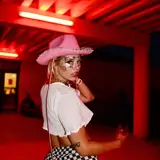
Here is an initial version of the light setup scene i was messing around with. It started out as just an example of a 3 point light setup, but i added the buttons and stuff to make it a bit more interactive.
I used my latest look Emmy in this scene, together with an older hair (Alys hair) so you will need those VARs. All dependencies are listed at the bottom of this post.
Here is a little explanation about the buttons :)
--------------------------------------------

[Poses] - Shows a menu of 5 simple poses you can switch between.
[Color Presets] - Shows a menu of 7 different lighting color setups.
[Rotate] - Drag the slider to rotate the model 360 degrees. Lights will follow the rotation. NOTE: If you switch pose and the Rotate slider is not zero (far left) then the lights will be off. It can accidentally have some use sometimes :) But if you want to reset the lights to default positions, drag the slider to the left and switch to any pose.
[Adobe Color] - Shows a webpanel atom with Adobe Color Wheel site loaded. This site can be useful for creating color themes. Adjust the base color (the middle box with the little white triangle) and it will automatically show colors in harmony with the adjusted one. Use the different options, like complimentary, monochromatic etc. to get different kind of color themes. The RGB values can be copy pasted from the webpanel to light atoms. Sometimes when clicking on the webpanel, keys/clicking can stop working on desktop, if this happens just left click anywhere outside the webpanel.
Also the webpanel always loads a "Whats new" popup on opening from the Adobe site. Just click X to close it. :)
[3PL Tips] - Shows tooltips with some basic info about the lights in a 3 point light setup.
[Save Lights] - Saves the color and intensity of the Key, Fill and Backlight in the scene. The presets can be loaded into light atoms in other scenes. A bit clunky but i didnt figure out a better way yet. Probably needs scripting which im quite clueless to. :( The light presets will be named LR_KeyLight, LR_FillLight and LR_BackLight. Everytime you press save the previous ones will be overwritten.
[Key Power] - Adjust the intensity of the Key light.
[Fill Power] - Adjust the intensity of the Fill light.
[Back Power] - Adjust the intensity of the Back light.
[Face Power] - An extra light which is white. Can be useful with darker colors to brighten the face a little. Adjust the intensity with the slider.
--------------------------------------------
Downloads;
YameteOuji Shorts and Blouse set. Optional, but free and nice quality :)
Dependencies (only need to download if you dont already have them).
--------------------------------------------
If you're interested in YameteOuji's clothing you can find more of his free and paid content here, https://yameteouji.wixsite.com/store. :)
MaxMuscle
2020-07-27 03:09:30 +0000 UTC_jordan
2020-07-26 14:58:24 +0000 UTC