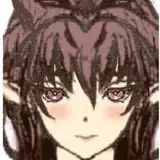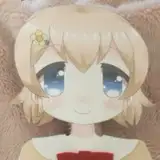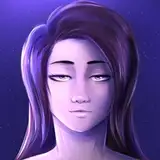
Here is two new looks, well sort of new, they are both remakes. The blonde is Nemi V2 and the brunette is Elle V2. For Nemi i made a new face texture and hair and tweaked some morphs. For Elle some small tweaks in morphs and a new hair.
Both are made for VAM 1.19 with the new package system, so you will have to have your VAM updated to version 1.19.05 (latest currently).
I have also made VAR packages of the morphs i normally use so you will need those for these two and future looks.
To install, download all the packages from the links below and place them in your AddonPackages folder. When you click to open a new scene in VAM, there should be two new scenes on the left side in the browser called "ElleScene_VAR" and "NemiScene_VAR". These are just the basic scenes to load the looks, you can then save them as appearance presets if you like.
Note that you need the full Elle package for Nemi because she uses the same body textures. Nemis hair has 3 color presets but feel free to tweak them as you wish. :)
Links to all packages;
Reloaded Morphs package (credit to Spacedog)
G2FO Morphs package (morphs made by me)
This is my first time doing VAR packages so i hope everything works. Let me know if there are any major issues! :)
oeshii
2020-04-08 02:05:43 +0000 UTCoeshii
2020-04-02 08:08:52 +0000 UTCInfecteDPassioN
2020-04-01 15:32:02 +0000 UTCoeshii
2020-03-30 06:03:22 +0000 UTCPatrice Desy
2020-03-30 04:10:36 +0000 UTCCw
2020-03-28 20:24:40 +0000 UTCoeshii
2020-03-28 16:05:11 +0000 UTCoeshii
2020-03-28 16:04:01 +0000 UTCMaxman3D
2020-03-28 02:31:13 +0000 UTC_jordan
2020-03-27 11:29:45 +0000 UTC