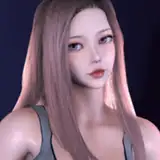
VaM Look: Sara the vampiress
Added 2019-10-12 17:44:39 +0000 UTC
Heres the final look. I found a nice fitting free dress (from CGShare) so i included it in this package. It is SIM enabled.
I didnt make this a .VAC this time because ive had some issues with loading them in 1.18.
So to install this just copy over the content from the downloaded zip into your VAM directory. Keep the folder structure intact. Then you can load the scene "SaraTheVampiress" ingame and save the look etc separately if you want. The scene is just a simple standing pose with 3 lights.
Sadly no glowing eyes, i couldnt implement it well enough yet but its definitely something im looking to do in the future. As always if youre on desktop i strongly suggest using my reshade preset if you like the way the images look.
Although i used alot of the new VAM morphs, the Reloaded ones still have some of my favourites. You will need them for this look too. If you've used any of my previous looks you probably have them already. If not, download them from the link below. (place in \Custom\Atom\Person\Morphs\female)
Click to download the zip from MEGA.
Click to download Reloaded morphs.
Let me know if there any issues. :)
Comments
Hey :) Seems like VAM cant find the morphs, so it could be that theyre in the wrong place. In the latest version (1.18.0.6 i think it is now) the reloaded folders should be in \Custom\Atom\Person\Morphs\female
oeshii
2019-10-30 06:40:01 +0000 UTCHi I am a noob at this, how do I load this? I loaded the SaraTheVampiress.json and I get a bunch of errors like "Could not find morph Cornea Depth referenced in save file". I am on 1.17.0.6 and I put in the reloaded morphs
2019-10-30 01:52:25 +0000 UTCFucking amazing, I did do some minor tweaks to fit my liking though
Tony
2019-10-17 02:14:26 +0000 UTCThank you! :)
oeshii
2019-10-16 17:07:30 +0000 UTCWow, it's impressive job!
Dmitrii Nikolaev
2019-10-16 05:30:11 +0000 UTCHey :) Seems like Vam cant find the textures, Path refers to the folder structure they need to be in inside your Vam folder. You can also try load them manually through the Skin Textures tab ingame. Textures ending with D goes in diffuse, S in specular, N in normal maps and G in gloss. I hope this helps!
oeshii
2019-10-14 20:59:38 +0000 UTCoeshii big fan. I've tried using your models for a while but I just can't stop getting : Error during texture load: Path Custom/Atom/Person/Textures/Oeshii/Sara/XXXX_X.png is not valid. I'm very noobish.
2019-10-14 20:25:56 +0000 UTCThank you! :) It should be in your VAM root folder and ReShade will find it automatically. You will need to switch to using it inside ReShade though. Note that you only need it if you use ReShade with VAM.
oeshii
2019-10-14 13:16:00 +0000 UTCGreat work, oeshii! QQ: where would I place the reshader .ini file?
Bob Bobbyland
2019-10-14 09:53:31 +0000 UTC