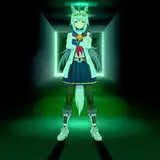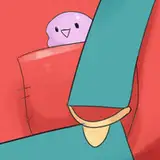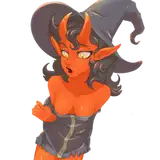
Happy Spooktober everyone! For this month I went with a lovely Halloween themed base. This base features a small witchy Proto ready to cause some mischief!! Once again I have tried to make the base fairly modular with a variety of different parts!

Contains:
2x Armor variants (Angled/Rounded)
2x Visor variants (Angled/Rounded)
2x Accessories (Hat & cloak)
3x Ear variants
3x Background colour options
6x Tail Designs
7x Additional parts (All sorts!)
A Primagen version of the base is also available to patron Primagen owners, please DM on Patreon to request access thank you!

Tips for this base
Please check out my art tutorial, it has the brush settings used in this piece!
- https://www.patreon.com/posts/art-tutorial-to-30916724
- You may want to adjust the layer positioning (bring layers forward/backwards) to get maximum results! You can also try removing the far ear to get a better look with the ears/ hat position & horns!
BASE GUIDE / RULES
- File is PSD, should work in most drawing programs
- Do not redistribute the base/PSD outside of Patreon
- You are free to either 'colour in' the base or redraw the piece (Trace over)
- You are free to add/ change / remove features of the character to resemble desired look! - You are free to change the species from the original base
- You are free to ask a colleague / artist to help with the base so long as its within our members.
- Make sure to check if the layer is locked/unlocked if you are experiencing issues.
- Personal use (Your characters) has unlimited use.
SHARING RULES
- Completed compressed copy of the base can be shared online. (Your completed copy) - PSD file can only be shared among Patreon members / Modified by Patrons only.
NON PATRONS / GIFTS
- Each base is allowed up to 1 gift use for non-patrons, this is to ensure that the content is not being used excessively for non-patrons. (Making a completed piece for a non-patron user.)
- Patrons have unlimited gift use to other patrons.
*Make sure to check the layer properties if you feel like there is an error with the layer! Some of the layers may be locked or set to particular layer filter (Example - normal, multiply, screen etc) You can easily adjust or change these setting in SAI / Photoshop and similar programs.
Cool Koinu
2020-10-13 06:47:49 +0000 UTC