XaiJu
TwistedMexi
TwistedMexi

patreon


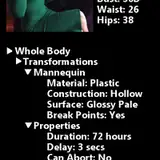
TOOL 2.0.4 - Paranormal Stuff Update

Yesterday's patch didn't break TOOL functionally, but it did visually screw up some menus.

Here's an update to fix that. 👌
It also corrects a (harmless) LastUIException that could manifest under certain conditions.

Please delete your old TOOL mod if you haven't already, and follow the install instructions below for v2.0.4. Thanks!

How to use:

I highly recommend starting with my video tutorial. It's easy to miss TOOL's features if you don't and you'll often end up doing things the hard way.

Official TOOL Tutorial

Object Cloning & Other Tips and Tricks

Installation

1. Open the zip below.
2. Drag the .ts4script and the .package file inside to your mods folder.
3. Make sure mods and script mods are turned on in your Gameplay Options -> "Other" tab.

Note: If you don't want to keep typing in "testingcheats true" to activate TOOL, install the AlwaysTesting.ts4script file as well.

TOOL 2.0.4 - Paranormal Stuff Update

Comments

That's intended, better buildbuy changes how the filters work. You'll need to turn on custom content in the filters and save your game once, then it will stay on.

TwistedMexi

I'm having an issue. I installed the beta version and I couldn't see any of my custom content in the catalog, but I could see it in my house and on my sims. So I removed it and replaced it with the stable version. But now with this version, I am unable to actually get it to do anything. I turned testing cheats on (also have the always on mod) and made sure it was on. I can see the tool option when I shift click. But when I click to move - it won't allow the object to move off grid. If I use the coordinates, it moves until it is off lot and then disappears. If I click scale and try to scale a table, it does nothing. I rewatched the tutorial to see if I was doing anything wrong and I can't see the issue. Do you know what the problem could be? I haven't had any issues until now. I deleted all caches and repaired the game. Could be a mod conflict, but the BE doesn't show anything.

BreakingGaia

Yes should work fine, most likely guess is you have two copies of TOOL in. Make sure you've deleted all of them and grabbed a fresh copy.

TwistedMexi

LOVE YOUR WORK!!! does this work with the new feb25th patch, I received a exception error about the script file

a1alldayeveryday

It'd be easier to resolve on my discord. Invite link on https://TwistedMexi.com but a few ideas would be 1. make sure you're in live mode. 2. Make sure AlwaysTesting mod is installed or you're entering testingcheats true. 3. Make sure you're shift+clicking the objects.

TwistedMexi

I love your work ❤ But I'm still having an issue where the menus aren't popping up. Any thoughts?

You've unzipped the file by accident. Right click the link, save as, and save directly to your mods.

TwistedMexi

Why is the script one in Py? My game will not recognise it.

NordicRavenWolf

Thank you so much! 🤗

szanne7000

So fast, you are spoiling us :)

Mina (WildishWolf)

Yep, no conflicts

TwistedMexi

Hi I have a question. Can I have MCC mods installed at the same time as TOOL? Have a nice day 🤗

Thank you!

I am grateful to you T.M., with every update you bring a smile to my face - so much of my game present and past - has enjoyed your work. It would be a totally different place without it.

Chris

Thank you!

Diamond

Thank you so much!! Really appreciate your haste!

Thank you for the video and tips!!

Did I miss the update for Better exceptions?

instantmagic

Awesome, thank you! I was only getting as far as reading about there being a visual glitch and here you are with an update.

Azuhra

Thank you so much, I just downloaded it!

edgy_princess_

thank youuuu

Pxneapple


More Creators