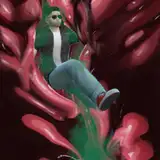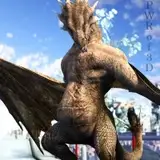
Be careful when walking through the bad part of town. In some places, drugs and crime are the least of your worries.
This image changed quite a lot from my original idea. My first version had the dragon as a wyvern and the scene to be at night. But the wyvern's scales didn't look good in the render, and I could not get a good night scene in Iray. I swapped them both out for this current scene. Im a bit disappointed about not being able to complete the night scene, but i am still happy with how this turned out. It rendered for almost 6 hours overnight before I had to stop it.
Rendering Tip: Iray materials.
Iray is a wonderful engine that creates some stunning results. It requires a little setup for the best results. One of the things I do is set all my materials to have Iray properties. Its rather easy to do this:
Select your object and go to the surfaces tab.
Select all the material zones.
Go to the presets tab and find the Iray shaders. It will be under 'shaders'.
Double click the 'Iray base' shader.
The Iray base shader will apply the properties to the model's surfaces without removing the texture that's already applied. Iray likes the materials better if everything in the scene is set to have Iray properties. You may notice your render speeds increasing.
Iray materials are very complex. I'd recommend playing around with them and seeing what all the sliders do. Some sliders or buttons will reveal more options under them. For example, setting the 'top coat' slider to something more than zero will reveal a few more sliders to adjust the top coat further.
Wikko
2017-01-22 13:44:53 +0000 UTC