TLD;DR
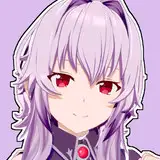
Please find below the var packages for my Ballerina characters Liloo & Holly coming as presets. Holly contains a shaved version of RenVR's Aimi skin. It is not perfect but acceptable IMHO.
Hairstyle for Liloo is from Vempire, posted on VaM Discord here. Do give him a thank you on his original post.
You will also my need my Pubes and Tattoo Decals Galore (Patron's request) | Svetlana's VaM Beauty Shop on Patreon
Longer read
So, I haven't abandoned you but the making and baking in Unity of my new scene environment took waaaay more time than anticipated :/ and it delayed everything. Now that it is solved, I can resume uploading the remaining of the Sweat Academy series that I continued working on when I was not raging at Unity. You can see the sporty Dance Leotard that is coming next in the screenshot on the left.
Liloo and Holly share the same creative root. I made them evolved separately along the way from their 4th iteration. Usually, it takes me 6 iterations to create my models. They are all unique as I start from scratch every time. I have cared for all tiny details: Liloo and Holly are both made of 20+ morph panes.
Liloo & Holly are two Petite characters with a fitness build. I am insisting on their 'petite' characteristic in case you are sensitive to that point. Personally, I've seen scenes on the Hub that I found very much borderline but here you've been warned: if you feel offended by this point, please do not download them.
If you do download them, I hope you will like them as much I do. I have a little preference for one in particular but I don't want to influence you :p
Take care. Cheers
7th7andwich
2021-04-05 06:43:55 +0000 UTCUbamajuba
2021-01-20 10:54:02 +0000 UTCCuteSvetlana
2021-01-20 10:42:55 +0000 UTCUbamajuba
2021-01-20 09:18:42 +0000 UTC