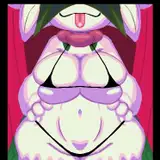
As it often happens with me, the drawing began with an idea. The idea was to display the softness of the body. I wanted to learn how to draw so that fingers pressed on the surface of soft asses and influenced the shape of the holes next to their fingers.
Below are the stages of creating the art and the PSD file with all the layers. For simplicity, there is only 1 of 3 art options
Original posts:
https://www.patreon.com/posts/rabbit-holes-1-3-56247249
https://www.patreon.com/posts/rabbit-holes-2-3-56248250
https://www.patreon.com/posts/rabbit-holes-3-3-56248304
1. I start as usual with a rough sketch.

2. To study all the details of anatomy, I used the references found on the Internet. All these photos with stretched butts can be easily googled. It is important that I did not use the photos to redraw, but to understand how it all works.

3. Completed a neat linart.

4. In order to make it easier to work with different parts in the future (add color and shadows), I made color selections. Thus, it was easy for me to single out one or another part of the rabbits.

5. I took advantage of my modest knowledge in 3D and used an HDRI-map for background and light, and used primitive models for shading, which I then manually adjusted, fitting exactly to my linart. It turned out like this:

6. I always add shadows that darken deep places and separate some objects from others. This gives a good depth to the final result.

7. We combine stages 5 and 6, add clouds to our background - this is how rabbits would look if they were white.

8. Then I drew flat colors. Blush is a mandatory part, without it there will be a lack of warmth and vitality.

9. We combine the color and layers with shadows from the previous stages - it looks like the final result.

10. My favorite part of the process is working out my favorite body parts)) Highlights, wrinkles, creases, veins - I like to draw it all! =^_^=


11. Next, I added all these splashes from the lubricant (and at the same time glare on the eyes). For clarity, the picture shows an enlarged fragment.

12. I applied splashes on top of all the previous layers, adding a little noise for liveliness and a little general color correction. The picture is ready!

A PSD file with all the layers, settings, and corrections is available at this link:
https://yadi.sk/d/J0Uz6qQZeN-xXw