![[wip] Making icons - shark](https://img5.xaiju.com/storage/2/jh/ox/d38796-019e8c3a-6a36-7427-9c5f-ee87ed5fb835.jpg)
![[wip] Making icons - shark](https://img5.xaiju.com/storage/6/av/gx/d38796-019e8c3a-6a3c-7f0b-a3a9-05c2efee4d06.jpg)
![[wip] Making icons - shark](https://img5.xaiju.com/storage/12/ga/ft/d38796-019e8c3a-6a48-7ab8-b599-e5e7453e7053.jpg)

Related post
How to make theme & icons (2018) <- This is a post I wrote a long time ago. My thought process has changed a bit since then.
I've put together the thoughts and process that I have when I create icon packs.
1. Main image.
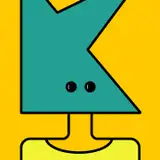
The main illustrations that will be used are these two.
I've made a few shark-related themes in the past (shark and ray, marine life with shark icons. There are a few reasons why I'm trying to make a shark theme again. I can make a better shark icon than before 😂
[ icon pack ] shark (for iOS 14 and Desktop ) <- At this time, I just divided the icons by shark type. I didn't draw new for 'icon'
And the ones I've made before were dark version and food version, so this time I wanted to make a blue version that really has a sea feel. another reason is fish are cute i need to draw more fish.
Seasonally, If I had made it in the summer, the lemon shark would have been more of the main image, but since it's almost winter, I'll make the polka dot shark the main image. Anyway, I'm going to use both!
2. Colors
Think about the overall color mood.
Blue is easy on the eyes, dark blue will help with readability, and yellow will be a good point color.


At first I was going to use purple too, but I reduced the proportion a bit.
Instead I use pink more.

It's very subtle, but the color has changed a bit.
3. icons

Some of you may remember the icon packs I made in the beginning. At that time, they were just small versions of the images I used before. So they weren't very readable. It would be hard to know what app they are if it's just a cute animal face icon.
Actually, it took me a while to realize this, because I'm kind of person who decide on a wallpaper or icon, don't change it for years.
Luckily the reviews on the store app made me realize this -the ratings developers get tend to be very honest, they can be quite harsh so 😂

I get a lot of requests to draw icons for specific apps.
However, Icons and image of certain applications are copyrighted. So it could be a problem. Instead, I use objects or alphabets that are associated with them appropriately. Since people use different apps anyway, and I can't make everything, so I think this is better :D

If I had only drawn 1-3 types of sharks, the icons would have probably been more unified and easier to draw. But my soul wanted to draw more types of sharks 😂 Since unity in design was important, I colored the gray sharks blue and the brown sharks yellow.
** I tried to choose only 10 at most because it would be complicated if there were too many, but I already exceeded that number. There's nothing I can do...If time permitted, I would have drawn 500 of them.

I check it from time to time while making the icon. This is to check the overall balance. I look at this and if I don't like something, I edit it.
In this case, I'm thinking about thresher sharks. I currently have two thresher sharks on this icon pack, and I only drew the whites of the eyes on one icon. I could have just deleted it, but I wanted to draw it like that. It might be a bit unbalanced since I don't draw it on other sharks, but I like the big eyes of the thresher shark 🥹
Thanks for reading! I'm working on some more additions and will update the icon pack within this month :D
pikaole
2024-12-01 10:36:36 +0000 UTCSomebody
2024-12-01 06:06:27 +0000 UTCpikaole
2024-11-22 01:40:24 +0000 UTCSeth K.
2024-11-21 13:59:58 +0000 UTCpikaole
2024-11-20 12:56:54 +0000 UTCThe Creature Collector
2024-11-20 11:17:52 +0000 UTCpikaole
2024-11-19 15:16:03 +0000 UTCpikaole
2024-11-19 15:11:19 +0000 UTCpikaole
2024-11-19 08:19:40 +0000 UTCpikaole
2024-11-19 08:19:26 +0000 UTCpikaole
2024-11-19 08:18:52 +0000 UTCpikaole
2024-11-19 08:10:55 +0000 UTCAvalon Bernd
2024-11-19 05:30:44 +0000 UTCAsh
2024-11-19 01:03:21 +0000 UTCPanny
2024-11-18 22:26:57 +0000 UTCKaamraan Raboobee
2024-11-18 20:46:47 +0000 UTCLuísa
2024-11-18 17:01:04 +0000 UTCMegan
2024-11-18 16:51:15 +0000 UTCpikaole
2024-11-18 16:50:24 +0000 UTCpikaole
2024-11-18 16:48:58 +0000 UTCMegan
2024-11-18 16:46:20 +0000 UTCSarah
2024-11-18 16:33:49 +0000 UTC