XaiJu
entagma
entagma

patreon


VEX101 - Creating Chladni Patterns

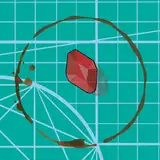
To demonstrate what you can achieve with even basic programming, we set out to create what some credit with starting modern acoustics: Chladni Patterns. Those lines of sand visualize how an oscillating metal plate vibrates. Watch out - we'll be using a bit of highschool math in this one.

We used a few texture maps from our good friend Cornelius Dämmrich for rendering this one - check out his freebies, a really neat collection of useful CG bits: https://zomax.net/free-stuff/

VEX101 - Creating Chladni Patterns

Comments

great tutorial, I love your page and YouTube channel. It is so inspiring, informative and helpful.

Shiv Dholakia

Hi Ilia, amp is short for amplitude, meaning how strong the vibrations are at a given point. Cheers, Mo

Entagma

Sorry,I don't quite understand. Here f@amp, What does this variable represent? I know it is a floating variable, but I don't know its meaning and its relationship with s (x, y). And why f@amp after being connected with the visualize node, this kind of pattern will appear on my grid. What is the color distribution on the grid?

Ilia

Hey GunjanB, that's a good question - it's hard no to answer by just stating that a physics book might be the place to look for equations for natural phenomena :) Here's one nice resource that's a bit more focused on generative design though: http://www.generative-gestaltung.de/1/ Cheers, Mo

Entagma

Thanks Mo for this thorough walk through of VEX. Would be great if you could recommend some resources for similarly interesting mathematical equation like the Chaldni Patterns :) Cheers, G

GunjanB

Those m's and n's tripped me up - I copied the formula wrongly (they do look quite the same :-D). Thanks Mo, my world of Houdini is back to normal.

Philipp Zakrzewski

Hi Philipp, did you compare your setup against the file we provided? That's usually the quickest way to figure out if/where something went wrong. Afaik, this should work the same in 18.0.499. Cheers, Mo

Entagma

Great tutorial. But for some reason my results look entirely different to yours :-D I went over the code and the parameters a couple of times now, but it looks exactly the same as what you wrote in the tutorial. Any change Houdini 18.0.499 interprets things differently?

Philipp Zakrzewski

Actually - I may be able to adapt something from one of your other videos, the particles running through pipes one seems a likely answer - make a vel volume pointing towards the pattern and drive the particles that way :-) Thanks again for this excellent resource!

Chris Cousins

Thanks as usual, really interesting stuff. I was wondering if I could ask for a suggestion relating to this. I'm working on an animation that includes a chladni plate, believe it or not - and the idea is that the sand is shown shifting between patterns as the frequencies shift. We're quite close, ideally I'd like to see the grains as they move between different configurations - scatter won't be enough here. I'm not asking for a full setup of course - just an initial suggestion as to how I might approach this - I've tried vellum grains with low friction except in the right places , but they're slow and tend to get 'stuck'; or particles with a deforming collider - which is what I've tried, it works ok but I keep running into POP issues where the particles drift off the plate entirely due to collision innaccuracies.

Chris Cousins

At first I was like damn, these guys doing some einstein wizardry with PI and whatnot. till you realise its just a number that helps drive the sinwaves and could be replaced with any number to get similar "looking" results. I like the results of this and I see how this oculd be used to generate all sorts of cool ornaments.

Simon van den Broek

Great tutiorial vid. Really enjoyed working thru this one. For future people who comes across this great content, I recommend pausing the video after Mo mentions he's going to do something and trying to do it yourself before he shows you how he did it in Vex.

Javon Adams

When you declared float x = @P.x, can you explain why "x" in the equation equals @P.x? In hindsight the answer seems obvious but maybe I can discover more insight into understanding the syntax of equations with some more explaining. Thank you!

Shane Simpson

lol, i wish i could type VEX as fast as the time accelerated float slider bit...

jeremy jozwik

Sounds like you're trying to open it using Houdini 16 (or lower). That's what I was mentioning in the video. Previous to H16.5 there was no built in global variable PI which you'll have to define yourself. Cheers, Mo

Entagma

very beautiful,
However, I open the file when show. Under Particles: pointwrangle1 All the PI show Red line f@amp = a * sin(PI * n * x) * sin(PI * m * y) + b * sin(PI * m * x) * sin(PI * n * y); Please help me explain what should I do? 
Thank you!

Jie Kinoshita

Guess you are right even if the "rest" condition of a scatter Sop are point randomly distributed( pls correct if I'm wrong)? By the way, I wonder how to use a sphere as a input geomtery and use its point and normal to generate this kind of displace ​effect ...? p.s great tutorial as always ​, good job guys keep going!

simo leo

Interesting stuff as per usual. Cheers. So basically animating the multiply value of the "extreme" attribute will give a transition between sand covering the plate uniformly and the pattern positions?

Adriano Zanetti


More Creators