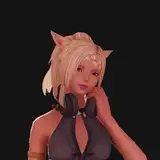
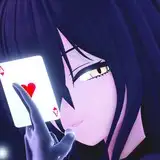
![Cantarella Bunny Suit [Full]](https://img5.xaiju.com/storage/11/ow/sa/d38796-019e9123-53e8-7f09-9d29-aee10b55bac3.png)


Fixed the weights on the tips of her sleeves
The list of toggles and shapes is in the main post
/ - Open/close menu. The character has to be "on screen". It is NOT the NumPad /, just a regular /. Might be some different symbol on your keyboard, depends on where you are from. Change the first key setting in the ini to change the button if you are confident in doing so.
Left or Right mouse button - Interact with the menu elements (click/drag/slide). Be careful when using the left mouse button, it can still click the things in game.
HOLD ALT to bring up cursor in game if you are not in any of the game menus that naturally expose it.
SHIFT + Right arrow - reset menu position and sliders (in case it breaks, but i wasn't able to break it).
CTRL + Arrows - Moves the whole menu on the screen, 4 directions corresponding to the arrow key pressed
Up and Down Arrows - Navigates through the toggles. Arrows that change the menu page are considered toggles as well.
Left and Right Arrows - Simulates mouse click on selected toggle slot. Changes the slider value if the selected item is a slider.