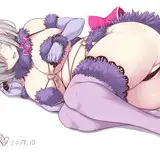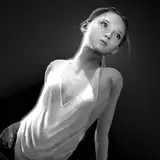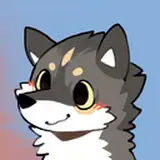
Werewolf base with re-texture PSD files
It comes with both configured VRChat Avatar Project and VRM files. You can upload the avatar into VRChat or use in any VTuber software that supports VRM file format. More info about VRM https://vrm.dev/
Upon purchase, you are free to edit it however you like, or use them as VTuber model However:
- You cannot redistribute, re-sell base and/or your modification, or any mean that the avatar falls into another person possession.
- You cannot upload this model as a public model, and cannot put this model in VRChat Avatar Pedestal unless you keep a _CreditCube object and Menu to show it inside the model. If you wish to use a base, please visit this world to clone it : https://vrchat.com/home/launch?worldId=wrld_23040083-cc6f-485c-a9cf-603ddb2b1528 (Search Zephyxus Avatar Home World) or clone this base from others.
- It is prohibited to use it for the purpose of slander, politics, or religious activities for specific individuals or groups.
- If you decided to commission an artist to edits, you can do so as long as both parties have bought this model before.
Recommended Re-texture Artist:
- Auxl (https://twitter.com/auxlDev)
Disclaimer
- The creator shall not be liable for any damage incurred, misuse, or any other losses caused by the use of this model.
If you have any questions, any assistance, or suggestions, please ask in our discord
Thank you for buying the ZWerewolf Model!
I hope you enjoy the model. Please help us giving a rating (on the left hand side panel <------). The download files are in the section below. I also include a simple video tutorial to upload the avatar to your VRChat for you.
If you have any questions, issues, or any recommendations on ZWerewolf avatar, Feel free to reach me in our discord server.
Looking for a retexture artist for ZWerewolf. Check out Auxl (https://twitter.com/auxlDev)
VRChat Upload Tutorial
VTuber (VRM) Creation Tutorial
Simple steps to upload the model to VR Chat:
1. Download and Install VRChat Creator Companion.
2. Install required Unity version (https://creators.vrchat.com/sdk/upgrade/current-unity-version/)
2. Add Repositories for Poiyomi Toon Shader. (https://poiyomi.github.io/vpm/)
3. Create new project and add Poiyomi Toon Shader, then lunch the project.
4. Import the Unity Package VRCHAT ZWerewolf 1.0.0.
5. Open the ZWerewolf scene.
6. Make modification.
7. Login to VRChat SDK and Upload.
8. Click Build & Publish for Windows.
Provided by Auxl ( https://twitter.com/AuxlDev )
Simple steps to create VRM file:
1. Launch Unity 2019.4.31f1 and create new project.
2. Install UniVRM. (https://vrm.dev/) version 0.89.0 (https://github.com/vrm-c/UniVRM/releases/tag/v0.89.0)
3. Drag and drop ZWerewolf_VRM V1.0.0.vrm file.
4. Make modification.
5. Export VRM.
Note: the versioning defines as X.Y.Z where X is major change (which shouldn't be happened), Y is minor change, Z is a bug fix.
1.0.0 Base version
1.0.1 Extend Arms more
1.0.2 Shrink feetpaws proportionately
1.0.3 --skip--
1.0.4 Fix weight paint in hands (for Index controllers)
1.0.5 Adjust loincloth weight paint
1.0.5b (only for VRM) Fix thumb rotation for VRM