[v3.0] BG Changer with IP Adaptor + Masks [ Breakdown Tutorial ]
Added 2024-01-18 16:43:17 +0000 UTC
New!! - 2 More Files, BG changer (Simpler with Mask) and BG change with IP Apdator has been added to the Drive folder :
https://drive.google.com/drive/folders/1HoZxKUX7WAg7ObqP00R4oIv48sXCEryQ
.
Now you can have consistent custom Background throughout the animation.
Prerequisites
1) If you are new to this workflow, Watch these Video and tutorial first to get how things work:
2) Controlnet - SoftedgePlus and AutoMask from this workflow: https://www.patreon.com/posts/update-v3-0-lcm-96482739
Background Change + IP Adaptor

You can now change background with one Simple image or use a Sequence of Images (Same number as of controlnet images) to change the background.
It uses line art controlnet for the background and generates a consistent background for every frame of the animation.
_________________________________________________________________
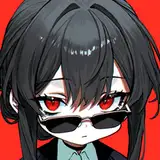
Breakdown - 1 ( #2_4 BG Change with IP) Imp and Mistoon Anime

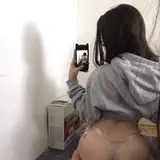
The Above render was made with AutoMasks and Controlnets generated from Here.
- SoftedgePlus (ControlNet Strength - 0.8, Start - 0, End - 0.95)
- OpenPose (ControlNet Strenth - 0.8, Start - 0, End - 0.8)
- AutoMask (Mask)

These 3 were only used in from the source video.
IP and Background

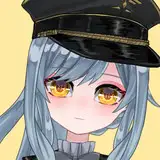
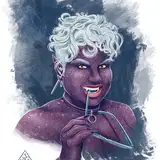
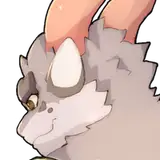
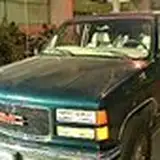
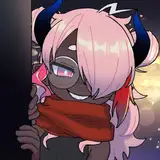
Following Images were used for IP

IP settings, Low weights (0.4 - 0.6 ) creates more appealing and better results.

Single image with Strength (0.8) and End percent (0.65) was used.
Models and Loras

IMP Model was used make the Raw Images : https://civitai.com/models/56680/imp?modelVersionId=61106
With The Following Loras were used:
- CyberpunkAI : https://civitai.com/models/77121?modelVersionId=81907
- V_O: Imperial Guard Combat Uniform Swimsuit | 近衛師団戦闘服 - V2 | Stable Diffusion LoRA | Civitai
Prompts and Settings

Rest Every other settings was set to default.
Refining
Mistoon Anime Model - https://civitai.com/models/24149?modelVersionId=108545
was used to refine and uspcale the raw images to give a "Cartoon look" to the final Images.


This Refiner file was used with the default settings for upscaling and refining.
and then old v2.1 Face Fixer was used to fix the faces.
Render Video : https://youtube.com/shorts/58jCMwSytvg
______________________________________________________________________
Breakdown - 2 ( #2_3 BG Change without IP) - EpicRealism

Same Controlnets and settings from above was used
Model

EpicRealism Model was used to render this realistic style : https://civitai.com/models/25694/epicrealism
No Loras were used in this.
Background Settings

Same settings as before just different image,
To demonstrate the workflow has also has a normal version of the workflow without IP.
Model and Prompts

Same Refiner file was used with the default settings for upscaling and refining.
and then old v2.1 Face Fixer was used to fix the faces.
Render Video 2 : https://youtube.com/shorts/FAT0kqyfDSU
___________________________________________________
The Above Workflow Files are also Uploaded in the "Prompts and Settings" Folder (Drag and Drop in comfy to see them)

Google Drive Download Link:
https://drive.google.com/drive/folders/1HoZxKUX7WAg7ObqP00R4oIv48sXCEryQ
.
.
Now I'll try to focus on making more tutorials on how you can use these workflows creatively, also will share my resources which I find useful along the way.
Byeeeee :D
My Discord Server : https://discord.gg/z9rgJyfPWJ
- Jerry Davos ❤️
Comments
Future friends who have the same problem as me, please use the method below, ----------- AppData\Local\Programs\Python\Python310\Lib\site-packages -> "color_matcher" files ctrl + v -> \ComfyUI_windows_portable\python_embeded\Lib\site-packages -> ctrl + c -----------
minimo
2024-04-13 13:03:47 +0000 UTCHow can I fix this error? I searched but couldn't find any posts about the solution ༼;´༎ຶ ༎ຶ`༽ 1. E:\sd\ComfyUI_windows_portable\ComfyUI -> cmd ->pip install color-matcher 2. E:\sd\ComfyUI_windows_portable\ComfyUI\custom_nodes ->pip install color-matcher I tried many ways but it doesn't work..... : ( ----------- Error occurred when executing ColorMatch: Can't import color-matcher, did you install requirements.txt? Manual install: pip install color-matcher File "E:\sd\ComfyUI_windows_portable\ComfyUI\execution.py", line 151, in recursive_execute output_data, output_ui = get_output_data(obj, input_data_all) ^^^^^^^^^^^^^^^^^^^^^^^^^^^^^^^^^^^^ File "E:\sd\ComfyUI_windows_portable\ComfyUI\execution.py", line 81, in get_output_data return_values = map_node_over_list(obj, input_data_all, obj.FUNCTION, allow_interrupt=True) ^^^^^^^^^^^^^^^^^^^^^^^^^^^^^^^^^^^^^^^^^^^^^^^^^^^^^^^^^^^^^^^^^^^^^^^^^^^ File "E:\sd\ComfyUI_windows_portable\ComfyUI\execution.py", line 74, in map_node_over_list results.append(getattr(obj, func)(**slice_dict(input_data_all, i))) ^^^^^^^^^^^^^^^^^^^^^^^^^^^^^^^^^^^^^^^^^^^^^^^^^^^ File "E:\sd\ComfyUI_windows_portable\ComfyUI\custom_nodes\ComfyUI-KJNodes\nodes.py", line 1470, in colormatch raise Exception("Can't import color-matcher, did you install requirements.txt? Manual install: pip install color-matcher") __________
minimo
2024-04-13 11:57:29 +0000 UTCHey... what you can do is export 5-10 extra overlapping frames from the next batch, and later in after effects you can cross fade and overlap them. Here look at this video at around 3:15 on how to do this: https://youtu.be/aysg2vFFO9g?si=_dXBIrvo9XAQJ7uH&t=194 . . I am working on something that will solve this issue soon. Hope you find your answer.
Jerry Davos
2024-03-26 17:10:33 +0000 UTCI am a student and compliment you on the workflow you share But I've been having trouble with it lately My graphics card is an NVIDIA GeForce RTX 4060 laptop GPU 8G When I try to draw in batches, I usually use 50 frames at a time But when I drew the second time (50-100 frames), between 50 and 51 frames, his painting was inconsistent, there was no good transition, (at 50 frames, the girl in the picture was red, but at 51 frames, the girl in the picture may have changed to white, I did not modify other things, just change to the next batch). I think this is caused by batch, but my video memory only supports me to draw 50 frames each time, and I see that your video picture effect is very good. I don't know how you deal with these problems, or I don't know if there is anything I missed, so I come to ask you. Thank you!
x y
2024-03-26 13:34:56 +0000 UTC