![Holo [FT | PC/QUEST]](https://img5.xaiju.com/storage/6/ju/qx/d38796-019e8e06-049b-79db-a054-95eda71a9fc6.png)
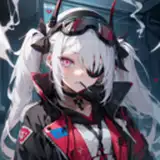
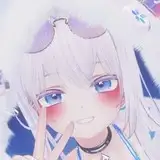
This avatar is my most ambitious project as of now, about 900 hours have been spent working on her. I really wanted to push the boundaries of avatars with this one. I wanted more than just an avatar that looks cute, I wanted her to have actual utilities while working great no matter your vr setup, all while being as optimized as possible. Almost everything on this avatar is made from scratch by me. Hope you like her as much as I do ♡
The lite version is available for free in my server! The lite version has limited features and some parts of the mesh has been deleted. Try her out before buying her by joining here! I also offer Upload Services in my server for 10 USD.
She is cheap because I planned to make her affordable from the start!
If you post pictures of her on Twitter tag me, I would love to see ♡
Face tracking - Gogoloco with flying - Lite version - 9 Super lights Points with Shapekeys - PCS - Lollipop - Posable Lollipop - Streamer safety toggle - Eye close control with trigger and individual eye close with both triggers - Everything built-in into 1 version of the avatar - Lots of color adjustment possibilities - Marker - Gun with working ammo system - Knife you can play with that has dynamic stab effect - Nightvision - Flashlight - Lots of Dynamic contact features - Desktop friendly toggles - Non-destructive gestures in face tracking mode - Face expression toggle - Everything is toggleable - Audio Link - Everything included at download for ease of upload - And more
I highly recommend watching her whole showcase to understand how to use her properly. Also the showcase is missing some features, more detail available in my server.
- Manual control toggles available for everything; for desktop or for debugging.
-Individual and combo toggles to disable touch contacts, if you do not want to keep grabbing stuff by mistake while keeping the aesthetic or if you do not want effects whenever you are touched.
-Mute sound toggles for everything; separated by sections.
-Self interact toggle for physical touch features.
-Everything is individually toggleable.
-Certain clothing toggles will reset whenever the avatar is loaded again; for your account/stream safety.
Avatar credit: Head - Body - Hair - Hair Texture - Matcaps - Body Addon - Lollipop - PCS - Locomotion - FTT - World Drop/Marker - Screenspace Shader - Everything else by me
Showcase credit: Clikk for recording and video editing - ItsLeonieVr for modeling and pictures - RanInHyung for modeling
Special thanks to all my beta testers and early access promoters, without you my avatar wouldn't be bug free ♡♡♡
Thank you for your purchase ❤
Please don't forget to rate ★★★★★ It really helps!
Join my discord server to stay up to date with my releases!
The shaders used are: poi_Toon_7.3.50_UpTo_9.0.57 and June_Lite_TwoOne_luka8375
Check the bottom of this page to know how to export the FBX properly for unity!
V.1.07: Improved face tracking, Body shading and texture fix, Nails emission missing fix
V.1.06: Paid PC LITE version rework, now use the same FBX as the full version.
V.1.05: Update to Unity 2022.3.22f1 / Cat mode Radial / Tanline Radial / New skin shine with water drops option / Physics rework / Audio Link Support / Minor Appearance tweaks / Minor bug fix / Quest version has 6 hair color option with Radial
V.1.02: Now includes a quest version of Holo
Old packages located at the bottom.
⚠️ WARNING: If you want to upload Holo for Cross-Platform, use the PC LITE version ⚠️
Create a new "Unity 2022.3.22f1 Avatar Project" using the Vrchat CreatorCompanion.
Install VrcFury in your CreatorCompanion using this guide and add it to your project.
Add Audio Link to your project using the CreatorCompanion.
Open the new unity project and import "Holo Shader unitypackage"
Import the Avatar Package.
Open the scene or use the avatar prefab found in the HoloExe folder.
Either pre-lock all the materials found in the "Mats and Text" folder before upload or re-upload the same version twice. This is only necessary for the very first upload of the PC VERSION after importing the package.
Read this before sending a message in my discord server.
Q. I cannot upload the avatar, I am getting an Error message.
A. Make sure VrcFury is added to your project through the CreatorCompanion.
Q. The horns on the avatar have no emission / some textures look weird or color customization doesn't work.
A. Re-upload the same version again, this is a first time import upload bug.
Q. I still have issues/bugs with her.
A. Make sure you are trying to upload her in a Brand New unity project. Some prefabs/shaders could interfere with my package. Also make sure you are using Unity 2022.3.22f1 Avatar Project.
Export the FBX using Blender default FBX exporter, do not use Cats!
Make sure you Check Off "Apply Modifiers" and "Add Leaf Bones"
Override or copy paste replace the FBX (Using file explorer) in the unity project directly.
Your export settings should look like this.