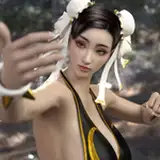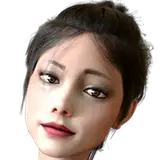
NEZUKO SET (Demon) contains
Appearance - (Morph,Textures)
Clothing - (Eyebrow ,Kimono Skirt(X2),Kimono Upper part (X5),Kimono Waist,Saco(X3),Puttee,Shoes,Panties(X2),Clothing Support SIM)
Assets - (Head horns,Mouth accessories,Hair,Hair Collider)
Modified character textures and Morphs compared to human version, added new clothing and assets
Unzip to your VAM root directory. If prompted to overwrite, select Yes.
Because some of the content comes from the NEZUKO SET I released before
Hair is an asset file, it supports physics and collision, you need to use the CUAManager plugin to save all the assets in the scene as a preset, then load this preset in the scene where you want to use this character
 If you just load the hair asset file, the hair will lose collision effects
You can use UnityAssetVamifier to adjust the display of Assets
The regular version of the set is here

-------------------------------------------------------------------------------------------------
Eyes reflection and shadow is here
https://hub.virtamate.com/resources/eyes-reflection-and-shadow-male-female-futa.19237/
The picture used the content I posted before
The skin texture in the picture I used Body Normals (Thin)
https://www.patreon.com/posts/body-normals-6-0-79231859
Toenail stickers
https://www.patreon.com/posts/toenail-stickers-66925121
Long fingernails
https://www.patreon.com/posts/long-fingernails-79443528
The screenshots use the PostMagic (Plugins) to adjust the display effect of the game screen. You can download the Plugins to adjust the display effect you want.
https://hub.virtamate.com/resources/postmagic.161/
https://hub.virtamate.com/resources/lut-image-pack-for-postmagic-userlut-plugin.5712/updates