XaiJu
raeoffrecord
raeoffrecord

patreon


Practice: two different painting methods

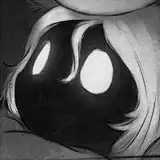
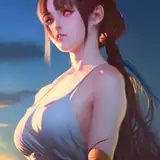
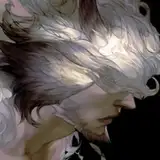
All done in Photoshop. And I dismiss my Cintiq and am looking at a normal monitor while painting. Finally I can see those details clearly ;o;

The first process image is aiming at greyscale and lighting. The second image is aiming at shape/form design. Now I decide to give the second method a go, because the first method is a bit overwhelming, too much details and values to deal with. And the second method seems a lot easier for further detailing and finalizing; I can even paint without reference (not for further detailing, but at an earlier stage, this is possible). Though I may need a better color choice...

兩種不同的畫法嘗試過程,都是以Photoshop繪製。對啦我放棄盯著我的Cintiq,改成盯著一般普通的螢幕畫圖,然後現在細節終於能看得清清楚楚(拭淚)(再看不清楚就是我眼睛的問題了)

第一張過程主要針對灰階和光影做練習,第二張則是針對造型/結構在練習。目前傾向繼續練第二種畫法,因為這方法比較容易繼續細化和修改,也不需要太依賴參考資料。第一種方法畫起來就是一整個虐,畫錯一筆就整張臉崩掉是真的會發生的事情(抹臉)但若要走第二種畫法,我恐怕得再好好思考該怎麼選顏色...(色痴的悲哀)

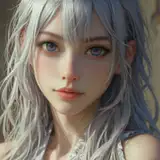
Practice: two different painting methods Practice: two different painting methods

Comments

Ah it's okay if you want to talk about DMC 😀 There was a quite detailed rumor in Taiwan about DMC5 months ago. (New protagonist, Vergil will show, Dante's personality will change ...etc) I'm not sure I'm hyped or worried haha.

Thanks for your comment! Yes your description is currect :) Yeah I just learned that I should start with a darker background if I want to paint with more value/lighting. But I still need to squeezed my eyes a lot to check the values. It's very hard to tell if there's only 2~5% value difference sometimes. I also learned from some Korean and Chinese fan/anime artists that how efficiently when they create beautiful and dynamic shapes. And the method somehow seems that it is better to simply color or value first.

I prefer use square or flat shape brushes instead the default round. So they are supposed to be almost "hard edge" brushes. For lighting and greyscale painting, my brushes are most from Chinese artists, like "blur's good brushes by Yang Xuequo". Here are description about how I paint with the greyscale/lighting painting method: [Basic] Big size, random shape, textured and 50~80% opacity (plus opacity pressure control) brushes for base-paint. Square shape, textured and 80~-100% opacity (plus opacity pressure control) brushes for small/medium shapes. [Occasionally used] Big size, very soft, 30-60% opacity (plus opacity pressure control) default round (squeezed to a flat shape) for slightly brush tones. Medium size smudge tool, very flat (like painting knife) shape to create charcoal-painting looks.

This comment is kind of irrelevant to the work but Devil May Cry 5 might be announced ,,, maybe at E3 :o I don't mean to get anyone's hopes up but apparently the domain was registered under an ISP that's been used to register sites of recent legit Capcom titles. I know there's rumors and getting hopes up like this every year but,,, maybe this time it's for real ? :,|

The first image process is very powerful with lighting. The use of a darker background truly emphasizes his figure. As for the 2nd method, I love how you gradually incorporated details and colors that are not overwhelming. I suppose this also allowed me to learn about how to approach paintings efficiently while still being content with the amount of work being done. Lovely job as always, Rae. (Is that what you are referred to? My apologies if not)

I'm working on this myself, portraits are always difficult. What kind of brushes do you use if you don't mind me asking? Soft opacity? Harder edges? Would appreciate the wisdom. If it helps for color, when I go up and down in value I use the HSB sliders on the color palette. I try to change the saturation and hue a little bit for variety.


More Creators