Download Link
https://mega.nz/#F!KglkGSBB!L1ndwnEHgvXJO8lygA_XFg
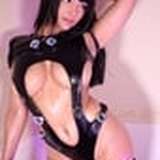
Contents Include
1 top
1 shorts
8 presets
1 morph file
1 promo scene file
Copy all the contents from your May folder into your main VaM folder
It should then look like this
Example YourVamFolder\Custom\Clothing\Female\AnythingFashionVR
Example YourVamFolder\Import\morphs\female\AFVR
Example YourVamFolder\Saves\scene\AFVR Released models v1
Example YourVamFolder\Textures\AFVR models
This scene is best View with the following settings used for the PROMO SHOT
* Shader quality set to high
* Mirrored surfaces Enabled
* MSAA Levels 4x or above
* Pixel Light count 2
* smooth passes 4