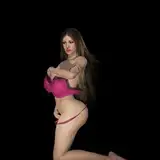
Preview here: https://www.pixiv.net/en/artworks/95330687 This is a request from one of my supporters on Fanbox. It uses Hooh's volumetric light. If you don't have it or don't want it, I've also put in normal lights. Please activate the inactive lights in the lights folder if there is very low light in your scene. If you don't have Hooh's volumetric lights, please go to the following link and download the Aura2_Core.dll, HS2_Hooah.dll and the HS2_HooahUtility.dll. (If you are on AI shoujo, you need the AI versions and not the HS2 versions): https://github.com/HooahPlugins/HooahPlugins/releases/tag/2021.2.1 Then you need to download hooh_volumetric_light mod from here: https://mega.nz/folder/1s8mnbzT#DfAxohv9N1-0PEDbeF3tvA With the Hooh's plugin, you should have a new button that says "ITEM" on the left side of your Studio screen. You need to open that, go to "Config" and set the Base Density to 0.08, Base Scattering to 0.5 and Ambiehnt Lighting Density to 1.0. I don't believe scene data saves these changes so you need to manually set them to get the same effect as the ones in the preview. これはFantasizerの一人から依頼されたアニメーションです。これは、HoohのVolumetric lightsを使用しています。持っていない方には、普通のライトも入れています。シーン内の光量が非常に少ない場合は、lightフォルダー内の非アクティブライトを有効にしてください。 HoohのVolumetric lightsを持っていない場合は、以下のリンクから Aura2_Core.dll、HS2_Hooah.dll、HS2_HooahUtility.dllをダウンロードしてください。(AI shoujoの場合は、HS2バージョンではなくAIバージョンが必要です): https://github.com/HooahPlugins/HooahPlugins/releases/tag/2021.2.1 それから、ここからhooh_volumetric_light modをダウンロードする必要があります: https://mega.nz/folder/1s8mnbzT#DfAxohv9N1-0PEDbeF3tvA Hoohのプラグインを使用すると、スタジオ画面の左側に「ITEM」というボタンが新たに表示されるはずです。それを開いて "Config "で Base Densityを0.08に、Base Scatteringを0.5に、Ambient Lighting Densityを1.0に設定する必要があります。シーンデータには保存されないと思いますので、 プレビューと同じ効果を得るには、手動で設定する必要があります。
XYZ
2022-02-07 05:05:18 +0000 UTClumix345
2022-02-07 01:49:08 +0000 UTCkuo
2022-01-07 13:04:31 +0000 UTCharlequin3
2022-01-06 07:09:11 +0000 UTCkuo
2022-01-06 06:33:02 +0000 UTCkai7741
2022-01-06 06:21:50 +0000 UTC