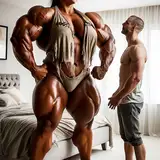
This is a part of a request from Pixiv. I used Hooh's volumetric light for the first time. I'll probably try to incorporate it into my scenes in the future but it seems like I have a lot to learn on how to use it properly. I don't think Hooh's volumetric light mod or the plugins for it are in the kkmanager's updater, so please go to the following link and download the Aura2_Core.dll, HS2_Hooah.dll and the HS2_HooahUtility.dll. (If you are on AI shoujo, you need the AI versions and not the HS2 versions): https://github.com/HooahPlugins/HooahPlugins/releases/tag/2021.2.1 Then you need to download hooh_volumetric_light mod from here: https://mega.nz/folder/1s8mnbzT#DfAxohv9N1-0PEDbeF3tvA With the Hooh's plugin, you should have a new button that says "ITEM" on the left side of your Studio screen. You need to open that, go to "Config" and set the Base Density to 0.07, Base Scattering to 0.5 and Ambiehnt Lighting Density to 1.5. I don't believe scene data saves these changes so you need to manually set them to get the same effect as the ones in the preview. Pixivからの依頼の一部です。Hoohさんのvolumetric lightを初めて使ってみました。今後、自分のシーンに取り入れてみようと思いますが、正しい使い方はまだまだ勉強が必要なようです。Hoohのvolumetric lightやそのプラグインはkkmanagerのアップデータにないと思うので、以下のリンクからAura2_Core.dll、HS2_Hooah.dll、HS2_HooahUtility.dllをダウンロードして下さい。(AI少女をお使いの方はHS2版ではなくAI版が必要です): https://github.com/HooahPlugins/HooahPlugins/releases/tag/2021.2.1 それからhooh_volumetric_lightをこちらからダウンロードしてください: https://mega.nz/folder1s8mnbzT#DfAxohv9N1-0PEDbeF3tvA Hoohのプラグインを使用すると、Studio画面の左側に「ITEM」というボタンが新たに表示されるはずです。それを開いて「Config」を開き、「Base Density」を0.07に、「Base Scattering」を0.5に、「Ambient Lighting Density」を1.5に設定する必要があります。これはシーンデータに保存されないと思いますのでプレビューと同じ効果を得るには、手動で設定する必要があります。