THE SPECTRUM COLLECTION
Added 2021-03-06 18:39:43 +0000 UTC[MOD UPDATED TO THE LATEST PATCH 1.72, IF YOU UPDATED YOUR GAME, PLEASE DELETE THE OLD MOD VERSION AND REDOWNLOAD THE NEW BELOW!]

As we all know, the Sims 4 team has recently made an update to their game, where they allow the customization of make-up and genetics through sliders, which is an amazing step towards full customization capabilities for the game! Unfortunately, those sliders were only available for that and nothing else, until a group of modders created a mod that unlocks these sliders for pretty much all categories!
So today, I'm introducing "The Spectrum Collection", a separate, optional "Spectrum Version", for all my future releases, that will work with the color slider, which is unlocked with the mod that I'll be linking below!
If you're already familiar with the sliders, this won't be anything different for you! But still, I made a picture explaining what each slider and buttons do!
- 1 - Hue Slider - Controls the color.
- 2 - Opacity Slider - Do not touch this slider, it should always be kept at max, otherwise it will make the hair transparent!
- 3 - Saturation Slider - Controls the intensity of the color, from gray to very vibrant.
- 4 - Brightness Slider - Controls the lightness of the color, from dark to light.
- 5 - Save Swatch button - This button allows you to save custom colors of your choice, always save a color when you're done customizing it, so you don't lose it!
- 6 - Delete Swatch button - This button allows you to delete a previously saved color swatch.
- 7 - Swatches Menu - This opens up the swatches & color slider menu, click it to open and close when necessary.
Some important tips & information: - Unfortunately, this doesn't mean that ALL content will work with the sliders, special files need to be made for them to work correctly;
- The new menu & color sliders ONLY work on slider enabled creations, which in my case will be the Spectrum creations;
- Items from the Spectrum Collection only have 1 swatch, which is a blank canvas and all you need to create an endless number of colors;
- You can have both normal and Spectrum versions in game:
- For my regular hairs, with 54 colors, use the TOP swatches, that you've always used to change hair color, if you use the new swatches & slider menu at the bottom, nothing will happen nor the color will change;
- For items from the Spectrum Collection, use the BOTTOM swatches, that are located on the menu below the thumbnail picture; - Make sure your game is updated, this mod will only work with games that are updated to the latest version.
All you need to make this work in your game is to download the file ATTACHED AT THE END of the following post (named "thepancake1-ColorSlidersUI.package") and put it in your mods folder, just like any other CC!
DOWNLOAD IT HERE!
Big thanks to thepancake1 and MizoreYukii, the creators of this mod, without them, this wouldn't have been possible! ♥
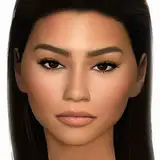
Also, big thanks to timmssimms, for letting me use their beautiful sim Caz! ♥
The Spectrum versions are quite small in size, but give you an endless number of possibilities, it's super cool and a great addition if you want to create your own colors! If you guys enjoy how this system works, I can even start making Spectrum versions for clothing! So let me know what you think below!
Hopefully that explains everything, but if you have any other question or need further help, please let me know! ♥
Comments
Hey! Thank you! I'm not entirely sure I understand your issue. But make sure you're using the bottom swatches only for the Spectrum Versions, for normal hairs, use the top ones! You need to click the little window below the thumbnail to open the menu, and you'll have just 1 rainbow swatch, for other swatches to appear, you need to click the "+" button to save the colors you want!
Simpliciaty
2021-05-01 13:26:03 +0000 UTChi this is amazing ! however i don't understand why I can't see the swatch options below the thumbnail of the hairstyles. my game is up to date and so is the mod. what could be wrong?
saapphire
2021-05-01 09:19:57 +0000 UTCThis is absolutely amazing! I can't wait for the opportunities!!
2021-03-11 17:29:40 +0000 UTCThis work is amazing! I love your work every time ❤️ ❤️
Newen sims
2021-03-07 04:46:16 +0000 UTC💜💜💜
Simpliciaty
2021-03-06 21:55:34 +0000 UTCHope you like it!! ❤️
Simpliciaty
2021-03-06 21:55:19 +0000 UTCOh my God they did it!! Thank you for sharing this❤️❤️❤️❤️❤️❤️
Fateema S.N.
2021-03-06 21:46:04 +0000 UTCThis is so exciting! Thanks for putting in so much work 🥰 Can’t wait to try it out!
Cecelia Boyd
2021-03-06 20:55:09 +0000 UTC❤️❤️
Simpliciaty
2021-03-06 19:27:08 +0000 UTCI love this, thank you so much for your hard work, now we have even more options!!! 💕
Amy Amouse
2021-03-06 18:59:31 +0000 UTC♥♥
Simpliciaty
2021-03-06 18:47:03 +0000 UTCThanks for your beautiful doll Caz ♥
Simpliciaty
2021-03-06 18:46:57 +0000 UTCmy bb <3 i love this so much, and the idea is truly going to lead to hours of fun in cas! looking forward to future releases! <3
timmssimms
2021-03-06 18:45:36 +0000 UTCAhh!!!! I love this!!!
Alex
2021-03-06 18:42:21 +0000 UTC