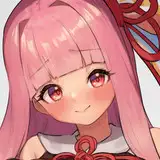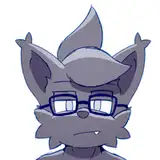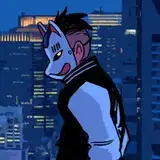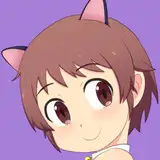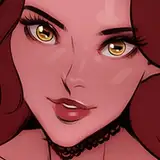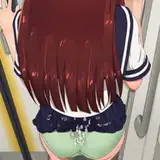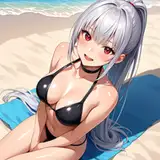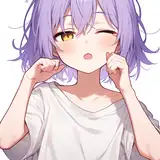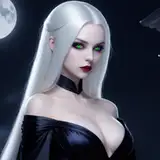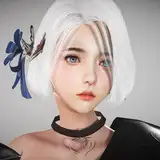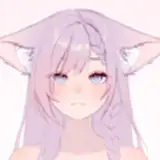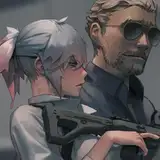
以前投稿した会話シーンのサンプルをUnity上に構築してみました。エロゲーっぽくなってきました w。(mp4ファイルは本投稿の添付ファイルを参照ください。)
前回は静止画を並べてGIFアニメにしただけですが、今回はUnity用のビジュアルノベルツール「宴」を用いています。漫画のようにセリフ毎のメッセージウィンドウを制御する部分はツールを独自拡張しました。実装に夏休みの半分くらい使ってしまいましたが、とりあえずどんどんシーンを組める状態にはなったと思います。
余談ですが、吹き出しを横書きでレイアウトするの、かなり難しいですね… 単純に私が日本式の縦描き漫画を見慣れているだけかもしれませんが。立ち絵の会話シーンの場合は特に横書きだと人物の隙間にうまく配置できず苦労しました。
画面下部にメッセージウィンドウを固定する方式の方が圧倒的に簡単だし、一般的だと思います。でもあの方式だとプレーヤーの視線が画面下部に固定されたり、イラストの下部が定常的に隠れたりしてしまいます。イラストを楽しんでいただくためには、吹き出し方式の方が良いと考えています。上手く配置すれば視線誘導して見せたい箇所をアピールできるしね。
I built the sample conversation scene I posted earlier on Unity. It now looks more like a hentai game (lol). (See attachment to this posting for the mp4 file.)
The previous version was just a GIF animation of a series of still images, but this time I used “UTAGE,” a visual novel tool for Unity. I extended the tool to control a message window for each line of dialogue, just like in a comic book. I used about half of my summer vacation for the implementation, but I think I am now ready to create more and more scenes.
As a side note, it is quite difficult to layout speech balloons horizontally... Perhaps it is simply because I am used to seeing Japanese-style vertically drawn manga. In the case of standing dialogue scenes, it was especially difficult to place them in the space between the characters when they were drawn horizontally.
The style that fixes the message window at the bottom of the screen is by far the easiest and most common. But with that style, the player's eye is fixed to the bottom of the screen, and the bottom of the illustration is regularly hidden. I think the speech balloon style is a better way for people to enjoy the illustrations. And if the speech balloons are well placed, they can lead the eye to the point where I want to show you.
Shira
2024-08-25 13:12:28 +0000 UTCHK
2024-08-18 13:13:17 +0000 UTC