Marina | Step by Step
Added 2019-10-13 17:38:26 +0000 UTC
This is the first post on my new series of Tutorials | Step by Step for my +$10 tier Patreons. But this one is on me if you are not a Patreon you can still check it out. If you enjoy this post, then please consider pledging and getting my rewards!
In the future, I will try to make them more easy to understand since I will have the idea of making a post like this since the first frame that I get to animate.
So let me walk you through on how I made my Marina animation.
I've always wanted to draw and animate Marina since Splatoon2 was announced. She was on my top list of "IF YOU HAVE NO IDEA WHAT TO ANIMATE, JUST DRAW THESE GIRLS!". Other characters like Chel from El Dorado, Shantae and Faye Valentine belong on that list, among many others.
So, Marina, it is. And since she is a DJ and singer, having her dance was my first option.
And I've never done a dancing animation before, so it was a learning challenge. I love those.
So I first started looking at references. And I quickly made this rough.

And I liked it. But I remember seeing this dance before.
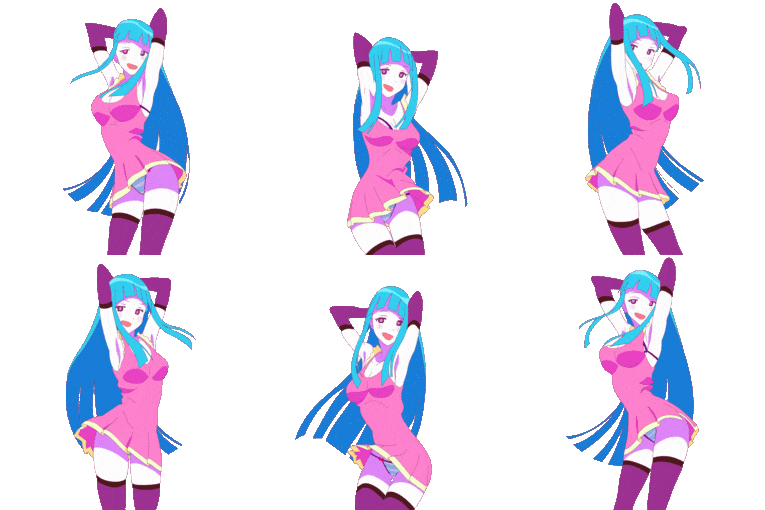
This one. Man, I love the "Me Me Me" video. It's super inspiring.
But me, being me, I didn't want to be compared to it. So, even if I made it on my own without references, I decided to do another take. ( I might still use it in the future tho)
I started looking for real-life references for girls dancing, and I came across this one:

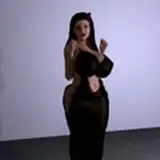
It was great! I gave me the idea of making Marina shaking her butt, and it was a great reference to study in general.
So I started sketching from it, analyzing the arc on her movements. How she makes her booty shake like that, etc. I even had to stand up from my chair and twerk myself! It was rather embarrassing, but a learning necessity.
I sketched this:

I also designed my take on how Marina would look. You can see the reference for her. I always keep it close so I don't derail too much from her design.
Arms and head position would be added later since my first reference was only used for her twerking moves.

Then I made this animation. A more clean version but with no shaking. Why?
1.- I thought it would be better to animate the ups and downs later. It would be easy to understand the movement and its arcs. So I would use this as a base for the twerking.
2.- I could reuse this "No-twerking" version later, to add variety on her dance ( It was discarded later because I felt it was breaking the rhythm.
I also animated her shorts. I wanted to feel her volume, and simple lines like the one on her shorts work wonders for that.

Then I animated her up and downs for the twerking movement. I also worked a little bit on the timing to make it faster (deleting some frames) and I animated her bouncing boobs (those are always fun!)

After that, I included her head. I made a little nodding movement on it so it shows more personality and rhythm. I tried sketching a bit of the hair but I didn't like the result. I left it for later.

I wasn't sure how I would animate her arms. So I asked some friends for advice and they gave me a few ideas. Asking for help, asking for feedback is a precious tool! If you ever see yourself stuck trying to come up with something, just ask for help! You might not even use the ideas that they throw you, but they can spark an original idea you didn't have before.

Then I animated her back-hair! This final one was my 5th attempt in doing it. It was a nightmare to animate. I tried many takes look for the best way to show movement.
I tried following the overlapping motion but it was a mess.
I decide to go for something more stylized rather than correct. I was happy with it! But her front hair was not working for me! So after many other attempts, I did this:

This was way better. Under the same vein of how I made her back hair.
Tentacles as hair are a challenging thing to animate. They don't move like regular hair but they are supposed to. They are heavier but they should move like in the water.
Trying to make them "physically" correct was not working, therefore I chose to make them just look cool. Giving them a nice volume and ease in and out for the timing.

And then I just ha to clean up and export everything.
Sorry for the lack of progress shots here. At this point I was not saving as much progress as in the beginning, I just wanted to finish the animation as soon as I can!
But in the future, I might go deeper into how I do my clean-ups and color when animating in Adobe Animate CC 2019.
And that's about it.
This animation took me 10 days from start to finish. But during those days I had other appointments to attend, visits to the doctor, family stuff, etc.
I am not someone who enjoys putting his work on top/before his health and family life. I know that I could work faster by just focusing on my job. But I am not in my early 20's anymore and I appreciate my 6-8 hours of sleep more than my productivity nowadays. Maybe in the future, I will talk more about this.
In any case, I hope that you enjoyed this reading! It was really fun and easy to put together. I will try to improve in the future since teaching and talking about animation is something that I deeply enjoy.
This first "tutorial" post is going to be a freebie, but for my future ones, you will have to be a $10 tier Patreon. So please consider joining and supporting my work!
Bye!
Comments
This is really awesome! tried dabbling in animation a bit myself, but it was just some much work, haha.
Brandon Shane
2019-10-13 21:55:51 +0000 UTCInteresting ! Never really though about Animating in layers like that !
Lewnoli
2019-10-13 18:28:23 +0000 UTC