Inktober2021 Making
Added 2021-10-02 03:27:03 +0000 UTCHello everyone!
It's October 🍂🍁 October is the season for lots of artistic events like Halloween and Inktober!
I'll be at Inktober again this year!
The difference between last year and this year is that I have gained more experience in drawing, and I bought an iPad. What's different about the iPad is that I can develop more materials at the same time, and I can also use the iPad for materials and use my phone for photography!
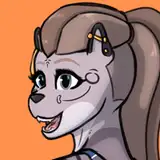
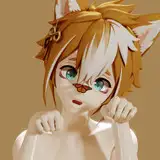
For this year's Inktober, I'm going to focus on Feral and Furry, something I've been meaning to practice!
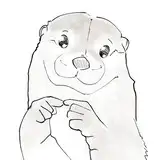
Now, I'm going to release a short tutorial on the art I drew in Day 1.
In the future, I would like to take videos and get into the technical aspects.
( I am writing in English with machine translation as usual, so some parts may be difficult to read. My apologies! )
ーーーーーーーーーー
1. idea sketch
The first step is to solidify your art idea on the iPad.
I used to draw directly on the paper, but that made it difficult because the lines would get mixed up, and when I tried to draw with ink, I couldn't tell which lines were the correct ones from the draft. I used to draw idea sketches and drafts at the same time, and in hindsight I should have separated them😅.

2. Drafting and line drawing
Based on the idea sketch, make a rough draft on paper.
I'm not very good at adjusting the size, so I draw in a large notebook with plenty of room. It helps to have an idea sketch of the areas to be blacked out!
I'll touch on the point of painting over and the tools I use in the future.

3. Shoot and adjust the contrast
Take a picture of your work with the camera. It is preferable to have an even brightness on the screen with as few shadows around as possible.
If you just take a normal picture, the screen will often be dark, so adjust the contrast using a camera application, editing application, or illustration software. If the contrast is too strong, the image will be blown out or the blacked-out area will be too wide, so just enough to show the unevenness of the ink and the texture of the paper!

I used Procreate's "Curves".
4. Color in Procreate.
I have new equipment this year, so I will be using it abundantly. However, the main part is the ink, so I'll be coloring in black and white so that the digital technology doesn't stand out.
Of course, I don't mean to denigrate digital or color! This is my own respect and commitment to ink art.

Well, this time I have published a fairly simple tutorial. From now on, I'd like to touch on more in-depth topics on a regular basis. If there's anything you're curious about or would like me to cover in the theme, please drop a note in the comments! I'll be happy to reference it!
Comments
I really hope i can draw this amazing 1day
Eevening
2021-10-02 06:06:10 +0000 UTC