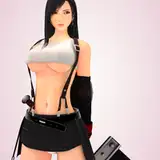
Contains 2 assetbundle files, totaling 10 models, 2 Scene, 3 SubScene, 14 Preset, 1 Scripts.
instructions:
1. Add CustomUnityAsset, and then load the asset preset with script directly via CustomUnityAsset > Preset.
2. Add CustomUnityAsset to load the .assetbundle in the extension package. if you load the asset with the green C # logo, you must load the script in the extension package through CustomUnityAsset > Plugins, otherwise you will not be able to control the asset.
v2 update:
1. Add 3 new SubScene. After loading, you need to manually cancel the parent relationship between the asset and the SubScene, and then the Reload script can control the asset normally.
2. Added 1 Scene, containing 3 secret assets of the character's original pose.
3. Simplifies the script file path.
SuperSamot
2022-12-19 23:46:00 +0000 UTCSuperSamot
2022-12-19 23:18:45 +0000 UTC