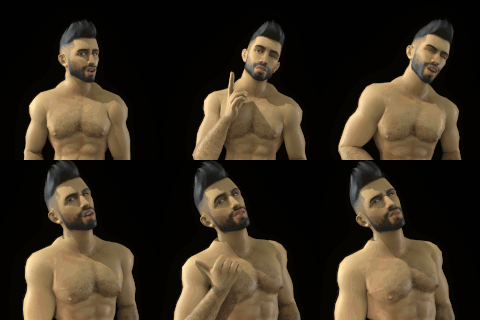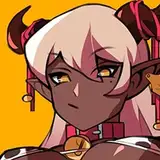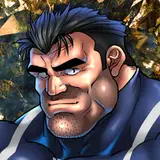
ヤミー、エロくね?
「勃刃-エレクシオン-」ってネタで勃起段階が2段階っていうのを思いついた途端に描きたくなりすぎて、ペンを走らせていたら思った以上に下描きがめちゃくちゃ上手く描けたので興奮して塗りのグレードを上げたせいで想定より時間がかかっちゃいました。
連載当時ジャンプで読んでいた時にはヤミーみたいなキャラって全く眼中になくて、むしろ苦手なタイプで退場時にも「え、あっさりすぎん?」みたいな感想しか抱いておらずいろんな経緯も覚えてなかったんですが
いろいろ調べて、ウルキオラの死が悲しくて!?クッカプーロの身を案じて!?
ちょっと待って、好きかも!と、まんまとひっかかりました。
あと魂吸の顔がエロい。何とは言わないが吸われt(殴
"当時感"もまろび出たところで、ほぼエロ絵のないヤミー推しに届けばいいなと思いながら締めたいと思います。
【ENG】
Yammy, isn't he hot?
As soon as I came up with the idea of two erection stages, I was so eager to draw him that I was running my pen around, and I was so excited because I was able to draw the preliminary sketch much better than I expected, so I upgraded the paint grade and it took longer than expected.
When I was reading the series in JUMP, I didn't care for characters like Yammy at all, in fact, I didn't like him at all. When he left, I only had an impression of "Oh, was that too easy?
I did a lot of research and was saddened by Ulquiorra's death! I was worried about Kukkapūro! Wait a minute, I might like it! And I fell for it.
Also, Gonzui's face is erotic.
I'd like to close with the hope that I can reach the almost NSFW picture-less Yammy guess.
イラストの差分はDiscordサーバーにて閲覧できます。
ご参加の上ご覧ください。
You can view illustration diffs on the Discord server.
Please join us to view them.
To join my Discord server, please follow the steps below.
### How to Join a Patreon Creator's Discord
1. *Create a Discord account*
2. *Access the Member Account page*
- Log in to Patreon using your browser and navigate to the "Member Account" page.
3. *Go to the settings page*
- Within the "Member Account" page, proceed to the settings page.
4. *Click on the "More" dropdown menu*
- In the settings page, click on the "More" dropdown menu.
5. *Select "Connected Apps"*
- From the dropdown menu, select "Connected Apps."
6. *Link Discord*
- On the "Connected Apps" page, find the Discord option and click on the link.
7. *Link your Patreon account to Discord*
- Follow the instructions to link your Patreon account to Discord.
Once linked, you will automatically join my server on Discord.
【JPN】
私のDiscordサーバーに参加するには、以下の手順に従ってください。
1. *Discordアカウントの作成*
2 *Member Accountページにアクセス*
- ブラウザでPatreonにログインし、「Member Account」ページに移動します。
3. *設定ページに移動*
- 「Member Account」ページ内で、設定ページに進みます。
4. *ドロップダウンメニュー「More」をクリック*
- 設定ページにある「More」というドロップダウンメニューをクリックします。
5. *「Connected Apps」を選択*
- ドロップダウンメニュー内の「Connected Apps」を選択します。
6. *Discordをリンク*
- 「Connected Apps」ページでDiscordのオプションを見つけて、リンクをクリックします。
7. *PatreonアカウントをDiscordにリンク*
- 指示に従って、PatreonアカウントをDiscordにリンクします。
Discordにリンクされれば自動的に私のサーバーに参加できるようになります。