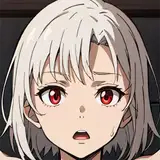
前回の公衆体臭競争劇で勝負がつかなかった二人は、通行人から投げかけられた「お互いに嗅ぎあって耐えきれなくなった方が負けの勝負をしろ」というヤジに同意しディカッドが宿泊している宿屋に移動。
熱気渦巻くOHYAMAサウナと化した部屋の中、二人(ひとり)の勝敗のつかない試合は今日も続く────
……という感じで前回の続きを!というリクエストを受け描かせて頂きました。
足が臭いの代名詞こと大山英勝ですが、腋もびっくりするくらい臭いです!
今回差分が膨大になりました!是非お楽しみ下さい。
The two, who had failed to win the last time, agreed to a passerby's suggestion that they should play a game in which the one who can't stand sniffing each other loses, and they moved to the inn where Dicad was staying.
In a room that has turned into a hot OHYAMA sauna, the match between the two men continues today, with no winner.
I received a request from the client to draw a continuation of the previous illustration and produced this one.
Ohayama Hidekatsu is famous for his smelly feet, but his armpits are also very smelly!
This time, the number of differences is huge! I hope you enjoy it.
ストーリー、イラストの差分はDiscordサーバーにて閲覧できます。
ご参加の上ご覧ください。
You can view story and illustration diffs on the Discord server.
Please join us to view them.
To join my Discord server, please follow the steps below.
### How to Join a Patreon Creator's Discord
1. *Create a Discord account*
2. *Access the Member Account page*
- Log in to Patreon using your browser and navigate to the "Member Account" page.
3. *Go to the settings page*
- Within the "Member Account" page, proceed to the settings page.
4. *Click on the "More" dropdown menu*
- In the settings page, click on the "More" dropdown menu.
5. *Select "Connected Apps"*
- From the dropdown menu, select "Connected Apps."
6. *Link Discord*
- On the "Connected Apps" page, find the Discord option and click on the link.
7. *Link your Patreon account to Discord*
- Follow the instructions to link your Patreon account to Discord.
Once linked, you will automatically join my server on Discord.
【JPN】
私のDiscordサーバーに参加するには、以下の手順に従ってください。
1. *Discordアカウントの作成*
2 *Member Accountページにアクセス*
- ブラウザでPatreonにログインし、「Member Account」ページに移動します。
3. *設定ページに移動*
- 「Member Account」ページ内で、設定ページに進みます。
4. *ドロップダウンメニュー「More」をクリック*
- 設定ページにある「More」というドロップダウンメニューをクリックします。
5. *「Connected Apps」を選択*
- ドロップダウンメニュー内の「Connected Apps」を選択します。
6. *Discordをリンク*
- 「Connected Apps」ページでDiscordのオプションを見つけて、リンクをクリックします。
7. *PatreonアカウントをDiscordにリンク*
- 指示に従って、PatreonアカウントをDiscordにリンクします。
Discordにリンクされれば自動的に私のサーバーに参加できるようになります。