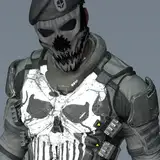
After the game, I went back to the locker room and there was Mauga.
"Always, what were you doing in my locker?”
One beating heart. The real Mauga's feet, the ones he had dreamed of.
Prompted by his piercing gaze, I take a deep breath in front of the fleshy sole of his foot.
It's an image like!
What of what? You may be thinking, “What is that?” This is Mauga in his rugby uniform that was distributed at the OW2 Summer Games 2024.
I was so impressed with the image from the moment I saw it that I wanted to draw it for a long time! I've been wanting to draw this one for a long time. ......
The cost of drawing Mauga was so high that I spent a whole day just to draw the tattoo, and it took a lot of time.
So, I made a lot of costume changes for this project!
In the zip file, you can enjoy an aloha shirt of “Paul Dope,” a naked version of a classic skin, black socks, and more.
It's getting colder these days, and it is said that this is actually the season when feet smell the worst, so let's warm up with Mauga's foot-smelling sauna.
【JPN】
試合終了後、ロッカールームに戻るとそこにはマウガの姿が。
「知ってんだぜ?いつも、お前が俺のロッカーで何をしてたかをよ……?」
高鳴る一つの心臓。夢にまで見た本物のマウガの足。
その鋭い視線に促されるままに、その肉厚な足裏の前で深呼吸をする。
……って感じのイメージです!
なんの何!?ってお思いの方々もいらっしゃるかもしれませんが、OW2のサマー・ゲーム2024で配布されたスプレーのラグビーユニフォーム姿のマウガです。
あれを見た瞬間からビビビ!と来てずっと描きたいと思っていた念願の1枚なのですが……
マウガの作画コストがあまりにも高く、刺青を描くだけで1日が終わ日もあり、もんっのすごく時間がかかりました。
その分今回は衣装差分多めでお届け!
ZIPファイルでは「ポールドペ」のアロハシャツを始め、クラシックスキンをイメージした裸バージョン、黒靴下差分などをお楽しみ頂けます。
寒くなりつつある今日この頃、実は最も足が臭くなる季節だとも言われているこの秋はマウガの足臭サウナで暖を取りましょう。
イラストの差分はDiscordサーバーにて閲覧できます。
ご参加の上ご覧ください。
You can view illustration diffs on the Discord server.
Please join us to view them.
To join my Discord server, please follow the steps below.
### How to Join a Patreon Creator's Discord
1. *Create a Discord account*
2. *Access the Member Account page*
- Log in to Patreon using your browser and navigate to the "Member Account" page.
3. *Go to the settings page*
- Within the "Member Account" page, proceed to the settings page.
4. *Click on the "More" dropdown menu*
- In the settings page, click on the "More" dropdown menu.
5. *Select "Connected Apps"*
- From the dropdown menu, select "Connected Apps."
6. *Link Discord*
- On the "Connected Apps" page, find the Discord option and click on the link.
7. *Link your Patreon account to Discord*
- Follow the instructions to link your Patreon account to Discord.
Once linked, you will automatically join my server on Discord.
【JPN】
私のDiscordサーバーに参加するには、以下の手順に従ってください。
1. *Discordアカウントの作成*
2 *Member Accountページにアクセス*
- ブラウザでPatreonにログインし、「Member Account」ページに移動します。
3. *設定ページに移動*
- 「Member Account」ページ内で、設定ページに進みます。
4. *ドロップダウンメニュー「More」をクリック*
- 設定ページにある「More」というドロップダウンメニューをクリックします。
5. *「Connected Apps」を選択*
- ドロップダウンメニュー内の「Connected Apps」を選択します。
6. *Discordをリンク*
- 「Connected Apps」ページでDiscordのオプションを見つけて、リンクをクリックします。
7. *PatreonアカウントをDiscordにリンク*
- 指示に従って、PatreonアカウントをDiscordにリンクします。
Discordにリンクされれば自動的に私のサーバーに参加できるようになります。