XaiJu
CaptainDisillusion
CaptainDisillusion

patreon


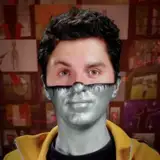
NEW VFX TUTORIAL - Put a Face On It

Hey,

Since this is a short one, and more of a project walkthrough than a step-by-step guide, and also because it's kind of fun, I thought I'd share it with most patrons.

Good? Terrible? Somewhere in-between?

Only your feedback can tell.

NEW VFX TUTORIAL - Put a Face On It

Comments

amazing just like always , captin ..

Very cool and clever!!!

Giovani da Costa

Very cool. Thank you!

Michael Aichlmayr

This was honestly a little bit inspiring. I've felt like Surely this type of work/artistry isn't impossible, perhaps even accessible with some know-how of the tools! But I'd never seen it actually done, stepped through methodically. If this were a classroom, I'd expect it to be slower with more pauses to make sure things are understood, but of course that's not exactly your goal. Thanks so much for sharing this. I got a lot out of it.

Ross Llewallyn

Don't be embarrassed of how you unwind! It's awesome and funny work! Thanks for making a nice little tutorial of this and giving us a peek behind the curtain on your workflow!

Absolutely Nobody

Nice! You may already know this stuff, but just in case you didn't; You could try using the Mocha AE tracking for a shot like this. To get a good track on the ball you first need to invest a bit of time on the fingers which obscure the ball, but once that's done its pretty much an automatic track from frame 0 - 446. Then copy and paste the tracking (position/rotation/scale) and paste to a control null in your after effects project. I just played around for a few minutes and got a nice track. Secondly, If you going to do feature tracking and you find the AE tracks a bit jittery, you could try tracking the same feature (or very similar features) backwards and forwards and create a new null for each one. Then use TrackerVIZ (<a href="https://aescripts.com/trackerviz/)" rel="nofollow noopener" target="_blank">https://aescripts.com/trackerviz/)</a> to average those nulls and get a track that sticks perfectly.

Funk

you need to track the fingers for rotation data as well, just tracking the ball would only give you translation. good point with using the ball as a mask though, that seems like a good alternative with a circular roto and a tracker to make it follow the ball

lztybrn

Instead of rotoscoping the fingers couldn't you have used the white area of the ball as a mask of sorts? Also, why is it not possible to track the ball directly instead of doing all that complicated finger tracking and such?

You can just pirate Adobe AF. If you want to know how, j can tell you.

Bv

I totally agree. I don't think I will actually ever apply information from these neat-o videos but I just love watching so I just don't question it!!

Karley Wise-Rader

I am very unlikely to ever have a chance to use this kind of information, yet it is still fascinating to watch. Thank you for sharing these glimpses into the process.

Norman

This was fun and informative! I'm guessing it's basically After Effects 101 to a professional, but to someone like me with no experience of the software it was good to see what goes into the magic. I'm almost tempted to get a CC subscription and see what I can do...

Sheepless

As someone who has never opened AfterEffects, this was extremely interesting to me.

The dulcet tones of the Captain wasting time. Your goof off project is still like magic to us mortals. Well done sir.

Foxymophandle


More Creators