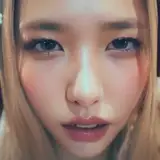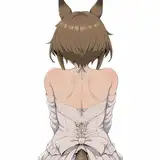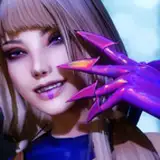
Ok so for the last few months, I've been using this new method for "retouching"/ fixing the face. It's called "Face App". NOT FACETUNE, because there is a popular app called Facetune that a lot of people use for mobile retouching. I discovered Facetune after asking Stassi how she was able to edit the images that I sent her that I never retouched. And they looked really good. In fact, I used some of the images that Stassi retouched in the video that I shot in her place.

Now it's not free, they do charge a monthly fee or you can pay for a year's subscription. And at first, I was like nah I'm good. But then one day I returned to it and was so impressed at how good of a job it did and how fast it was. I was like I gotta have this app. It makes editing images so much easier and makes me look better. Because the results are a lot of the times are even better than what I could do on my own!

Now it's not perfect. Nothing is. Sometimes I still have to go back and fix some things to suit my overall taste. And of course, it only works on the face, so if you are doing a bikini shoot and the model has stretch marks or something like that. You are going to have to do some work on the rest of the body.

Now one of the biggest cons or what may be a huge deal breaker for some of you is the fact that when you import an image into the app and apply the filters. It will export a lower-quality file. What I mean by that is let's say I import a super sharp 45mp file into the app. When I export it, the file size will be reduced to about 10mp. Quite the reduction is quality. But depending on what you plan on using the images for, it's acceptable. I use it for YouTube and Instagram photos. So the 10mp file size doesn't affect me at all. But also 10mp is still plenty big enough for prints up to 11x14. I know this for a fact because one of my first cameras was a Nikon D700 and we made 30 x 40 canvas and metal prints with the measly 12mp from that camera. So it is possible to use the app for client work depending on the situation.

So yeah! That's my secret. Here is my workflow in a nutshell
Do the shoot -> Cull the photos -> Color correct/color grade in Capture One -> Export the images -> Airdrop my favorites to my phone -> Open the pics in the Face app -> Export the edited photos -> Airdrop back to my computer and resize for social media or youtube -> post and sleep well because I didn't have to sit on my computer for 8 hours dodging and burning LOL.

Just try not to go overboard with the app. Some filters have levels 1 - 4 and level 4 can be a little too much. I try not to make the model look like a completely different person. So just experiment and see what works for you. And keep this between us. This is not an ad or sponsored post. This is just me trying to share the game with my supporters!

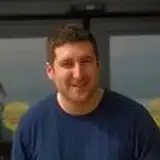
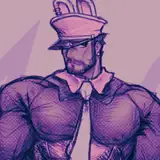
And it even works for men's faces as well! LMAO!!!


PhotoMeIke
2023-04-24 07:53:36 +0000 UTCJames Parish
2023-04-17 12:17:01 +0000 UTCPhotoMeIke
2023-04-16 23:43:37 +0000 UTCEdem Kponvi
2023-04-16 23:42:36 +0000 UTC