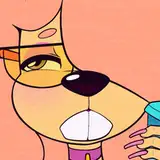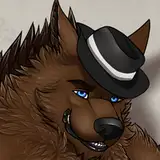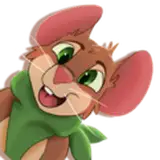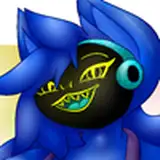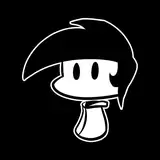
BatRat is a cartoony anthro avatar ready for VRChat or Vtubing!
This avatar comes with a Unity package for VRChat (PC and Quest), VRM file/Unity package for Vtubing, Substance Painter files for PC and Quest, and preset textures.
This avatar may receive updates in the future (extra bat nose types are in the works).
Model, rig and textures all created by Merk (merkygloom on Discord).
=====================
TERMS OF SERVICE
=====================
By purchasing this digital product you are agreeing to the following terms of service:
You may:
You may NOT:
Thank you for purchasing Batrat, I hope you enjoy using the avatar! Please leave a rating if you like it 🦇
If you need help or have any issues, please feel free to reach out to me.
Do not share these download contents with others.
Email: merkymurkury@gmail.com
Discord: merkygloom
Twitter: merkygloom
Substance Painter basics: https://www.youtube.com/watch?v=xCjV9hYm2uU
Avatar upload basics: https://www.youtube.com/watch?v=AGyXUbg2MDg
=====================
TERMS OF SERVICE
=====================
By purchasing this digital product you are agreeing to the following terms of service:
You may:
Use this avatar for VRChat/VTubing, Youtube videos, streaming, or other VR games.
Commission/sell commissions of custom textures as long as both the artist and client own copies of this avatar.
Edit the textures as you please for personal use.
Make public/cloneable avatars using this model.
You may NOT:
Use the avatar for commercial purposes.
Use this 3D model or textures in Artificial Intelligence/Machine Learning training or models.
Take credit for the creation of the avatar.
Redistribute/resell this model.
Share any License Key provided for purchasing this avatar.
Use this model in bigoted/hateful acts.
VR CHAT FOLDER
How to upload Batrat:
1. Create a new avatar project using Creator Companion for Avatars and open it in Unity.
2. Import Poiyomi Toon Shader.
3. Import "Batrat_PC".
5. Double click on the batrat_PC scene to open it.
To change to one of the default textures I've provided (Brown, Spotty, Teal, Nightsky), navigate to the Materials folder and drag and drop the material ball onto the avatar! Body goes onto the main body, Accessory onto the wings and hair tufts, Eyes onto the eyes, and Extra Hair onto the hair bangs.
Please ensure you're using the correct Substance Painter template for the platform your Batrat is on - the PC and Quest versions use different UV setups.
The Substance files were created with Substance Painter 2023 version.
VRM
Batrat's VRM (Vtuber) file uses the PC texture base and comes with the same premade materials. You will need to import UniVRM into your project to use the files, and the completed VRM model can be used in VSeeFace.
Create a new Unity project and import the Batrat_VRM package, and the UniVRM package.
Open the Batrat_VRM scene in the Scenes folder.
Change the materials to the ones you like best (drag and drop onto the model), or upload your own custom textures.
Under the VRM menu, choose Export to VRM and follow the instructions in the popup. Choose "batrat(VRM)" as the export root.
In VSeeFace, you can use the toggles to turn off the extra hair or cheek fluff, or turn on the longer ears. You can also set up the facial expressions to hotkeys of your choice, and then enjoy using them as a face tracking avatar!