Heya!
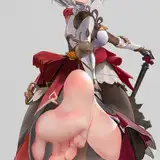
Since I didn't post anything last month, today I'm bringing you two animations at once. Both animations have physics applied that shouldn't change the proportions of the characters they use.
I included in the folder a version of the scene without the map and lights, so you can position the scene on any map you want.
Some adjustments can be made to the scene by moving folders named ''movable folder''.
Characters seen in the preview not included in the scene.
If you need help with anything, let me know!
That's it for now!
As before, I suggest you do a few things to make sure the scenes will work properly.
Do it in order:
1- Make sure you have the KA Sounds v1.0 mod ( and the most updated free Ekan mods) https://discord.com/channels/446784086539763712/1320239887525478421 (Illusion Soft Discord Server)
2-Open the scene and change the character to whatever you want.
3-Play the scene ⏯️ and save. (Collider stops working when changing characters and only updates when saving the scene with your character and loading it again.)
4-Load the scene you just saved and enjoy.
Troubleshooting:
If the animation stops working when changing your character: Save the scene and load it again. If that doesn't work, close and open your Studio and load the scene you saved and click on play again. (I don't know what causes this, but it seems to be a Timeline bug, and it's not within my power to solve it directly)
Low FPS: The scene can lose a lot of FPS if any characters or the ''actors'' folder is selected, click on any other folder and that should solve it.
Preview: https://discord.com/channels/446784086539763712/607148832198754314/1365797790533550122 (Illusion Soft Discord Server)
Download Link : Click on the big MEGA icon in the post, this way you don't need to insert the key
If you need help with anything, let me know.
Passwords will no longer be required to extract the .rar file.
(PS: It is very important that your cards have the settings attached to have the butt effect equal to the preview) (HS2 BoobSettings v1.1.0 and HS2_Jiggle v1.0)
(PS2: After changing your characters, save the scene and load it again to avoid issues.)
(PS3: This scene uses timeline to add expressions and some other stuff, when you open the scene, click on the ''play''⏯️ buttom in you studio. You only have to do this once each time you open Studio. )
(PS3: When opening any scene, go to System/Screen Effect and find the Background/Sky, change the ''Current State'' to any of the options and go back to Night Sky. (See the attached reference image to find this option. )
That's it, Thank you guys so much! I hope you have a good weekend and holidays!
If you are going to use my animation in any of your videos or content, credit me.
Buzzlightyear
2025-04-29 01:30:14 +0000 UTC