Custom models on 0.5 seen to work
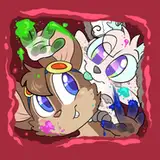
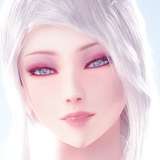
Added 2022-09-16 02:28:16 +0000 UTCI just made a render with Waifu Diffusion.
https://huggingface.co/hakurei/waifu-diffusion/tree/fp16
You just need to throw the model in the "models" folder and after that select the model on the GUI.
I made a mirror for Waifu so is easier:
https://drive.google.com/file/d/1isY_5zrtOsuGGDaTxNsjQxcFJSx3riMh/view?usp=sharing
Tomorrow will make a proper tutorial on how to download models, but for those with some git knowledge it should be obvious.
As long this method work for everyone here, once 1.5 is released, it should be simple as dropping it into this folder, unless there is something very different in the model.
For those that have cards that can't handle half precision, downloading the full precision models and dropping it the folder should work as well? (Did not test this yet)
Comments
I'm having a terrible time trying to get models added to 5.1. I cant get your explanations to work at all.
ChopChop
2022-10-01 02:32:19 +0000 UTCI saw someone here say use () for emphasized positive weight and [] for negative weights. ie. So maybe you want a dog who is all (pug) and not at all [chihuahua] When I tried it, it seemed to work. I remember seeing people do it on the beta in discord too. I think it's baked into SD prompting tokenizer maybe?
mgfxer
2022-09-22 01:27:45 +0000 UTCFor 0.51 I'm already made work a few schedulers. Didn't test those two, will search for then, but any link is welcome.
GRisk
2022-09-19 18:53:56 +0000 UTCI am interested in use k_euler_ancestral and k_dmp2_ancestral. Rigth now, I think it is using plms, right? Would be good to switch between sample modes, the "ancestral" have very different results, and sometimes better results, sometimes no :)
Javier García
2022-09-18 21:39:04 +0000 UTCYeah, res is flipped, sorry =/ Will fix it soon. Is a long shot, but you can try to download GUI 0.41, in the root there is a model.pt (or something like that). Set this model of yours with the same name and replace the file. It's really hard that this will work, but maybe you get lucky.
GRisk
2022-09-16 19:16:21 +0000 UTC"Here is a model that is Stable 1.4 and Waifu Diffusion mixzed together using the script from Community Research. https://mega.nz/file/IwxQTQCb#tsfYZeHrd6U3fg5QCmBazEL-OjOmy1gmhvKAtp1YWFs If it asks for a key tsfYZeHrd6U3fg5QCmBazEL-OjOmy1gmhvKAtp1YWFs" Also, I noticed that the X and Y of the render preview are flipped so when you make a rectangle it breaks. I bypass this by making a batch and quickly switching from 9:16 to 16:9 so that the preview has the correct resolution :)
2022-09-16 19:03:40 +0000 UTCI don't get much on discord in this days. Rife-App community is been handled by the users of those applications. Don't worry about dowloading from the HuggingFace servers, 1.4 alone had 600k downloads
GRisk
2022-09-16 18:41:44 +0000 UTCI don't want to saturate their download link, but it's the Stable 1.4 and Waifu Diffusion merged model, found on some Discord server. I'm in the patron-lounge of the Rife-app/Dain-app discord, that's where you are too I think?
2022-09-16 17:51:16 +0000 UTCIt must be some special way for pytorch to read them. The current build will not work with this, but if you can share the link where you got the model I can take a look.
GRisk
2022-09-16 17:44:27 +0000 UTCIf they are original files from HuggingFace, just put then in a folder inside "models" folder
GRisk
2022-09-16 17:43:19 +0000 UTCInside with 7zip, I've got a data folder (files insides are just numbers 1 to 1144), data.pkl file, version file.
2022-09-16 17:40:57 +0000 UTCThose modification was made by a single user on their colab. There still no way to control weights in the GUI
GRisk
2022-09-16 17:28:14 +0000 UTCDoes anybody know if or how to use positive and negative prompt weights in the GUI? Setting a negative weight with ### in front does not seem to do anything, like for example: ### out of frame, poorly drawn face
2022-09-16 17:26:20 +0000 UTCYou will need to download if from the huggingface site
GRisk
2022-09-16 17:16:17 +0000 UTCDon't know as well, can only find then once someone advertise then on twitter or reddit
GRisk
2022-09-16 17:10:30 +0000 UTCckpt is pretty much a "zip" of the model, it really depend on how they generated it, only with the original code to "unzip" it correctly.
GRisk
2022-09-16 17:09:31 +0000 UTCI have a ckpt file of a model I found online, how do I use that? I can't seem to find guides online :)
2022-09-16 16:37:58 +0000 UTCAnybody have knowledge of where to find what other models, and what other models might be out there? Google doesn't seem very useful for finding these without some further idea where to go.
mgfxer
2022-09-16 16:25:48 +0000 UTCMine uses less VRAM than before. I'm now able to run 832x832, whereas before I could only get 640x640.
mgfxer
2022-09-16 16:24:43 +0000 UTCAdding the waifu model was very simple! Just download the .rar > open the .rar > drag the waifu-diffusion folder into models and you're done :)
Ham
2022-09-16 11:00:21 +0000 UTCMine seems to use less VRAM than 0.41
Ham
2022-09-16 10:57:55 +0000 UTCToo many downloads. Is there another mirror?
Gerd Mullah
2022-09-16 09:56:17 +0000 UTCThis release anecdotally seems to use more VRAM at the same settings as others have implied.
dissociativity
2022-09-16 09:15:24 +0000 UTCWe really need a DDIM or k_euler sampler
2022-09-16 08:39:11 +0000 UTCI've got ckpt files for a few models, how do I add those?
dissociativity
2022-09-16 08:24:28 +0000 UTC