This post will contain a lot of images that are sometimes better than explanations, but still try to be the most accurate to give advice. (and because my english sucks)
I'm going to be honest, im just a guy who move sliders and create some textures sometimes when required xD, the rest is patience and imagination.
I cant create 3d models, or shaders, or scripts or whatever. What im trying to say is that you can create the characters you want too, everybody can!
-----------------------------------------------------------------------------------------------------
I will start using my Tea Gardner as a base, who was made using the Priere Base, who was made using the Shatte Judevesten base, and on and on until my first Chikarin haha.
I always start with the eyes, because when editing them the face shape changes radically, so is highly recomended to start from here.


I always recomend to SAVE and LOAD always when making changes, because sometimes the editor gets bugged, and is repaired by doing this.


Here i made some marks so you can see what Slider controls a part of the eyes.
Also is very useful to dark the skin a little so you can see better the shape of the eyes when modeling.


Making iris is really easy, im not an anime artist but is just all rounded color shapes in overlapping layers. Luckely now, is just a recolor of the one i had.


This is how i make the lashes, is not the correct way to make it, but whatever.
Is more accuarate, because if the eye is very complex, you can draw above and fix the eyeline in the way you want.
When drawing in the face overlay i put the windows like this, and using a program to manage the windows priority i can see the original image and Photoshop at the same time.


You can make the nose and the mouth too.


Here i detailed some things that you might know when shapping the face and head
HEAD SCALE:


CHEEKS:

JAW:

GENERAL HEAD SETTINGS:

EYES ABMX:

I forgot to draw the cheeks circles xD

And now the harder part, the accesories, luckely for this character i found a custom hair that resembles the one she had.
Using accesories takes time, but is the most precise way when making complex hairstyles.


Cutting a piece of an accesory using the material editor (MAIN TEXTURE), i can use the remaining shape as a "Nail" hair.
There is a bug when selecting a cutted hair piece, this one disappears, is fixed by loading a new Main Texture or saving and loading the card again.


Now applying the color aaaand.


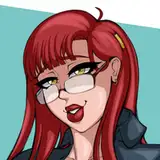
Finished: (Took hours by the way)

It doesnt matter if you are not good at it, I wasnt either. But is the fun of doing it what it matters, because if you only stay thinking that you cant, you are not doing anything.
At the end of the day, it doesnt matter what people says, you had fun doing it, and it feels good to have made something that you like.
See you guys later.
GaryuX
2019-11-24 03:07:04 +0000 UTCNeeva
2019-11-23 20:31:05 +0000 UTCGatoViudo
2019-11-23 20:08:23 +0000 UTC