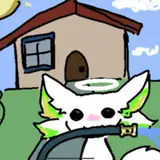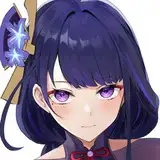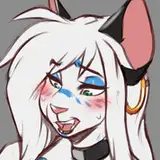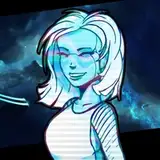
November 2022 Compilation [Download]
Added 2022-12-06 03:08:37 +0000 UTC[I'm mentioning a few of you guys, my Patrons, on this post, I'll be making your names bold and underlining them to distinguish when I mention you guys! Also, there is a note regarding the commission Tier at the bottom of this post.]
---------------------------
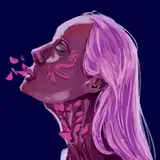
This month I spent quite a bit on the commission, for some reason the pose was giving me a bit of trouble, but I actually used my Tekki model as reference!
This commission, [from the 3rd Tier] was a drawing for Skrool! Featuring their lovely asura Demala, with my Koppali! [This is actually a kind of far fetched dream I've had and I never thought would happen OTL, getting to add an OC of mine to a commission?? Thank you so much Skrool, that was really fun and surprising!!]
As usual I reduced the resolution of the commission, so it's a bit smaller than what I gave to Skrool. But yeah the pics that are related to the commission are
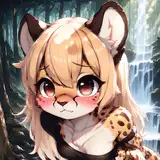
[11-03a1], [11-11b1], [11-17a2_small_], [11-17a2_small_shirt], [Comm_sketches], [faces-]
With sketch [11-12a1] I was trying to define a bit more the "shoes" from one of the sketches I made of Tekki back in July 2021.
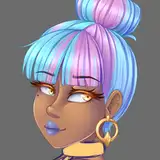
[11-20a1] This girl and her colors were based a bit on victorian porcelain sets and sculptures, not a specific set, just in general. There's such pretty color combinations, so I wanted to give it a try making a character inspired by it. And I'd like to make more!
These 3 colorful pics [11-20a2] [11-20a3] [11-20a4] Were my way to brainstorm for character color ideas? I first started with Green + Purple, because I know it's a contrasting combination that can work, but to me it is very tricky to get something that looks nice, so here's what I got.
Then I thought of making another for characters with red skin, because I've wanted to make a red skin oni type character for a while. And I wanted to try as many hair color combinations as I could think of.
And since I was making something for a red oni, I thought I'd also try for a blue oni.
I later added little accessories [or at least ideas for the colors of possible accessories]
[11-22a2], [bodyref1], [bodyref1-], [bodyref2], [bodyref3]. These pics are because I've been playing with the idea of what a fantroll 3D model would look like. I keep thinking that maybe for fantrolls it would be best to make a model that is more simple and stylized! My fantrolls have silly hairstyles, it's easy to make them work in drawings but I feel like some would be very tricky to make in 3D.
Then I was wondering, how simple would they be? Chibi? maybe something like the way I try to imitate a bit the roundish homestuck style in my drawings? So I made a compilation of some of my favorite homestuck drawings I've made that have a chibi or simple style. [I didn't include them in the zip file but I'm posting them here at the end of the post]. I've always struggled with making chibis, so that's why I kinda need a lot of stuff to visualize and get a better idea lol.
[Another reason why I'm thinking chibi/simple is best, is because I realized that my favorite characters to draw, the ones I end up making tons of fanart for, are usually characters that have a simple style and lend themselves to A LOT of interpretation! Like Homestuck, Steven Universe, Undertale.., so I thought I'd try it for that reason as well.]
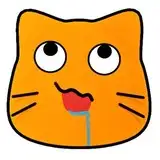
[11-23a1] is similar. I struggle so so much with making cute chibi cats. I think I've omitted previous attempts from other monthly and yearly compilations, but it's definitely something I come back to here and there.
[11-29a 1, 2 and 3] are just random design ideas. I'm sure the first one is drawing inspiration from somewhere that I can't quite recall... Like the feathers at the sides of the head... I knoow it's from somewhere but I don't know what...
[11-29b1] Ideas for the controls of the mouth, I was thinking of having a master control that moves the whole mouth [as I mention in the video update that's coming soon;;]. But something else I thought I could have is a control to get a few phonemes mouth shapes? [11-29b2] Kissy plant creature thing, haha;;;
[ARM] is something I mentioned in the previous update video, about how the arm clips when it bends, and how double joints [like some ball jointed dolls!] could help fix that. This pic is a note about how moving the forearm a bit improves the way it looks a bit, clips less. I don't know if/how I'd implement it yet though.
--------------
[choosingcolors] [colors 0, 4 and 5] are some notes I made for Hel, about the way I go about coloring stuff, but I thought I'd add them here too in case they are interesting or useful to someone else.
The trick I use for choosing colors is limited and won't work on a lot of environments. But the idea is that you start by choosing a base color, and then to get lighter tones, you move the color picker towards the white [so lighter value] and then you shift the hue towards the yellow. To get darker tones you go towards the black, BUT it's important to also increase the saturation, so in this rectangular color picker I have to go both down and to the right side. And then you shift the hue towards the blue.
This trick helps keep the colors looking bright and saturated, if you were to choose the lighter/darker colors by staying within the same hue, the colors risk looking grayish and dull.
The reason it's yellow and blue, [and warm and cold] is because in the environment, at least outdoors and during the day. The sun as the light source provides that warm tone, and the blue of the sky is reflected a bit in the shadows. There is way better explanations on this but this is my very rough and limited way of explaining it.
[Color0] Is about one of the ways I go about painting. I will start by setting the base colors/shapes, then with a BIG airbrush I'll add some of the shadows, lights and extra colors. One important note is to use the lasso tool for creating sharp edges!
[Color4] Is about how coloring the lineart does A LOT to make a pic look soft! You can paint the lineart yourself, OR something I usually do is to change the effect to "overlay".
You'll need o watch out when using overlay since the lineart disappears against white. The eyes and any lines that go beyond the colors are my problem areas. I usually paste the eyes into a new layer and manually paint any color I might want. For the contour lines, I usually duplicate the lineart layer and place it below the color layers.
[Color5] After that I'll make a new layer on top of everything and paint over. Here I rely almost completely on the colors I've already set, but I may need to add new ones too. My mentality at this stage is to fix issues and add detail. So if there's a stray line that doesn't look right, I try to cover it.
--------------
[Gift2] Is a little gift for Cass, based on their really cool Zelda/Ganon/Link Mafia AU!
And finally [Monky 1, 2 and 3] are of course the little monkeys I made for the previous video update!
That is it for this month's compilations, I am really sorry about the update post/video delay! It should be finished within this week tough! Thank you so much for your patience and support! I hope you enjoy the compilation!
[NOTE about the commission tier: Because the update post is delayed, I'll mention it here that the commission tier will probably not be there for January, I think I can handle one more commission this month, but I'm definitely not ready to keep this commission tier open permanently, I might open it from time to time in the future.]
Comments
Ooooh, thanks for sharing those, because stuff like that I think is really useful! I think it's completely valid to use tools for color scheme ideas, and I think after looking at enough or just looking into color theory and putting it into practice, you then start to become more able to make your own as well! For example I don't have enough practice or enough of a "mental library" built up to be able to come up with colors on the spot, in those drawings I was really just putting stuff in the canvas and seeing what I ended up with. I remember there being memes on tumblr like "which one am I?" and there were a ton of color palettes to choose from. Or challenges like "make a drawing using this color palette". But to be honest I have a hard time "understanding" or "seeing the potential" when all I can see is just color swatches. So I think the sites you showed are pretty cool in showing how those color palettes are being used, which ones are the main colors, which ones are just accents, etc. --- Hahaha, hey that makes sense, I looked her up and yeah, that spiky headpiece is a big recognizable feature! Tbh I have no clue how I ended up there, I think I just wanted the big spiky stuff covering her ears, a bit elf-ish?? and then I somehow ended up with a few more spikes! Sorry I took so long to reply, but thank you so much for sharing your thoughts on these and continuing the conversation, also thanks for sharing those really interesting and useful color scheme links, I didn't know there were people making color schemes that override the colors of other websites and apps! That's really cool, especially for browsing very bright sites at night!
2023-01-19 17:40:41 +0000 UTCSomething I'd recently been looking into with regards to color schemes was the ones they make up for desktop/mobile palettes. In particular, Nord (https://www.nordtheme.com/) and Catppuccin (https://github.com/catppuccin) caught my eye, but now that I know to look for those, been looking at them for just general ideas since they're already cohesive. (Not a substitute for coming up with your own from time to time, I know, but just having some out there with things that work together nicely is nice to refer to sometimes, at least for me) That was blah-blah-blah preface for saying I really enjoy seeing sets you come up with as well (the Green + Purple, Red, and Blue sets, for instance). >:] Also, it's funny, for 11-20a1, first thing I thought of was that she reminded me of Leona (from LoL), which...she doesn't really, but I think that first blush reaction was just to the headpiece. That said, I love the inspiration and the way it's looking, if you make more, I'll be excited to see them too. >:]
epyon_avenger
2022-12-19 06:10:25 +0000 UTC