Haiiii !!
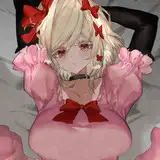
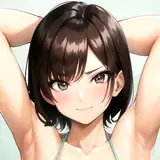
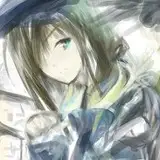
These are my paint brushes I use for most of my works, they are specifically made for rendering and are great for if you want to add texture or something extra in your work! I’ve made them specifically for painting in mind, some of them based off the actual medium itself.
There are 2 versions of this set: Trial (Free) and Paid, with only paid containing updates.
This set has long been anticipated, originally this was supposed to be released months ago but due to my illness it’s pretty much been in the shelves, I’ve made numerous additions to this set so it is far from what it was originally.
EDIT: IM SO SORRY I MADE AN ERROR WITH THE PRICE 💔 should be fixed now !!
EDIT 2: There’s been some issues which I’ve addressed in this post I made, everything should be resolved again (reiterating this) if you do have issues please message me on discord: mqno.a
Hello :3
If you are having any issues with the brushset, please message me on discord or email me.
Discord: mqno.a
Email: mqno.a.30@gmail.com
Important: DO NOT EDIT MY BRUSHES TO DISTRIBUTE OR PROFIT!!! Please message me if you see someone selling them, I don’t mind if you edit my brushes for your own benefit. The only distribution I approve of is only distributing free versions of my sets or authorized users who have my permission to sell the brushes. Any person who distributes paid content will have their access revoked and will be blacklisted. The brushes are f2u (free to use), credit is not required but is greatly appreciated! If you’d like to discuss distribution, my email is mqno.a.30@gmail.com :3
Things to note: My brushes will look incredibly different depending if you’re using a stylus or your fingers. The reason the brushes may look different using fingers is because you’re applying all the pressure there is.
Settings to play with:
- If you want to replicate the pen pressure, click the brush and go to dynamics and play with the sizing.
- If you wanna change the thickness or thinness of the brush go to properties and play with the max & min size; if you want to change the thickness of an outline brush click on the second brush and go to properties and again play with the max & min size.
- If the brushes aren't sharp or it's too sharp adjust the settings in the taper settings.
How to import the brushes: There are 2 ways to import Procreate brushes.
1. Go to files, then click on the file and it should take you to the app and show the import loading screen.
2. Go in app and click the plus button, then click import and go to files, find where the brush/brushset is and then click on it.
Brushset:
Please refer to this license key when messaging me about any issues, just so I can easily find your order ^w^
Follow me on my socials for brush updates and other content:
Happy drawing !! - Mano