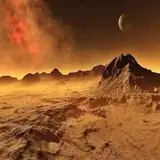
I wanted to show each of you behind the scenes a little bit on how I make my cc. This folder shows the backdrop I've made for this set. As you can see I create different blend files for each process of creation. This is so I am able to go back and edit if I need to. I know I may create my stuff in a different way than most, but it is my style and its how I like it. The rawall blend file is where I have the original mesh, I may import a game mesh for comparison, so that it will size right. The raw is after all that, and I add final touches, remove double vertices, make sure there are no reversed normals. Once I start creating the maps (for the textures), then I name it map. This is where I unwrap in blender, then export and edit in Photoshop. I create my textures in Photoshop for all my cc. I bake my Ambient Occlusion map inside blender (for more realistic shadowing/light reflection, and sometimes my normals inside Blender. I use layers in groups to create my UV map, and I'll add my AO map to each layer (swatch). I also create my specular and normal maps inside Photoshop. Then I export each to their own .png or DDS to use in Sims 4 Studio when I create the package. My thumbnails I create inside Blender (1024x1024 image in Photoshop), but my screenshots I take when I post my sets are in game, so you can see what they look like inside The Sims 4. I use Blender 3.4.0 to create the meshes, and I import and combine them using Blender 2.78, then export my LODs. Once I import all of the LODs inside S4S and add slots/lighting sources if I need to, then I open the game and test. My process may be more complicated than others, but its what works for me, and I like doing it this way. I wanted you all to see what all goes into the process, and when it is a big set, why it takes longer and I release in parts for those. I hope this helps!
JCTekkSims
2025-06-12 06:38:52 +0000 UTCwolfxdreamer
2025-06-12 04:56:13 +0000 UTC