Rhyzixia Speedpaint
Added 2024-05-19 19:33:17 +0000 UTC
A little something special for being so awesome have a speed paint video
YOUTUBE LINK
Cheers, Noct
------------
A look into my mind
Bit of a longer explanation for both videos
So Rhyzixia was quite the interesting character to get chosen in my raffle; here is the reference image I was given-
REFERENCE.
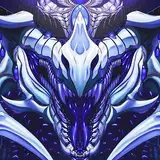
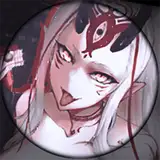
For this one, I got the impression they are a more intimidating character from their colorations, a sense of elegance, and imposing nature. Looking through the gallery I could infer this character tends to throw their weight around a little so I wanted to give that impression in my iteration for them.
I wanted to show off that neck and those gemstone-like spines, so I went with this pose to almost " look down" on whatever might be in their immediate vicinity.
-------------------
-Using the same brush as my last tutorial, just smaller and slightly more sensitive to the brush, I began focusing on the more prominent features in my clean-up sketch. This character has prominent plates, gemstone horns, and spikes. I wanted to give them the feeling of a crown of these horns with a mane of crystalline glory. I gave them a sneer to emphasize the standoff-like personality I perceived from inference. Now, I did make a mistake and should have kept the smaller details on their own layer, which would have saved time in the later phase, where I used a grit brush to make that shimmering look.
As I begin the shading phase, I dial back the opacity a bit to try and ensure the shading is not too dark. I still want the features to be seen, but I want the impression of this being a black dragon to be felt.
As I added the highlights and shimmers, you'll notice I had to use the lasso tool. It would have been cumbersome and tedious to use the Magic wand tool. I made the mistake of putting the lines and details on the same layer. For future ones, I will keep these separate, like my lineart.
- For what appears to be gemstone-like horns, the sort of glimmering effect I made was using a Grit brush in a packet that has these settings applied -
BRUSH SETTINGS ---------------------
Also if you have any specific questions, please ask and I will happily answer them for you!