(English translation is at the lower part of the page.)
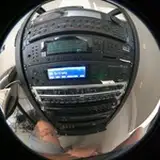
その名の通り、RPG のボス部屋のようなカスタムプラットフォームです。次々と襲い来るノーツの嵐をしのぐことができるでしょうか…?あなたの勇気が世界を救うと信じて…!
NalulunaModAssistant からダウンロードお願いします。
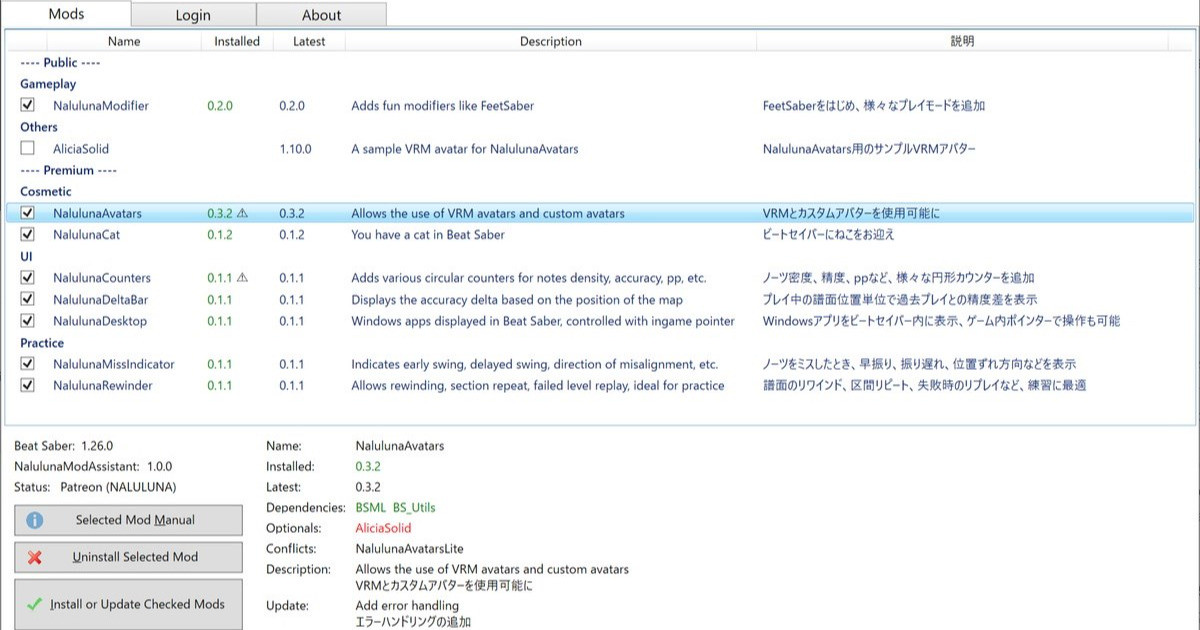
支援者様に公開しているわたしの mod の管理ツールです。mod のインストール、アンインストールや、更新内容の確認が可能です。mod のインストールは、支援中の Fanbox または Patreon アカウントでのログインが必要です。 今後、わたしの mod の配布や更新はこのツールを通して行います。まだわたしの mod 全部が登録さ...
CustomPlatforms mod は、ModAssistant または以下のリンクから入手可能です。
https://github.com/affederaffe/CustomPlatforms/releases
ビートセイバー本体のアップデート直後などは、Custom Platforms mod が利用できない場合がありますが、その場合は、ビートセイバーを旧バージョンに戻すか、modのアップデートをお待ちください。
このプラットフォームは NalulunaPlatformsHelper を使用して、ライティングや表示オブジェクトの調整が可能です。
NalulunaAvatars 使用の場合、NalulunaPlatformsHelper がライティング制御を引き継ぎます。このプラットフォームは暗めの屋内なので、デフォルトではアバターも暗く表示されるようになります。この部分は設定で調整が可能です。
かんたんに言うと…
アバターが暗い → Avatar Light Intensity を上げる
アバターにライティング色が乗りすぎ → Avatar Color Intensity を下げる
NalulunaPlatformsHelper のアバターライティングを使わない → Override Naluluna Avatars Lighting をオフに
Mod Enabled: mod の有効/無効
Platform Light Intensity: プラットフォームのライティング強さ
Override Naluluna Avatars Lighting: NalulunaAvatars にはアバターのライティング制御がありますが、対応プラットフォーム表示時には一時的にこれを無効化して、NalulunaPlatformsHelper 側でアバターのライティング制御を行います。例えば、暗いプラットフォームではアバターも暗く、明るいプラットフォームではアバターも明るく、というように、プラットフォームに合わせたライティングが可能になります。NalulunaAvatars を使用していない場合はなにもしません。
Avatar Light Intensity: 上記ライティング制御で、アバターのライティング強さ
Avatar Color Intensity: 上記ライティング制御で、ライティング色をアバターにどの程度反映するか (0だと明るさのみ。1だと極端に色がつきます)
Override Platform Environment Settings: プラットフォームオブジェクトの表示/非表示 (譜面や手動選択されたプラットフォームによって変わります。ただ、最近の公式プラットフォームではこれらのオブジェは存在しないので表示されません)
Small/Big Ring: 回転するリング状のオブジェクト (小/大)
Back Lasers: 奥に光る ^ のような形のライト
Double Color Lasers: 正面に並ぶレーザー光 (奥)
Rotating Lasers: 正面に並ぶレーザー光 (回転)
Track Lights: トラックの左右にあるライト (ないプラットフォームも)
----
As the name suggests, this is a custom platform that looks like an RPG boss room. Can you survive the storm of notes that come one after another...? Believe that your courage will save the world...!
Available via NalulunaModAssistant.
支援者様に公開しているわたしの mod の管理ツールです。mod のインストール、アンインストールや、更新内容の確認が可能です。mod のインストールは、支援中の Fanbox または Patreon アカウントでのログインが必要です。 今後、わたしの mod の配布や更新はこのツールを通して行います。まだわたしの mod 全部が登録さ...
The CustomPlatforms mod is available on ModAssistant or at the following link.
https://github.com/affederaffe/CustomPlatforms/releases
In some cases, such as right after Beat Saber update, Custom Platforms mod may not be available, in which case you can revert to an older version of Beat Saber or wait a while.
This platform allows customization of lighting and display objects using the NalulunaPlatformsHelper.
When using NalulunaAvatars, NalulunaPlatformsHelper takes over the lighting control. Since this platform is dark indoor, avatars will also appear dark by default. This part can be adjusted in the settings.
Simply put...
Avatar is dark → Increase Avatar Light Intensity
Avatar has too much lighting color → Lower Avatar Color Intensity
Do not use avatar lighting in NalulunaPlatformsHelper → Turn off Override Naluluna Avatars Lighting
Mod Enabled: mod enable/disable
Platform Light Intensity: Lighting Intensity for the platform
Override Naluluna Avatars Lighting: NalulunaAvatars has avatar lighting control, but when displaying on supported platforms, this is temporarily disabled and the NalulunaPlatformsHelper will control the avatar lighting. For example, on a dark platform, the avatar will be dark, on a bright platform, the avatar will be bright. If NalulunaAvatars is not used, this setting does nothing.
Avatar Light Intensity: Lighting intensity for the avatar in the lighting control above
Avatar Color Intensity: How much of the lighting color is reflected on the avatar in the lighting control above (0 for brightness only; 1 for extreme color)
Override Platform Environment Settings: Show/hide platform objects