XaiJu
nalulululuna
nalulululuna

fanbox


NalulunaSliceVisualizer


youtube post: uhpdZcPx1Nc

説明 / Description

ノーツがどのような角度で切られたかを、画面上部(設定で移動可能)に表示するmodです。NoteSliceVisualizer modの3D表示版みたいなものです。


This mod shows how the notes were cut at the top of the screen (it can be moved in the settings). It's like a 3D version of NoteSliceVisualizer mod.

設定 / Settings

General タブ

Mod Enabled: mod有効/無効

Postion: 表示位置

Movement: 表示の奥行方向への移動速度

Scale: 表示の拡大(縮小)率

Advanced タブ

Duration Max: 最大表示時間

Duration Min: 最小表示時間 (Clear On Next Noteより優先)

Clear On Next Note: 次のノーツを表示するとき、前のノーツ表示を消す

Disable Notes Rotation: ノーツが切られた瞬間の向き表示を無効にする (オンにするとノーツがすべて正面向き固定になり、2D表示のような形になります)

Layer: どのレイヤーに表示するか

Default: 通常

UI: ユーザーインターフェイス扱い

Note: ノーツ扱い

NoteDebri: デブリ扱い

HMD: 1人称視点 (HMD) に表示

Camera Screen: Camera2 / CameraPlus の画面に表示
ダウンロード / Download

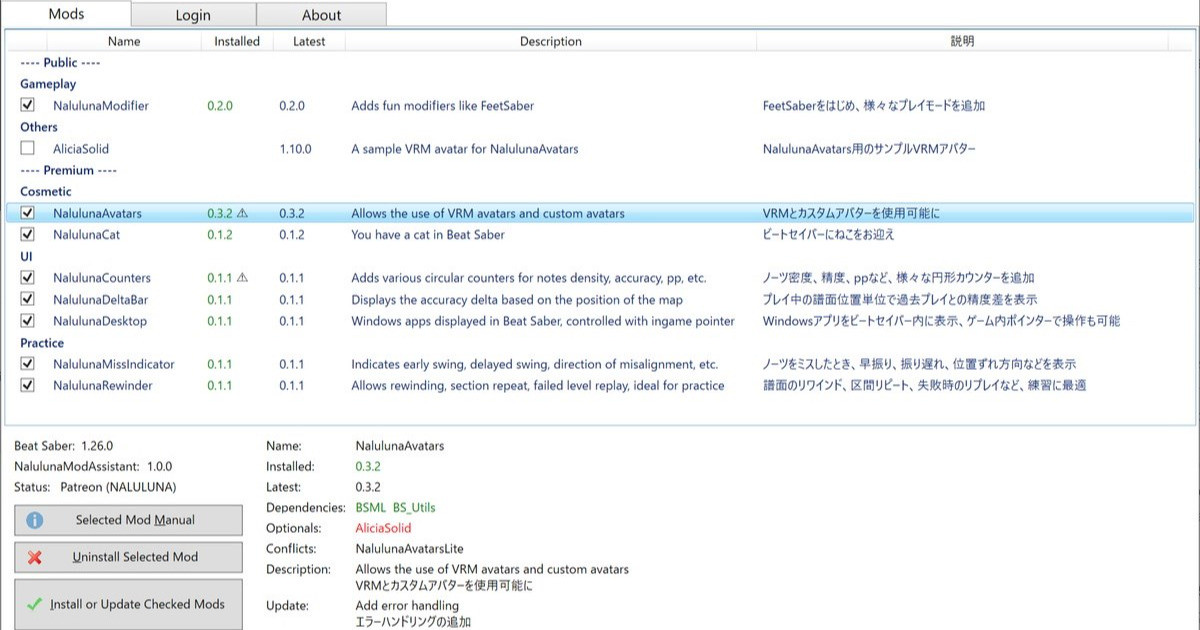
NalulunaModAssistant

支援者様に公開しているわたしの mod の管理ツールです。mod のインストール、アンインストールや、更新内容の確認が可能です。mod のインストールは、支援中の Fanbox または Patreon アカウントでのログインが必要です。 今後、わたしの mod の配布や更新はこのツールを通して行います。まだわたしの mod 全部が登録さ...

NalulunaSliceVisualizer 0.1.0 以降は、NalulunaModAssistant で利用可能です。

NalulunaSliceVisualizer 0.1.0 or later are available with NalulunaModAssistant.

旧バージョン / Old versions

NalulunaSliceVisualizer-0.0.9-bs1.23.0

より古いバージョンが必要な場合、FANBOX のメッセージ ( https://bit.ly/3XhHhlt ) でご連絡ください。

If you need a older version, contact me via FANBOX message. ( https://bit.ly/3XhHhlt )

古い更新 / Old updates

0.0.9

- カット表示線の太さ設定を追加

- デフォルト設定の変更、細かい修正

0.0.8

- 表示レイヤー設定を追加

- 設定に Preview ボタンを追加

0.0.7

- GottaGoFast modが有効になっていると動かない問題を修正

0.0.6

- 動作に支障はないもののエラーが出ていた部分を修正

0.0.5

- Beat Saber 1.20.0対応

0.0.4

- 一部環境で、NalulunaNotePhysicsと干渉する問題を修正

- 設定画面のスライダー左右に増減ボタンを追加

- 設定画面にリセットボタン追加

0.0.3

- 90/360度譜面で、HUD位置に合わせて回転するように

0.0.2

- ノーツ表示の奥行き方向への移動速度を設定できるように

(YouTube)


NalulunaSliceVisualizer NalulunaSliceVisualizer NalulunaSliceVisualizer

Comments

The ScoreSaber replay reproduces only the scores, and the play itself has frame-by-frame deviations and is not reproduced to the cut. For example, if you make heavy frame drops during that replay and make the replay fail to hit notes, but the replay won't increase miss counts. Also, this image is 3D, so if it is slanted from above, it looks as if it is not passing through the center when viewed from the front.

なるるるるな / NALULUNA

Hello, I've tried it with Disable Notes Rotation off on the exact same replay, and the cut do make much more sense, but shouldn't that cut on the last note be on the left and not the right if I turn it back on? Also, the first note was a 115 but with Disable Notes Rotation activated, the cut is nowhere near the middle, so I'm a bit confused. I will keep the option disabled for now. Thank you for your reply. Image: https://ibb.co/DQ1M6tN

Loloppe

And the more reason for the line shift is because the saber speed is not infinite. While the saber is moving, the notes are still moving forward. Therefore, the lines between 2 notes will not be straight.

なるるるるな / NALULUNA

My mod shows the actual cut line as it is in 3D. Since SliceVisualizer uses a 2D view, the difference depends on how the 2D cross section is taken. The reason the last note is off is because the actual notes are facing to the head at the time of cutting. In the mod view, those notes are corrected to face the front, resulting in this misaligned line. To change to the actual notes direction, turn off the Disable Notes Rotation setting. This will recreate the rotation of the notes at the time of the cut.

なるるるるな / NALULUNA

Hello, I just wanted to report a possible issue with NalulunaSliceVisualizer. The cut in some specific situation doesn't match the actual cut, this can be very apparent on stack and sliders. Here an image that showcase the issue: https://ibb.co/bNdzYHZ On the left, you can see that the cut on the last note of the sliders is clearly impossible, in comparison to SliceVisualizer on the right, which show that I curved my swing before hitting the last note. Also, the precision of the cut on all of the notes seems slightly off. I'm not sure of the reason, but I would appreciate if it could be fixed, since SliceVisualizer got a bunch of issues on it own too (completely unrelated to the cut). (https://github.com/m1el/BeatSaber-SliceVisualizer)

Loloppe

Added in 0.0.8.

なるるるるな / NALULUNA

In the future I will make it possible to set the display layer.

なるるるるな / NALULUNA

Sorry for the late reply. In the future I will make it possible to set the display layer. That should allow A, B, or Extra.

なるるるるな / NALULUNA

Would it be possible to add a "Hide in HMD" option to the mod? (paired with debris) I'm only using as a cut visualizer on my stream, and don't need to see it myself. It often gets in the way when playing 360/Noodle Extension maps.

Fixed conflict issues with GottaGoFast.

なるるるるな / NALULUNA

Thank you for identifying the interference mod. I will check it later with GottaGoFast.

なるるるるな / NALULUNA

After further testing, I found out that the culprit is GottaGoFast: https://github.com/kinsi55/CS_BeatSaber_GottaGoFast More specifically, turning off "Enable Optimization" from the options of GottaGoFast fix the issue. I have no idea why it is the case, GottaGoFast has nothing to do with notes cut from my understanding.

Loloppe

Hello! I've been trying updated plugins for 1.20, but this one doesn't work for me. Notes become impossible to cut. Maybe there's an incompatibility with another mod? Here's the error in the log (every note I try to cut): https://pastebin.com/9T62nmU9 and here is my list of mods: https://pastebin.com/a0Tsz9Av Everything else work perfectly, thank you!

Loloppe

Hi there, I don't think these are bugs but I wanted to ask a few things. Image: https://puu.sh/I36Br/bc1413d6fb.png A) Would it be possible to have the block arrows show for cameras that have "Notes" set to "Hidden"? B) Would it be possible to remove the visualizer from cameras that have the "Debris" option set to "off"? Extra) Would it be possible to hide the mod from the player and have it just show on specific cameras? And yes, I'm using a negative Z position to try and hide them from my vision :D

FEFELAND

ありがとうございます!ゆっくりな譜面で練習すると良さそうですね!

なるるるるな / NALULUNA

精度向上に役立ちそうですね! 練習のお供にしますね ありがとう!

てぃぁ


More Creators