Lab Rats 2 v0.30.1 Release!
Added 2020-07-08 10:19:36 +0000 UTCLab Rats 2 v0.30.1 is live! Get it here!
PC: Lab Rats 2 v0.30.2-PC
Mac: Lab Rats 2 v0.30.2-Mac
Android: Lab Rats 2 v0.30.1-Android
Edit: There was a bug with v0.30.1 that was causing frequent crashes on PC and Mac (android was unaffected). This has been resolved with v0.30.2
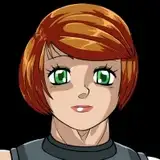
Lab Rats 2 v0.30.1 is finished it's week of bug testing and ready for it's public release. This update introduces a new character with a unique storyline: Emily. Emily is a student of your ex-boss and mentor Nora, and she turns to you for tutoring to pass Nora's university course. This update also comes with significant performance improvements. Active memory usage and game responsiveness have been improved throughout the game, with the groundwork laid for future optimisations as well. To top it all off, seven new base faces have been added to the game, more than doubling the number previously available to the character generator.
Emily's introduction to LR2 comes with a large chunk of content, totaling 15,000 words of dialogue and narration. Tutoring Emily provides you with unique opportunities to corrupt her. After earning her trust you can begin to improve her grades through a number of unorthodox methods, from experimental pharmaceuticals to strip study sessions. This is also the first of several new pieces of content that will focus on Nora, Emily, and Emily's mother Christina.
Game optimizations may not be as exciting or sexy as new content, but they're a critical part of keeping the experience of Lab Rats 2 smooth and snappy. A new image clipping method has massively improved how quickly character images can be displayed, removing any stutters when a character changes clothing or position. Character image animation is now handled by a thread separate from the main game thread, removing the delay before inputs can be processed. The reduction in character image size has also lowered the amount of memory used when saving the game, speeding up late game loads and saves.
Enjoy!
Changelog (v0.29.1 to v0.30.1)
*CHANGES AND ADDITIONS*
- Added 7 new face varieties
- Images are now clipped to remove most blank space. Offset distances now stored to assemble images
- Moved animation into a separate thread.
- Reworked sex logic flow to properly cover taboo breaks, automatically pick objects if only one exists.
- Introduced Emily, a student of Nora's who turns to you for tutoring.
- Added ability to tutor Emily on campus, as well as several branching choices while tutoring her.
- Added ability to tutor Emily at her house, once you earn her trust.
- Added a "Masturbate first" option when tutoring Emily at her house.
- Added a "Punish for wrong answers" option when tutoring Emily at her house. More options for this branch will be added in a future update.
- Introduced Christina, Emily's mother. Christina will be given more content in a future update.
- Updated Nora's storyline events to introduce Emily.
*BUG FIXES*
- So many I gave up keeping a useful bug record. Sorry!
Comments
In my current game, the other day, the "back" option disappeared. I figured it was nothing pressing, I could figure it out later (so long as I didn't make any major mistakes), played for a while, then saved. What I didn't count on is that this apparenty corrupted the save: if I open it it immediately crashes (see log, below). Is there any way to repair this save file or am I stuck restoring from an older save from before this happened? ``` I'm sorry, but an uncaught exception occurred. While running game code: File "renpy/common/00action_file.rpy", line 452, in __call__ renpy.load(fn) Exception: Couldn't find a place to stop rolling back. Perhaps the script changed in an incompatible way? -- Full Traceback ------------------------------------------------------------ Full traceback: File "renpy/common/_layout/screen_main_menu.rpym", line 28, in script python hide: File "/Applications/GAMES/Ren'py/Lab Rats Series/Lab_Rats_2 0.30.1.app/Contents/Resources/autorun/renpy/ast.py", line 914, in execute renpy.python.py_exec_bytecode(self.code.bytecode, self.hide, store=self.store) File "/Applications/GAMES/Ren'py/Lab Rats Series/Lab_Rats_2 0.30.1.app/Contents/Resources/autorun/renpy/python.py", line 2028, in py_exec_bytecode exec bytecode in globals, locals File "renpy/common/_layout/screen_main_menu.rpym", line 28, in python hide: File "renpy/common/_layout/screen_main_menu.rpym", line 35, in _execute_python_hide ui.interact() File "/Applications/GAMES/Ren'py/Lab Rats Series/Lab_Rats_2 0.30.1.app/Contents/Resources/autorun/renpy/ui.py", line 297, in interact rv = renpy.game.interface.interact(roll_forward=roll_forward, **kwargs) File "/Applications/GAMES/Ren'py/Lab Rats Series/Lab_Rats_2 0.30.1.app/Contents/Resources/autorun/renpy/display/core.py", line 2702, in interact repeat, rv = self.interact_core(preloads=preloads, trans_pause=trans_pause, **kwargs) File "/Applications/GAMES/Ren'py/Lab Rats Series/Lab_Rats_2 0.30.1.app/Contents/Resources/autorun/renpy/display/core.py", line 3518, in interact_core rv = root_widget.event(ev, x, y, 0) File "/Applications/GAMES/Ren'py/Lab Rats Series/Lab_Rats_2 0.30.1.app/Contents/Resources/autorun/renpy/display/layout.py", line 998, in event rv = i.event(ev, x - xo, y - yo, cst) File "/Applications/GAMES/Ren'py/Lab Rats Series/Lab_Rats_2 0.30.1.app/Contents/Resources/autorun/renpy/display/layout.py", line 998, in event rv = i.event(ev, x - xo, y - yo, cst) File "/Applications/GAMES/Ren'py/Lab Rats Series/Lab_Rats_2 0.30.1.app/Contents/Resources/autorun/renpy/display/layout.py", line 998, in event rv = i.event(ev, x - xo, y - yo, cst) File "/Applications/GAMES/Ren'py/Lab Rats Series/Lab_Rats_2 0.30.1.app/Contents/Resources/autorun/renpy/display/screen.py", line 714, in event rv = self.child.event(ev, x, y, st) File "/Applications/GAMES/Ren'py/Lab Rats Series/Lab_Rats_2 0.30.1.app/Contents/Resources/autorun/renpy/display/layout.py", line 998, in event rv = i.event(ev, x - xo, y - yo, cst) File "/Applications/GAMES/Ren'py/Lab Rats Series/Lab_Rats_2 0.30.1.app/Contents/Resources/autorun/renpy/display/layout.py", line 244, in event rv = d.event(ev, x - xo, y - yo, st) File "/Applications/GAMES/Ren'py/Lab Rats Series/Lab_Rats_2 0.30.1.app/Contents/Resources/autorun/renpy/display/layout.py", line 998, in event rv = i.event(ev, x - xo, y - yo, cst) File "/Applications/GAMES/Ren'py/Lab Rats Series/Lab_Rats_2 0.30.1.app/Contents/Resources/autorun/renpy/display/layout.py", line 998, in event rv = i.event(ev, x - xo, y - yo, cst) File "/Applications/GAMES/Ren'py/Lab Rats Series/Lab_Rats_2 0.30.1.app/Contents/Resources/autorun/renpy/display/behavior.py", line 962, in event return handle_click(self.clicked) File "/Applications/GAMES/Ren'py/Lab Rats Series/Lab_Rats_2 0.30.1.app/Contents/Resources/autorun/renpy/display/behavior.py", line 897, in handle_click rv = run(action) File "/Applications/GAMES/Ren'py/Lab Rats Series/Lab_Rats_2 0.30.1.app/Contents/Resources/autorun/renpy/display/behavior.py", line 313, in run new_rv = run(i, *args, **kwargs) File "/Applications/GAMES/Ren'py/Lab Rats Series/Lab_Rats_2 0.30.1.app/Contents/Resources/autorun/renpy/display/behavior.py", line 320, in run return action(*args, **kwargs) File "renpy/common/00action_file.rpy", line 452, in __call__ renpy.load(fn) File "/Applications/GAMES/Ren'py/Lab Rats Series/Lab_Rats_2 0.30.1.app/Contents/Resources/autorun/renpy/loadsave.py", line 770, in load log.unfreeze(roots, label="_after_load") File "/Applications/GAMES/Ren'py/Lab Rats Series/Lab_Rats_2 0.30.1.app/Contents/Resources/autorun/renpy/python.py", line 1983, in unfreeze self.rollback(0, force=True, label=label, greedy=greedy, on_load=True) File "/Applications/GAMES/Ren'py/Lab Rats Series/Lab_Rats_2 0.30.1.app/Contents/Resources/autorun/renpy/python.py", line 1815, in rollback self.load_failed() File "/Applications/GAMES/Ren'py/Lab Rats Series/Lab_Rats_2 0.30.1.app/Contents/Resources/autorun/renpy/python.py", line 1733, in load_failed raise Exception("Couldn't find a place to stop rolling back. Perhaps the script changed in an incompatible way?") Exception: Couldn't find a place to stop rolling back. Perhaps the script changed in an incompatible way? Darwin-17.7.0-x86_64-i386-64bit Ren'Py 7.3.5.606 Lab Rats 2 - Down to Business v0.30.1 Sun Jul 26 13:59:04 2020 ```
Petechons
2020-07-26 18:59:51 +0000 UTCHead into the settings menu and there should be an options for "animation scaling". Turns out a lot of Macs have high res displays that incorrectly report their resolution to Ren'py, so the animation scaling ends up incorrect unless a scaling factor is manually applied. It's a hack, but it'll have to do until Ren'py provides official shader support.
Vren
2020-07-10 05:49:46 +0000 UTCLooks like an error crept into the animated images. The static image is in the correct position and scale but the animated image is larger and partially out of frame. I tried resizing the game and going fullscreen but that had no effect.
Robert McClenahan
2020-07-09 23:49:07 +0000 UTCFeel free to fix this bug as it makes the game unplayable [code] I'm sorry, but an uncaught exception occurred. While loading <'MatrixColor' <'Image' u'character_images/happy_Face_10_stand3_white.png'> (0.91, 0, 0, 0, 0, 0, 0.91, 0, 0, 0, 0, 0, 0.95, 0, 0, 0, 0, 0, 1, 0, 0, 0, 0, 0, 1)>: File "game/script.rpy", line 9966, in script call $ picked_option.call_action() File "game/script.rpy", line 10277, in script call call hire_select_process(candidates) from _call_hire_select_process File "game/script.rpy", line 10302, in script call screen interview_ui(candidates,count) File "renpy/common/000statements.rpy", line 531, in execute_call_screen store._return = renpy.call_screen(name, *args, **kwargs) IOError: Couldn't find file 'character_images/happy_Face_10_stand3_white.png'. -- Full Traceback ------------------------------------------------------------ Full traceback: File "game/script.rpy", line 9966, in script call $ picked_option.call_action() File "game/script.rpy", line 10277, in script call call hire_select_process(candidates) from _call_hire_select_process File "game/script.rpy", line 10302, in script call screen interview_ui(candidates,count) File "F:\H\Games\Lab_Rats_2-v0.30.1-pc\renpy\ast.py", line 1949, in execute self.call("execute") File "F:\H\Games\Lab_Rats_2-v0.30.1-pc\renpy\ast.py", line 1937, in call return renpy.statements.call(method, parsed, *args, **kwargs) File "F:\H\Games\Lab_Rats_2-v0.30.1-pc\renpy\statements.py", line 277, in call return method(parsed, *args, **kwargs) File "renpy/common/000statements.rpy", line 531, in execute_call_screen store._return = renpy.call_screen(name, *args, **kwargs) File "F:\H\Games\Lab_Rats_2-v0.30.1-pc\renpy\exports.py", line 2905, in call_screen rv = renpy.ui.interact(mouse="screen", type="screen", roll_forward=roll_forward) File "F:\H\Games\Lab_Rats_2-v0.30.1-pc\renpy\ui.py", line 297, in interact rv = renpy.game.interface.interact(roll_forward=roll_forward, **kwargs) File "F:\H\Games\Lab_Rats_2-v0.30.1-pc\renpy\display\core.py", line 2702, in interact repeat, rv = self.interact_core(preloads=preloads, trans_pause=trans_pause, **kwargs) File "F:\H\Games\Lab_Rats_2-v0.30.1-pc\renpy\display\core.py", line 3194, in interact_core self.draw_screen(root_widget, fullscreen_video, (not fullscreen_video) or video_frame_drawn) File "F:\H\Games\Lab_Rats_2-v0.30.1-pc\renpy\display\core.py", line 2094, in draw_screen renpy.config.screen_height, File "renpy/display/render.pyx", line 490, in renpy.display.render.render_screen (gen\renpy.display.render.c:6805) rv = render(root, width, height, st, st) File "renpy/display/render.pyx", line 259, in renpy.display.render.render (gen\renpy.display.render.c:3520) rv = d.render(widtho, heighto, st, at) File "F:\H\Games\Lab_Rats_2-v0.30.1-pc\renpy\display\layout.py", line 722, in render surf = render(child, width, height, cst, cat) File "renpy/display/render.pyx", line 166, in renpy.display.render.render (gen\renpy.display.render.c:4075) cpdef render(d, object widtho, object heighto, double st, double at): File "renpy/display/render.pyx", line 259, in renpy.display.render.render (gen\renpy.display.render.c:3520) rv = d.render(widtho, heighto, st, at) File "F:\H\Games\Lab_Rats_2-v0.30.1-pc\renpy\display\layout.py", line 722, in render surf = render(child, width, height, cst, cat) File "renpy/display/render.pyx", line 166, in renpy.display.render.render (gen\renpy.display.render.c:4075) cpdef render(d, object widtho, object heighto, double st, double at): File "renpy/display/render.pyx", line 259, in renpy.display.render.render (gen\renpy.display.render.c:3520) rv = d.render(widtho, heighto, st, at) File "F:\H\Games\Lab_Rats_2-v0.30.1-pc\renpy\display\layout.py", line 722, in render surf = render(child, width, height, cst, cat) File "renpy/display/render.pyx", line 166, in renpy.display.render.render (gen\renpy.display.render.c:4075) cpdef render(d, object widtho, object heighto, double st, double at): File "renpy/display/render.pyx", line 259, in renpy.display.render.render (gen\renpy.display.render.c:3520) rv = d.render(widtho, heighto, st, at) File "accelerator.pyx", line 110, in renpy.display.accelerator.transform_render File "renpy/display/render.pyx", line 259, in renpy.display.render.render (gen\renpy.display.render.c:3520) rv = d.render(widtho, heighto, st, at) File "accelerator.pyx", line 110, in renpy.display.accelerator.transform_render File "renpy/display/render.pyx", line 259, in renpy.display.render.render (gen\renpy.display.render.c:3520) rv = d.render(widtho, heighto, st, at) File "F:\H\Games\Lab_Rats_2-v0.30.1-pc\renpy\display\layout.py", line 722, in render surf = render(child, width, height, cst, cat) File "renpy/display/render.pyx", line 166, in renpy.display.render.render (gen\renpy.display.render.c:4075) cpdef render(d, object widtho, object heighto, double st, double at): File "renpy/display/render.pyx", line 259, in renpy.display.render.render (gen\renpy.display.render.c:3520) rv = d.render(widtho, heighto, st, at) File "F:\H\Games\Lab_Rats_2-v0.30.1-pc\renpy\display\layout.py", line 336, in render surf = render(self.child, width, height, st, at) File "renpy/display/render.pyx", line 166, in renpy.display.render.render (gen\renpy.display.render.c:4075) cpdef render(d, object widtho, object heighto, double st, double at): File "renpy/display/render.pyx", line 259, in renpy.display.render.render (gen\renpy.display.render.c:3520) rv = d.render(widtho, heighto, st, at) File "F:\H\Games\Lab_Rats_2-v0.30.1-pc\renpy\display\transition.py", line 618, in render bottom = render(self.old_widget, width, height, st, at) File "renpy/display/render.pyx", line 166, in renpy.display.render.render (gen\renpy.display.render.c:4075) cpdef render(d, object widtho, object heighto, double st, double at): File "renpy/display/render.pyx", line 259, in renpy.display.render.render (gen\renpy.display.render.c:3520) rv = d.render(widtho, heighto, st, at) File "F:\H\Games\Lab_Rats_2-v0.30.1-pc\renpy\display\im.py", line 583, in render return cache.get(self, render=True) File "F:\H\Games\Lab_Rats_2-v0.30.1-pc\renpy\display\im.py", line 266, in get surf = image.load() File "F:\H\Games\Lab_Rats_2-v0.30.1-pc\renpy\display\im.py", line 1259, in load surf = cache.get(self.image) File "F:\H\Games\Lab_Rats_2-v0.30.1-pc\renpy\display\im.py", line 266, in get surf = image.load() File "F:\H\Games\Lab_Rats_2-v0.30.1-pc\renpy\display\im.py", line 628, in load surf = renpy.display.pgrender.load_image(renpy.loader.load(self.filename), self.filename) File "F:\H\Games\Lab_Rats_2-v0.30.1-pc\renpy\loader.py", line 576, in load raise IOError("Couldn't find file '%s'." % name) IOError: Couldn't find file 'character_images/happy_Face_10_stand3_white.png'. Windows-8-6.2.9200 Ren'Py 7.3.5.606 Lab Rats 2 - Down to Business v0.30.1 Thu Jul 09 20:21:33 2020 [/code]
Robert Bylund
2020-07-09 18:23:57 +0000 UTCBugg: [code] I'm sorry, but an uncaught exception occurred. While loading <'MatrixColor' <'Image' u'character_images/happy_Face_10_stand3_white.png'> (0.91, 0, 0, 0, 0, 0, 0.91, 0, 0, 0, 0, 0, 0.95, 0, 0, 0, 0, 0, 1, 0, 0, 0, 0, 0, 1)>: File "game/script.rpy", line 9966, in script call $ picked_option.call_action() File "game/script.rpy", line 10277, in script call call hire_select_process(candidates) from _call_hire_select_process File "game/script.rpy", line 10302, in script call screen interview_ui(candidates,count) File "renpy/common/000statements.rpy", line 531, in execute_call_screen store._return = renpy.call_screen(name, *args, **kwargs) IOError: Couldn't find file 'character_images/happy_Face_10_stand3_white.png'. -- Full Traceback ------------------------------------------------------------ Full traceback: File "game/script.rpy", line 9966, in script call $ picked_option.call_action() File "game/script.rpy", line 10277, in script call call hire_select_process(candidates) from _call_hire_select_process File "game/script.rpy", line 10302, in script call screen interview_ui(candidates,count) File "F:\H\Games\Lab_Rats_2-v0.30.1-pc\renpy\ast.py", line 1949, in execute self.call("execute") File "F:\H\Games\Lab_Rats_2-v0.30.1-pc\renpy\ast.py", line 1937, in call return renpy.statements.call(method, parsed, *args, **kwargs) File "F:\H\Games\Lab_Rats_2-v0.30.1-pc\renpy\statements.py", line 277, in call return method(parsed, *args, **kwargs) File "renpy/common/000statements.rpy", line 531, in execute_call_screen store._return = renpy.call_screen(name, *args, **kwargs) File "F:\H\Games\Lab_Rats_2-v0.30.1-pc\renpy\exports.py", line 2905, in call_screen rv = renpy.ui.interact(mouse="screen", type="screen", roll_forward=roll_forward) File "F:\H\Games\Lab_Rats_2-v0.30.1-pc\renpy\ui.py", line 297, in interact rv = renpy.game.interface.interact(roll_forward=roll_forward, **kwargs) File "F:\H\Games\Lab_Rats_2-v0.30.1-pc\renpy\display\core.py", line 2702, in interact repeat, rv = self.interact_core(preloads=preloads, trans_pause=trans_pause, **kwargs) File "F:\H\Games\Lab_Rats_2-v0.30.1-pc\renpy\display\core.py", line 3194, in interact_core self.draw_screen(root_widget, fullscreen_video, (not fullscreen_video) or video_frame_drawn) File "F:\H\Games\Lab_Rats_2-v0.30.1-pc\renpy\display\core.py", line 2094, in draw_screen renpy.config.screen_height, File "renpy/display/render.pyx", line 490, in renpy.display.render.render_screen (gen\renpy.display.render.c:6805) rv = render(root, width, height, st, st) File "renpy/display/render.pyx", line 259, in renpy.display.render.render (gen\renpy.display.render.c:3520) rv = d.render(widtho, heighto, st, at) File "F:\H\Games\Lab_Rats_2-v0.30.1-pc\renpy\display\layout.py", line 722, in render surf = render(child, width, height, cst, cat) File "renpy/display/render.pyx", line 166, in renpy.display.render.render (gen\renpy.display.render.c:4075) cpdef render(d, object widtho, object heighto, double st, double at): File "renpy/display/render.pyx", line 259, in renpy.display.render.render (gen\renpy.display.render.c:3520) rv = d.render(widtho, heighto, st, at) File "F:\H\Games\Lab_Rats_2-v0.30.1-pc\renpy\display\layout.py", line 722, in render surf = render(child, width, height, cst, cat) File "renpy/display/render.pyx", line 166, in renpy.display.render.render (gen\renpy.display.render.c:4075) cpdef render(d, object widtho, object heighto, double st, double at): File "renpy/display/render.pyx", line 259, in renpy.display.render.render (gen\renpy.display.render.c:3520) rv = d.render(widtho, heighto, st, at) File "F:\H\Games\Lab_Rats_2-v0.30.1-pc\renpy\display\layout.py", line 722, in render surf = render(child, width, height, cst, cat) File "renpy/display/render.pyx", line 166, in renpy.display.render.render (gen\renpy.display.render.c:4075) cpdef render(d, object widtho, object heighto, double st, double at): File "renpy/display/render.pyx", line 259, in renpy.display.render.render (gen\renpy.display.render.c:3520) rv = d.render(widtho, heighto, st, at) File "accelerator.pyx", line 110, in renpy.display.accelerator.transform_render File "renpy/display/render.pyx", line 259, in renpy.display.render.render (gen\renpy.display.render.c:3520) rv = d.render(widtho, heighto, st, at) File "accelerator.pyx", line 110, in renpy.display.accelerator.transform_render File "renpy/display/render.pyx", line 259, in renpy.display.render.render (gen\renpy.display.render.c:3520) rv = d.render(widtho, heighto, st, at) File "F:\H\Games\Lab_Rats_2-v0.30.1-pc\renpy\display\layout.py", line 722, in render surf = render(child, width, height, cst, cat) File "renpy/display/render.pyx", line 166, in renpy.display.render.render (gen\renpy.display.render.c:4075) cpdef render(d, object widtho, object heighto, double st, double at): File "renpy/display/render.pyx", line 259, in renpy.display.render.render (gen\renpy.display.render.c:3520) rv = d.render(widtho, heighto, st, at) File "F:\H\Games\Lab_Rats_2-v0.30.1-pc\renpy\display\layout.py", line 336, in render surf = render(self.child, width, height, st, at) File "renpy/display/render.pyx", line 166, in renpy.display.render.render (gen\renpy.display.render.c:4075) cpdef render(d, object widtho, object heighto, double st, double at): File "renpy/display/render.pyx", line 259, in renpy.display.render.render (gen\renpy.display.render.c:3520) rv = d.render(widtho, heighto, st, at) File "F:\H\Games\Lab_Rats_2-v0.30.1-pc\renpy\display\transition.py", line 618, in render bottom = render(self.old_widget, width, height, st, at) File "renpy/display/render.pyx", line 166, in renpy.display.render.render (gen\renpy.display.render.c:4075) cpdef render(d, object widtho, object heighto, double st, double at): File "renpy/display/render.pyx", line 259, in renpy.display.render.render (gen\renpy.display.render.c:3520) rv = d.render(widtho, heighto, st, at) File "F:\H\Games\Lab_Rats_2-v0.30.1-pc\renpy\display\im.py", line 583, in render return cache.get(self, render=True) File "F:\H\Games\Lab_Rats_2-v0.30.1-pc\renpy\display\im.py", line 266, in get surf = image.load() File "F:\H\Games\Lab_Rats_2-v0.30.1-pc\renpy\display\im.py", line 1259, in load surf = cache.get(self.image) File "F:\H\Games\Lab_Rats_2-v0.30.1-pc\renpy\display\im.py", line 266, in get surf = image.load() File "F:\H\Games\Lab_Rats_2-v0.30.1-pc\renpy\display\im.py", line 628, in load surf = renpy.display.pgrender.load_image(renpy.loader.load(self.filename), self.filename) File "F:\H\Games\Lab_Rats_2-v0.30.1-pc\renpy\loader.py", line 576, in load raise IOError("Couldn't find file '%s'." % name) IOError: Couldn't find file 'character_images/happy_Face_10_stand3_white.png'. Windows-8-6.2.9200 Ren'Py 7.3.5.606 Lab Rats 2 - Down to Business v0.30.1 Thu Jul 09 20:21:33 2020 [/code]
Robert Bylund
2020-07-09 18:22:46 +0000 UTCIntroduce relationships with family members PLEASE!
Bruce Wayne
2020-07-09 11:14:41 +0000 UTCRight, I had removed that one from the pool but it got added back in my accident during some android testing. There will be a patch tomorrow that will fix this (and other bugs that pop up between now and then)
Vren
2020-07-09 06:59:09 +0000 UTCGetting an error when hiring new employees. It happens at random, but seems unrecoverable (you are forced to hire an employee who doesn't exist). Only solution is to save scum (save before hitting recruit then load if you get the bug). Only seems to happen about 1 try in 3, aka 1 in 9 employees?
Aaror
2020-07-09 03:49:31 +0000 UTCSo when I do the two toned option for the Garter and Fishnets, the second color is just a string wrapped around one leg.
2020-07-09 00:16:56 +0000 UTCGot an error when recruting a new employee...
2020-07-08 17:27:45 +0000 UTCI also got the Face 10 error I'm sorry, but an uncaught exception occurred. While loading <'MatrixColor' <'Image' u'character_images/default_Face_10_stand4_black.png'> (0.98, 0, 0, 0, 0, 0, 0.98, 0, 0, 0, 0, 0, 0.98, 0, 0, 0, 0, 0, 1, 0, 0, 0, 0, 0, 1)>:
2020-07-08 17:13:52 +0000 UTCFace 10 seems to be missing. I get an error when hiring and Face 10 is assigned to a girl.
Castinsteel
2020-07-08 16:41:47 +0000 UTCThere is a discord for modders, and at one point I was trying to create a forum for modders (the guy I was working with got busy and I haven't pushed). Suggest you join the discord as there are a lot of really smart folks there with advice-and a lot of great mods for the grabbing.
Aaror
2020-07-08 14:09:04 +0000 UTCI'd love to make a mod, but it is going to be hellish until you breakup the script.py file. I can take a shot at breaking it up a bit if you'd like me to...
Yellowcake Uranium
2020-07-08 14:04:37 +0000 UTCQuestion, is all the preg story content for the non-random girls done or still wip?
Daniel M
2020-07-08 12:29:45 +0000 UTCWould you consider using other file hosting service ? I'm constantly getting capped by mega.
Ashani
2020-07-08 11:27:43 +0000 UTC