IMPORTANT INFORMATION READ FIRST!!!!!!!!!!!!
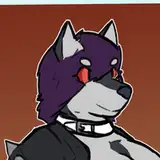
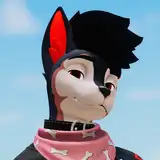
A very cool muzzle
Will update these so they will fit Magpie verisions in the future (inprogress)
With This Package you get:
Requirements!!!!!!!!!!!!!!!
I would highly recommend to merge this in blender for smooth visemes
REMEMBER TO USE CATS PLUGIN TO EXPORT YOUR MODEL
Youtube tutorial of how to attach clothing in blender
https://www.youtube.com/watch?v=ot4wAjDhDL4
There is a known issue with VRCFURY Advanced Visemes component link to tread https://vrcfury.com/components/other/
Downsides:
Advanced Visemes are created using a simplified estimation of VRChat's visemes.
They may appear more "jerky" or "robotic."
If you are attaching an item directly to the face, where perfect sync with the face mesh is important, your only real option is to either merge the meshes in blender, or live with jerky visemes and use Advanced Visemes for both the base mesh and the addon (disabling visemes in the VRC avatar descriptor entirely).
If you want Advanced Visemes to work better, vote for -------->this VRChat feature request<--------
Please click on the link and upvote to make VRC FURY work better with visemes!
Link to Jerry's gumroad for facetracking prefab and please follow the instructions of how to setup Jerry's face tracking
Muzzle works with:
CanisWoof
Rexouium 1.7
Rexouium [Fara Edit]
If you are having issues with visemes being weird then look at your avatar descriptor to see what visemes you have
This is on the muzzle:

If you avatar use these when having facetracking on

then open the prefab and change the visemes on the muzzle


Just put in all the correct visemes and then you are done!