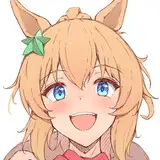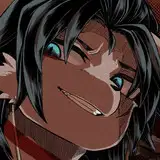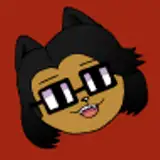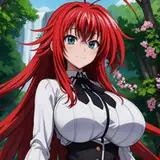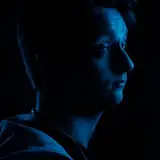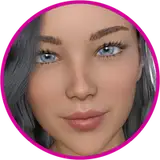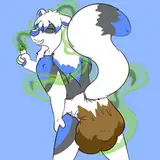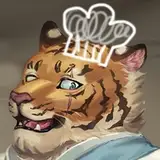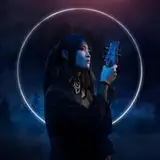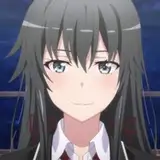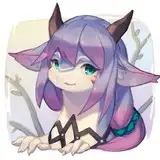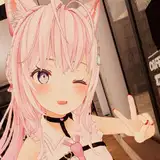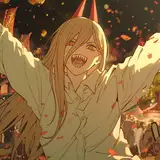
This shader enables you to have a nice soft outline on your model. It uses no screen effects and doesn't rely on post processing like bloom, just a mesh fin that is generated in the shader! This also enables some really neat audiolink effects! For more details, read below!
Use textures to customize the effect!
Settings to enable other effects like fire or drop shadows!
*some new features and minor changes may have been made since recording.
This shader is both a standalone shader, and a lightly integrated poiyomi module. What does this mean? It means that you can either apply the shader by adding an extra material, or by using poiyomi shader with the module installed! See the installation instruction video for more information.
Due to the shader being an extra pass, it is only lightly integrated with Poiyomi shader. Some features, like Poiyomi dissolve, will not effect the Soft Outlines. One exception to this is UV discards, which are explicitly supported.
This effect is impacted by the topology of your mesh, hard or split edges can result in outline artifacts. It is highly likely that you will not be able to get a perfect smooth outline, but all models I have tried the effect on have been passable. Make sure to follow the installation tutorial for details on how to minimize these artifacts.
This product requires Poiyomi shader in the project! Download Poiyomi from: https://github.com/poiyomi/PoiyomiToonShader/releases
(alternatively, Poiyomi Pro, or standalone thry editor for different use cases)
Come Join the Discord for WIP pictures, support, and future discord exclusive assets!
Changelog:
1.0: Base Release.
1.1: Added "Edge Brightness Limit" to help with people accidentally making their settings way too bright for worlds with bloom. Adjusted "Edge Min Value" to default to .01 for the same reason.
TOS:
By purchasing this product you are agreeing to be subject to the terms and conditions outlined in this TOS section:
COMMERCIAL USE: My TOS is compatible with "dependency" based commercial use. Where a purchaser of your product is directed to purchase my product from this page, and install it along side of your avatar or other product which uses it. It is YOUR responsibility to ensure that no files (including locked shader files) from this product are included in any package you distribute. In addition, due to overall uncertainty surrounding it, this product MAY NOT be used on AVATARS being sold via the VRChat creator economy at this time (worlds involved in the creator economy are fine to use it). This is subject to change at any time.
If you are unsure whether your usage of this product would violate these terms, please reach out to me via the discord server above!
Any TOS or verification inquiries from me will come via discord from: zekk.dev
Credits:
Nessie who first showed me Silhouette Fin Extrusion in game which is the basis for this effect.
Models Used in showcase and promo footage:
Rusk by komado at: https://booth.pm/en/items/2559783
Merriana by Astrafluff at: https://astrafluff.gumroad.com/l/Merriana
CherubBot by Polygoncherub at: https://bsky.app/profile/polygoncherub.bsky.social
I used Exsy Glitter as a reference for good packaging of Poiyomi modules (specifically using the "+moduleName" was something that I liked from their setup): https://exsy.booth.pm/items/5492450
Its pretty cool if you are looking for some really nice glitter!
GPU Gems awesome article on Silhouette Fin Extrusion.
Most promo was shot in CyberLove | A7 サイバーラブ by ArtsyGlitch: https://vrchat.com/home/world/wrld_53939e6c-821e-4d45-b56b-5e305cfa8882
Search terms:
Soft Outline, Aura, Bloom, Glow, Audiolink, VFX, Avatar Effects, Shader
Thank you for your purchase! Please consider leaving a rating/review if you enjoy the product, it helps a bunch!
If you post on social media using any of my shaders feel free to use the tag: #ZekkDev!
Extra content can also be found in my discord for some products, for example, development builds of future product updates and old versions of some products that might work better for you in some specific cases! Most of my products currently have or will soon have this kind of stuff, so make sure to join the discord and verify your purchases if you are interested! This is also a great place to submit any bug reports, or if you need help with anything related to the product!
Download:
Installation/overview video:
Zekk's Soft Outline Aura Shader - Installation Tutorial/Overview