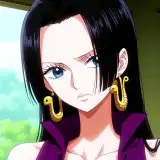
Queen Bee VRChat Full Body Tracking 3D Model
Added 2024-09-12 21:11:31 +0000 UTC
Unity Package (2022.3.6f1) with Scene, FBX, animations, and effects. All setup and ready for upload to VRChat! Includes Blender Raw File (3.5.1) + Textures (PNG only)
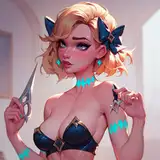
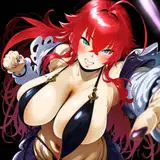
Helluvaboss Queen Bee Model designed for VRChat!
Model Specs & Features
- PC & Quest Support
- 69k tris
- 3 Materials
- Full Body Tracking
- Physbone Support
- 6 Custom Facial Gestures
- Viseme Support
- Toggle Outfit
- Toggle Arms
- Arm Control Posing (Quest &PC) or Tracking (PC)
- Size Slider
- Gogo Loco (1.8.1) w/Fly
- SDK3 (+ Unity 2022)
- Poiyomi Toon Shader 9
Changelog
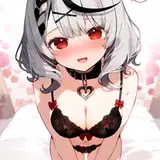
- 1.1.0 - Added N.S.F.W. textures, Added 3 more expressions and additional shapekeys, Added Arm control allowing posing or tracking, Added bones and rig to wings, Added torso lava lamp effect animation, Fixed Gogo Loco scaling
- 1.1.1 - Fixed a minor issue with scaling when switching avatars due to a missing pose/sit layer in the SFW PC descriptor
- 1.2.0 - Updated Gogo Loco 1.8.1 with Fly
- 1.3.0 - 2022.3.6f1 Repack, Fixed gesture expression locking issue for some VR controllers
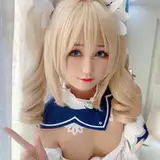
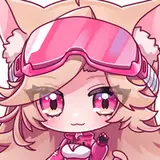
- 1.4.0 - Added reskin textures made by CozyLaila & Robhearts

- 1.4.1 - Fixed Quest texture memory issue after new sdk update
- 1.4.2 - Blender Project now also contains the reskins as separate objects
- 1.5.0 - Quest now supports new vrc constraints! Updated poiyomi to 9.0
- 1.5.1 - Fixed issue with SFW version lower arm constraints
Instructions for VRChat PC
- Download Unity Hub
https://unity.com/download
- Make a new Avatar project with VRChat Creator Companion (VCC)
https://vrchat.com/home/download
- (Optional) Import Poiyomi Toon Shader (8.1):
https://github.com/poiyomi/PoiyomiToonShader/releases
- Import my provided .unitypackage file
- Open Avatar.scene, login using the VRchat SDK, build & upload!
Instructions for VRChat Quest (Cont.)
- Copy the Avatar ID that generated after uploading to PC
(In the VRChat SDK, click on the Content Manager tab, you'll see "Copy ID")
- Click on the _Quest avatar and attach/paste the Avatar ID
(In the Inspector, on the Pipeline Manager component, you'll see "Blueprint ID", then click Attach)
- Click on File > Build Settings... > Android > Switch Platform
(Delete _PoiyomiShaders folder if you imported to help speed up the process)
- Open the VRChat SDK and build & upload again!
Please do not make public.
Please do not redistribute.
Banner image made by SilentDreams (@SilentDreamsMax)
Asset isNOT affiliated with Spindlehorse Toons
Reskins done by CozyLaila (@CozyLaila) & Robhearts (@yourshadowfox11)
Contact
Twitter:https://twitter.com/Shadsterwolf
Discord: Shadsterwolf