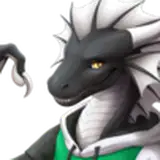
The material is using the Furality Somna shader. It does not work without it! Download it from
https://furality.online/ and import it into your project.
Click and drag the "Furality Somna Prefab" onto your "Hoodie Prefab" object on your avatar.
The prefab has to be either a child of the hoodie object for it to work.
Check out my Gumroad, a lot of avatars are supported!
Furality assets (c) Furality
Hoodie design (c) Morghus
The hoodie textures were made using the UCUPaint addon in Blender. Open the included blend file and if you're familiar with UCUPaint it should be straightforward to edit.
If you need to bake the emission map again, connect the "Emission Baking" shader node to the material output and then bake the "Furality Somna Baked Emissions" texture again.