Here's an assortment of winter-cool premium updates that I think you're going to like. Everything is available on the server right now.
Fast Travel Map
This behavior fix comes from a discussion in Discord between Darq Siders bluja000, Chiefmac and Rosyposy from quite a while back. Previously, whenever you used Fast Travel to switch to a zone where you have multiple destinations to choose from, the Map window would stay open during and after zoning. Once you landed you had to click the X button or hit [Esc] or (M) to get rid of the Map.
Now the Map auto-closes every time -- you no longer need the extra click or keypress. The fix works whether you're using native EQ2MAP, DarqUI+EQ2MAP, or the plain DarqUI Map.

Chat Input
Okay, I'll admit it: I caved. If you've kept up with previous Waypoints newsletters you know I've been trying to keep my hands off a recent change to the default Chat window. As you know, the game designers did a good thing by modifying the Chat window to include a resizable chat input line which accommodates higher resolution game systems. You also know that this resulted in an awkward gap between the input line and the chat output area, especially for sub-4K game clients.
Even though I swore I would leave well enough alone, the premium DarqUI Chat window now adjusts automatically to remove that excess gap, no matter what size you prefer for input text: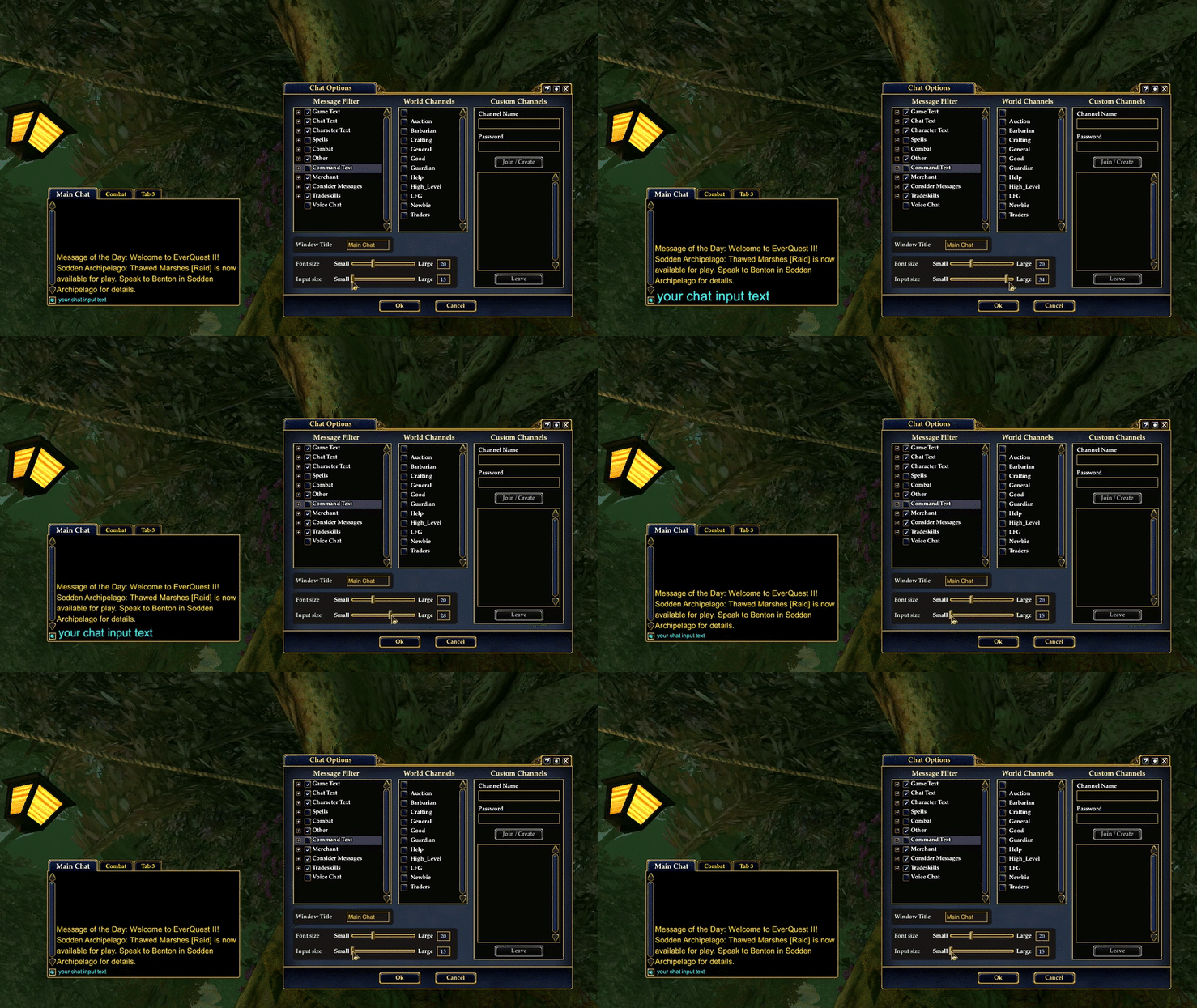
You'll also notice a new slidebar control has been added to the Chat Options window for input font size (see above image). This duplicates the control in the main Options window, but it seems like a more intuitive place to find the setting.
Favorite Voice Channel
Here is a neat new option compliments of the idea machine also known as Chiefmac. Although I'm not in the "in" crowd that routinely joins a serverwide custom voice channel upon logging in, apparently this is a thing on most if not all of the game servers. For many players who use in-game voice and are also in a guild, there is some extra fiddling with controls on login to get switched into the serverwide voice channel.
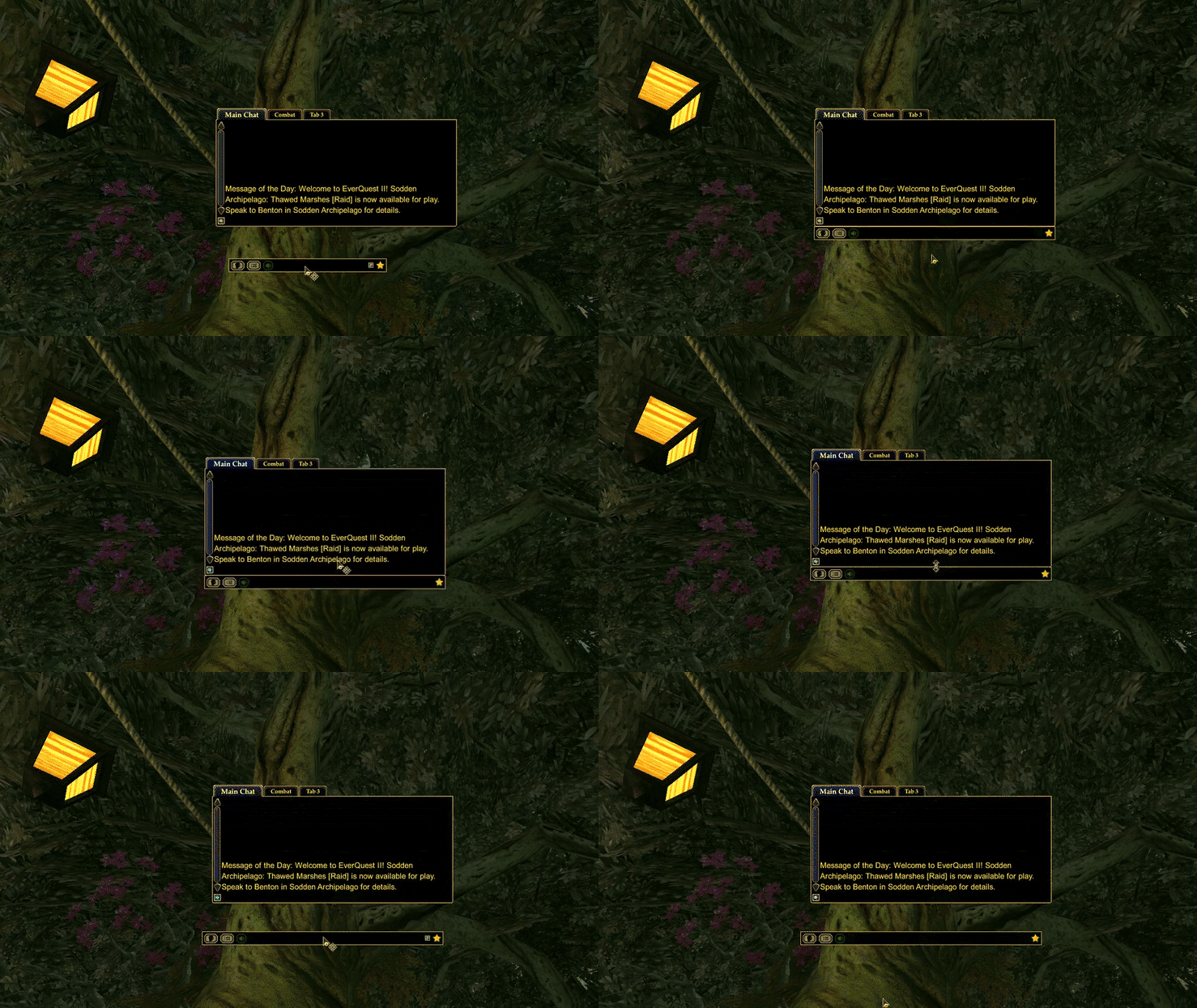
You have a new optional control on the Voice Bar for a "favorite" voice channel that you can quickly enter and leave using the star icon (see image). If voice chat is not running yet, clicking the star will enable it.

If you don't need a voice channel favorite, don't worry -- the star won't appear in the Voice Bar. Also note that the new control issues the same game commands that would otherwise be used from the other windows; it's simply a more convenient way to connect and disconnect. You'll still need to be patient and wait for the often slow Vivox client to get you into voice. Thanks to Chiefmac for the idea and for testing and feedback.
(One quick setup note: The game always capitalizes the first letter of Voice channels, even if you didn't. When entering your custom channel name, remember to capitalize the first letter, otherwise the Voice Bar will have a tough time detecting it.)
And speaking of Voice Chat, did you know the Voice Bar has a hidden feature that makes it "stick" to the bottom of the Chat window? If your Voice Bar is always getting lost or stuck behind other windows, try dragging-and-dropping it onto your Chat window and check out the Magneto action. Nice!
Edit Macro Window
And finally, you probably noticed in Tuesday's official Update Notes that the game designers added a new keyring command that you can build into your custom macros. If you're using the premium 2K or 4K size UI, remember to get updates using the DarqUI utility. The Edit Macro window is in the Extras package.
Now you can drag-and-drop a wand from the Petamorph Keyring onto the control and into your macro. And don't forget you can also drop the wand or any other spell or item onto the icon image slot up top if you don't like any of the default ones (see image).
Want even more control over your Petamorph wands? You can add the slash command into a Loadout Command List, Icon Bar macro, etc to cast it:
use_keyringitem 0 <item ID>
The zero tells the game to look in the first Keyring tab, and since Petamorphs is the one and only tab right now, it's considered the zero'th tab.

(That's the Large size Edit Macro window next to the Normal size Character window, if you were wondering why the two windows look odd next to each other.)
Have fun and stay warm!

mike
2025-02-06 17:32:52 +0000 UTCMemphis Korz
2025-01-18 16:50:38 +0000 UTCDeb Hickerson
2025-01-18 00:47:47 +0000 UTC