A husband and wife are sitting quietly in bed reading. The wife looks over at him and asks the question....
HER: What would you do if I died? Would you get married again?
HIM: Definitely not!
HER: Why not? Don't you like being married?
HIM: Of course I do.
HER: Then why wouldn't you remarry?
HIM: Okay, okay. I'd get married again.
HER: You would? (with a hurt look)
HIM: (makes audible groan)
HER: Would you live in our house?
HIM: Sure, it's a great house.
HER: Would you take her golfing with you?
HIM: Yes, why not?
HER: Would she use my clubs?
HIM: No, she's left-handed.
_____
Happy New Year, Darq Siders! As we wave goodbye to another great year playing our favorite MMO, it's a chance to remember all the excellent experiences we’ve had with our fellow gamers in the ever-expanding world of Norrath.
Here at Darq Side HQ, I'll admit it's a bit startling to look back at the dozens of new and updated UI features we've dreamed up together over the past year. This month is no exception -- here are a few items from a long list of creative ideas (and a bug fix or two!) that are on the updater right now:
Hidden But Not Lost
Chiefmac and I have been working on a small quality-of-life improvement for the Harvest and Overseer bags that we think you're going to like. The default UI gives these two special bags a unique trait: they are considered personal inventory bags and bank bags. Sort of.
When you open and close your personal inventory bags (usually with the B shortcut key) the Harvest and Overseer (H&O) bags open and close along with them. This makes sense because the two bags are populated with rewards and harvestables as you play the game, similar to your regular inventory bags. But, somewhat confusingly, they also open when you open your bank bags. And then, even more puzzling, they stay open after you exit the bank until you close them manually or use the B key.
I'm not sure if the game designers programmed it specifically to work this way, but Chiefmac and I believe (and we think you'll agree) that the H&O bags should only open and close along with inventory bags, not bank bags.
A new setting allows you to choose how the two special bags behave at a bank when you use the auto-open feature. (Auto-open is the custom DarqUI setting that opens all of your bank bags immediately when you visit a bank rather than using the Shift+B keyboard shortcut in a separate step.)
With the new setting enabled, Overseer and Harvest bags only open and close with your personal inventory bags. When you conclude your bank session, the H&O bags remain open or closed along with your regular inventory bags.
That's a lot of words to describe a simple idea -- give it a try and I think you'll prefer it. (Using the default Shift+B keyboard shortcut to open your bank bags will ignore the setting. And if you want to disable the new setting permanently you can do so with the control shown below. (first red arrow)

One other related update: the Harvest bag is no longer stuck with basic black -- it can now be colored along with the others using the Bag Color feature. It shares custom colors with the Overseer bag.
Advance Warning
The NPC Spell Monitor can be a valuable tool to accumulate enemy spellcasting data quickly in battle. If you're learning a complex heroic or raid encounter, you can use the monitor to gather spell names, casting intervals and histories. The monitor can also be configured to announce spells to your group or raid as they are cast.
DarqUI user Anarke is a big fan of the NPC Spell Monitor, but recently asked if there was a way to give his raid some advance warning for spells in the same chat channel as the announcements themselves.
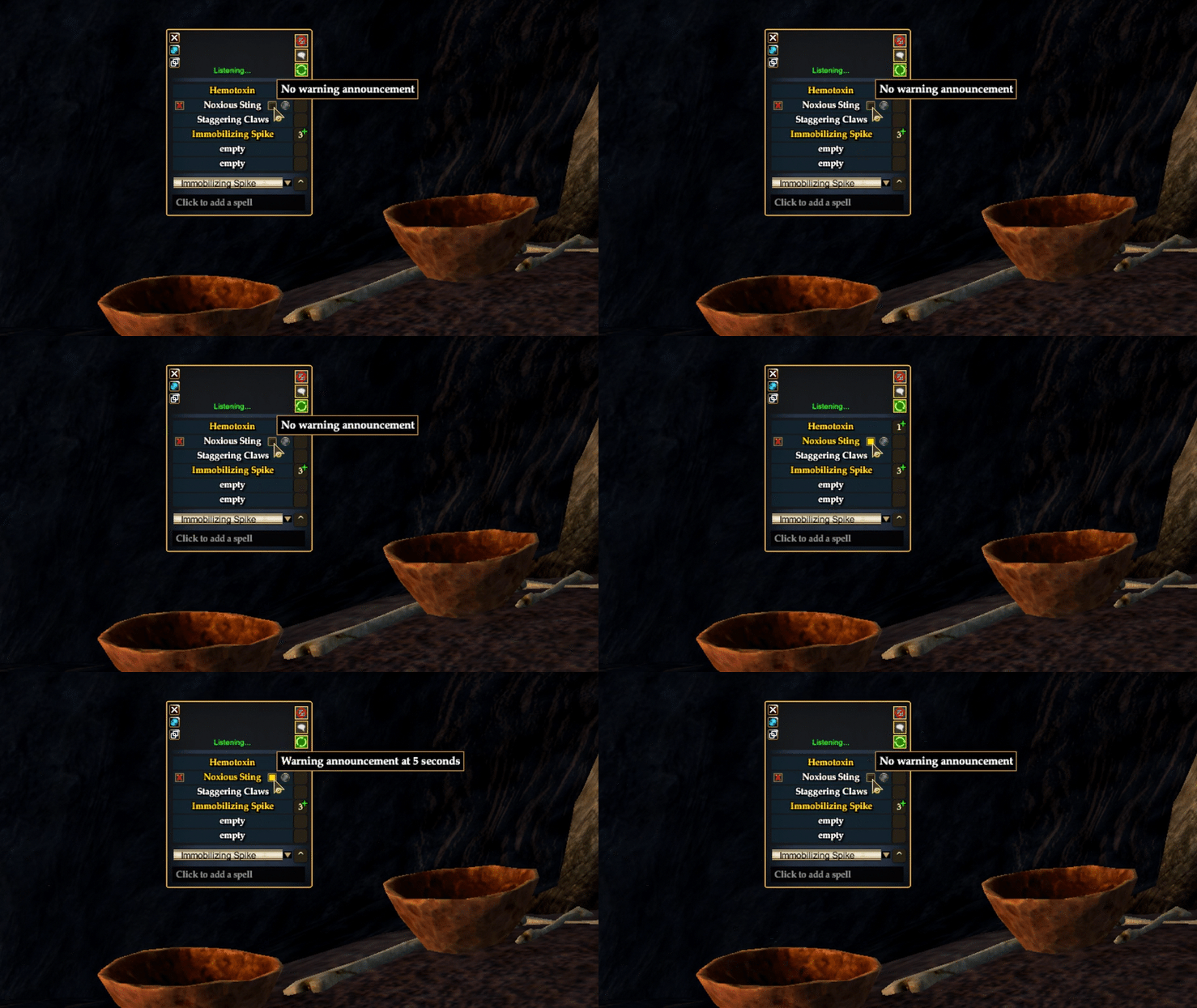
The premium monitor has been updated to do just that. If you have used the monitor, you already know that a spell slot begins flashing five seconds before the estimated recast timer expires. And now you have the option to automatically announce that pre-cast warning in chat.
If you are using the Spell Presets feature to configure known spells, a new checkbox can be set for individual spells to warn the group or raid ahead of time. Your custom chat channel and warning message can also be configured here:


If you are adding spells to the monitor ad-hoc during an encounter, a new control allows you to toggle the advance warning on and off for each spell slot. The gold color identifies spells with warnings:
Merchant Misbehavior
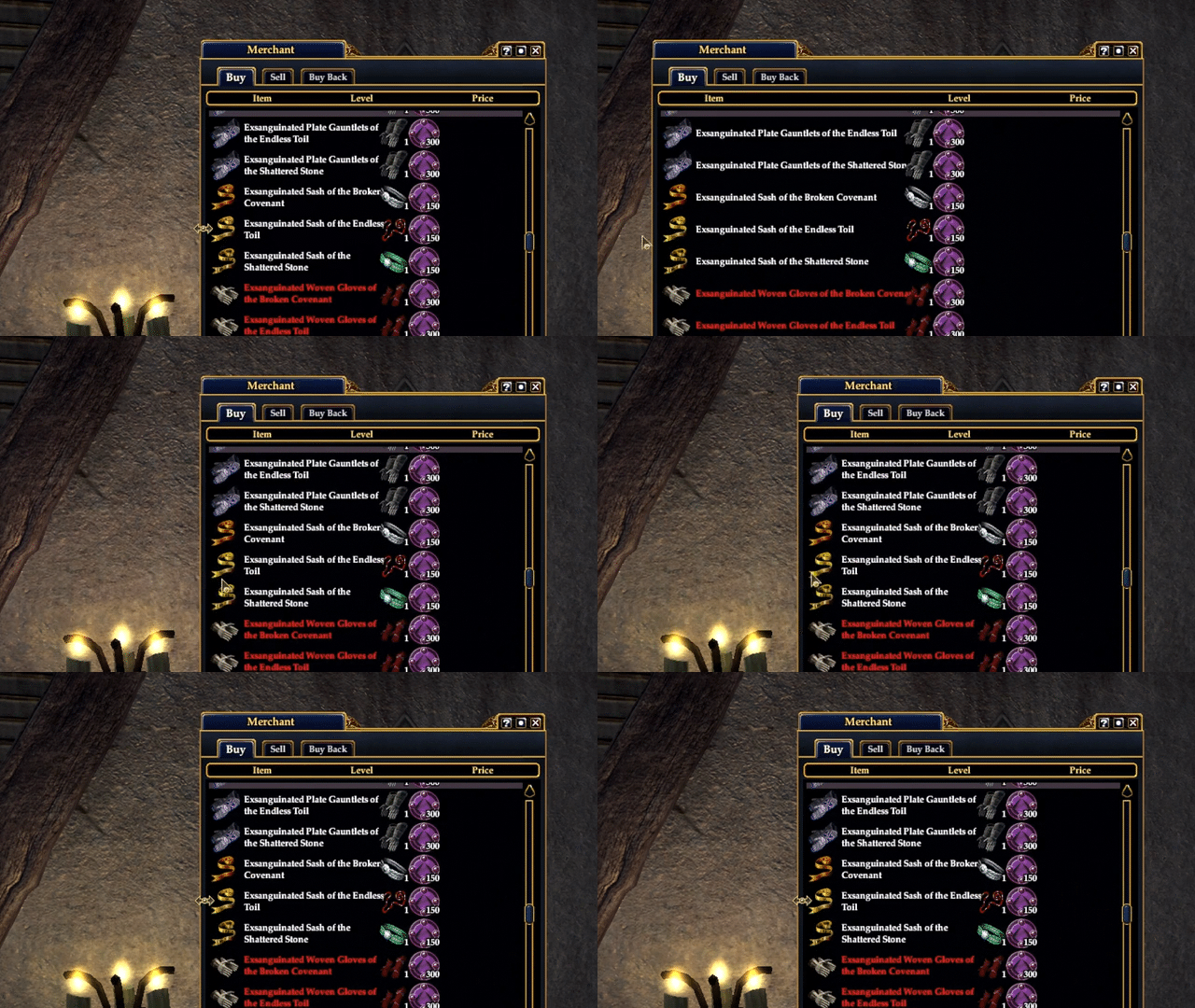
For purchases that require unique currencies, gear patterns, etc., veteran Darq Side member Myxx pointed out that item names can be occluded by the extra icons in the Merchant window. A new update allows the special currency icons to move independently from items and prices, making long item names easier to read as you resize the window horizontally. The ProfitUI CE Merchant window has also been updated with a similar improvement. Thank you, Myxx!
My favorite part of the DarqUI project is getting a great suggestion or clever idea from a Darq Side member, then designing and publishing the feature with direct feedback and testing from the member who suggested it. It's crowdsourcing at its best, and it's my privilege to turn your ideas into real features you can use every day. So don't be shy about brainstorming, and let me know what you think. I can't wait to see what you come up with next!