One notable difference between EverQuest II's Live servers and the new Origins server is the return of original spell and combat art names. Instead of shared names like Rapidity I, II and III, spells on Anashti Sul are more like Alacrity, Celerity, Legerity, and so on. Every spell at every level has its own unique name.
For veteran players who are accustomed to the convenience of self-leveling spell icons on the Group and Raid windows, an extra step is needed to configure each old-school spell slot: Once when first receiving the spell line, and again at each level-up. Because Anashti Sul doesn't talk to the Census server, setting up reference-cast spell buttons in ye olde Norrath hasn't exactly been player-friendly.
Thanks to an exceptional effort by Darq Side member Fiora, DarqUI spell and combat art suggestions for the Origins server are now at your fingertips. To get started using the old spell names, there's not much you need to do. When you check for updates with your Origins-enabled utility (v3.1.3.9+) you'll receive a new list that accompanies the Live suggestions file.
Old-school spell suggestions for your Group and Raid windows will be available to configure, using the same tools as the consolidated spell lines on Live. You can verify which list you're using on the Files page:

If something doesn't look right, don't use the Browse button -- instead reset your files for Origins on the Settings page and the correct spell list will be loaded automatically:

Now you can use Quick Setup with one or all of your Anashti Sul characters to choose correct spell names and levels, and set up your class cures with their correct names.

Or you can choose to configure spells and combat arts individually on the character setup pages.

To include Spell ID numbers, choose the option on the Quick Setup page when you configure characters there, or you can pick individual abilities to cast using the ID. Choose the spell's level in the dropdown, then click Get Spell ID:

Working with original spell names in-game is also much more convenient. Suggested spells for all levels are available along with their icons and adventure levels:
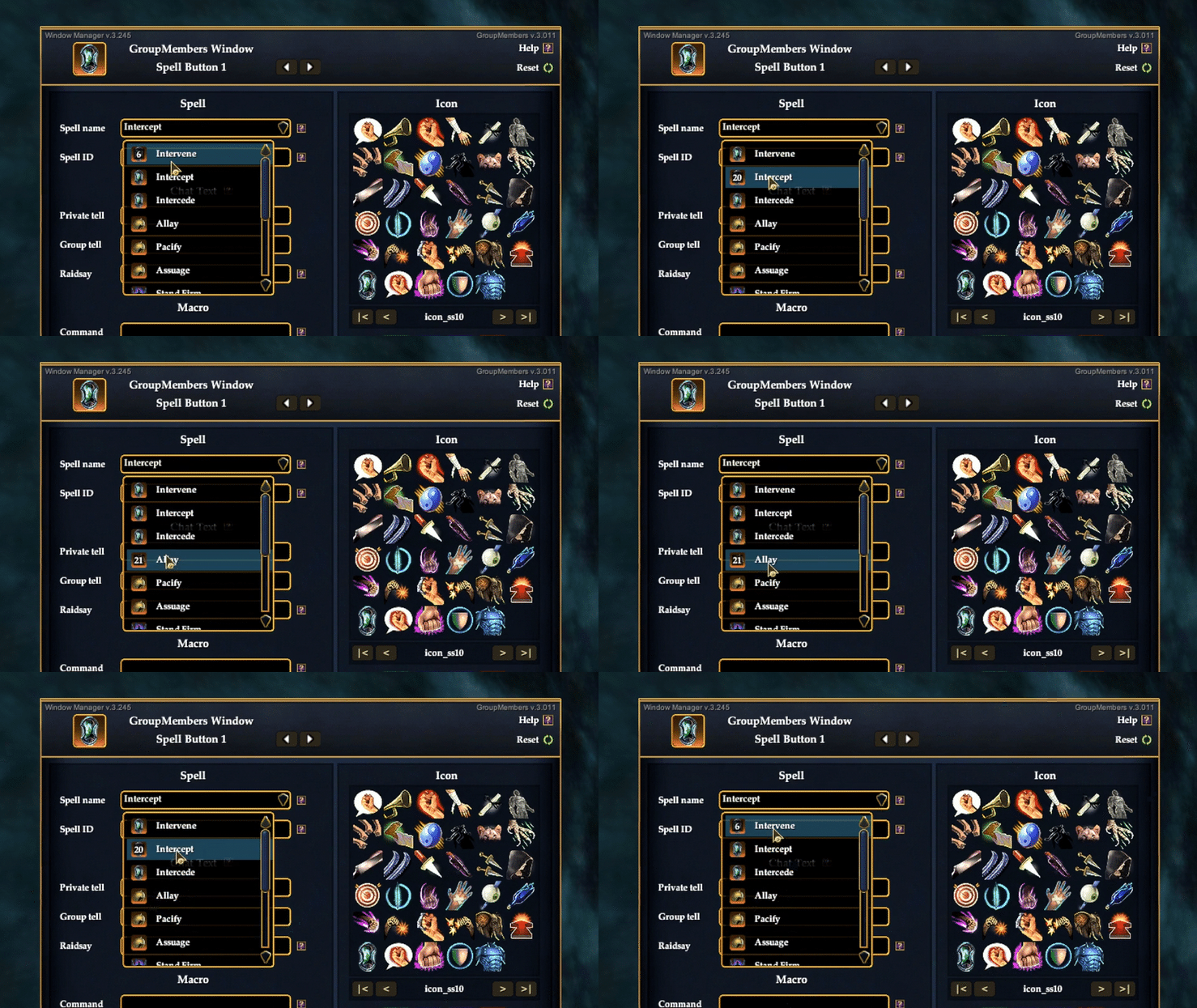
And remember, your Group and Raid spell choices are independent, so you can choose appropriate spells for each window to further customize your customizations.
Darq Wood
2024-12-13 21:47:56 +0000 UTCWilliam
2024-12-13 21:41:00 +0000 UTCDarq Wood
2024-12-13 21:25:09 +0000 UTCWilliam
2024-12-13 21:18:12 +0000 UTCDarq Wood
2024-12-13 20:43:22 +0000 UTCWilliam
2024-12-13 19:54:28 +0000 UTCWilliam
2024-12-13 19:53:54 +0000 UTCDarq Wood
2024-12-13 19:37:18 +0000 UTCWilliam
2024-12-13 18:04:18 +0000 UTC