So far we've seen a gratifying response to the new Loadouts feature, and there are a couple of changes on the server today based upon member feedback that will smooth out certain things.
It's In the Bag
For many of us, current-tier gear includes lots of little gotchas in the form of restricted adornments and gear pieces. RELIC, LORE-EQUIP and other similar tags can sometimes cause rifts in the continuum when you're trying to do a gear swap. If the game senses that a certain combination of worn items will break the rules, it denies the swap and gives you a helpful message in chat.
To mitigate this annoyance, the earlier version of Loadouts always started out by stripping you down to your socks right there in front of all Norrath before equipping the new gear set. This prevents rule breaks and angry chat messages, but it also means the old gear gets dropped into the first available bag slots. Even though you can use Bag Options to funnel gear into specific bags, this behavior is unnecessary for gear swaps that do not break any rules.
Now we have a new one-click option that you can apply to any loadout with a gear set step. A new "push-pin" control (see below) lets you choose how to handle the swap. Leave the control disabled (gray) and your gear is swapped the old-fashioned way, piece-for-piece, and each swapped item is dropped into the same bag slot as the one replacing it.
Enable the control (green) for gear sets that give you the chat messages, and your current gear will get unloaded before performing the swap. No messages, no failed swaps, and the replaced gear drops into your bags according to your current bag options. So now you get to decide how that little detail works.

Ascension Contention
Take a look at the updated Loadouts help file, because it has some information about how to handle the special case of Ascension buffs. If you've tried adding Ascensions to a loadout you may have been perplexed by the result, but check out the in-game Loadouts help page for the perfect answer!
Runnin' On Empty
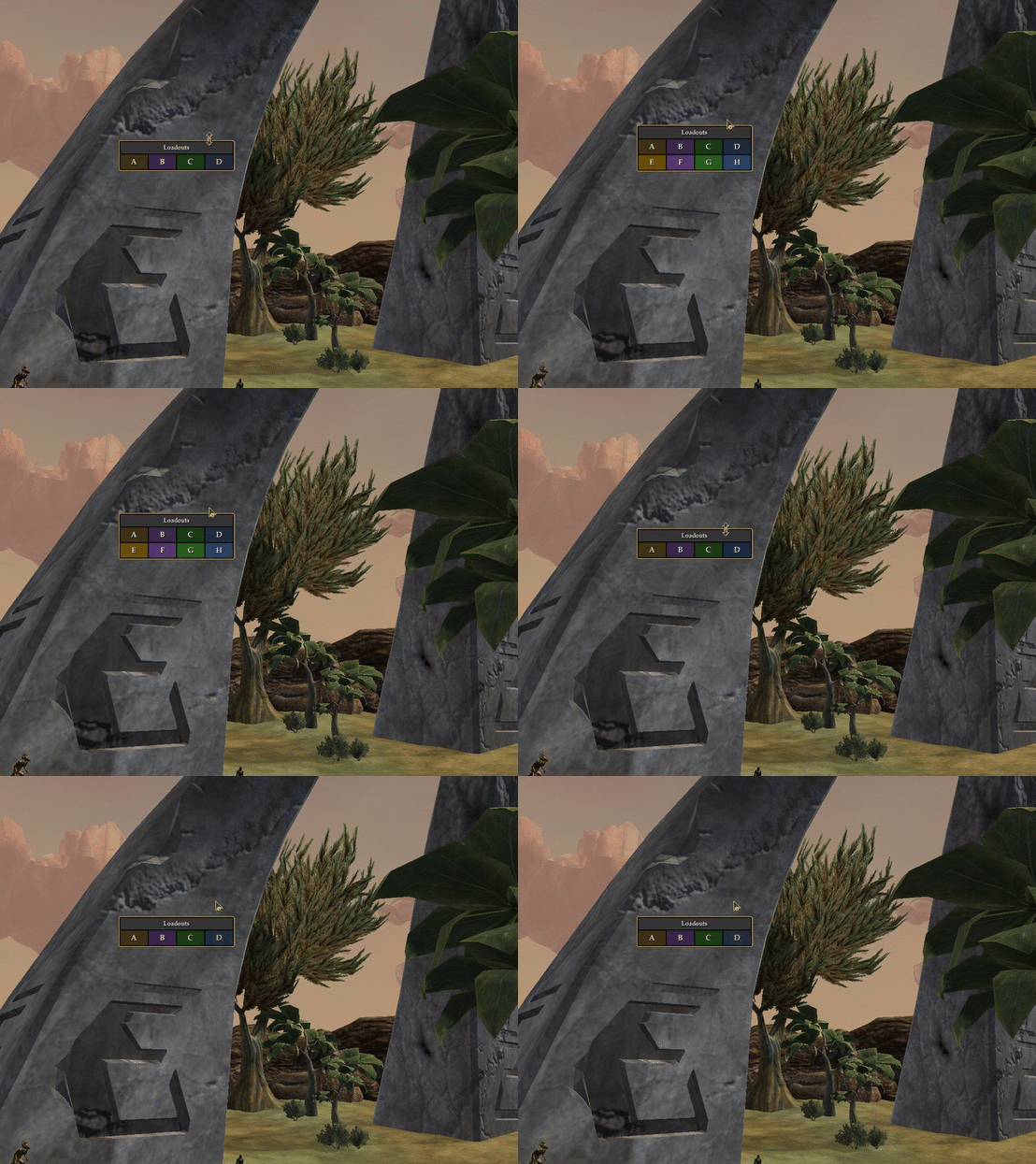
If you're running out of Ability List slots for all those buffs (especially if you follow the advice above about Ascensions), here's another perfect answer: Set up a second loadout with only those spells and buffs that you couldn't fit into the first loadout. Then use the Command slot to call up the second one. Here's the command to chain two loadouts together:
show_window Custom.Loadouts.Deploy.B
Loadout A is calling Loadout B in this example, but of course you can choose any two. You could even chain a third to the first two in the same way. "Ugh, this will make me run out of loadouts!" you may say. To that, I give you this answer:
Taking a Stance
And finally, we're working on one more issue for Loadouts: Stances. Right now, offensive and defensive stances don't necessarily cast the way you want them to in the Ability List, especially if you are not also changing your AA Spec in the same loadout. Stances don't cancel and recast in the usual way, so check the status of your stance in the Maintained window after deploying a loadout that includes one. A fix is incoming, but it will likely be after publishing the utility. Simple change, but lots of code and testing. Stay tuned, and thank you!