The Desert of Ro has concealed many mysteries during this Age of Destiny. But one of the great unanswered questions is, "How can we make POI icons easier to see on the map?"
We are fortunate to have a cartography system that provides us with hundreds of colorful maps and thousands of data points in a crowd-sourced database that is updated constantly. In fact, some of our own Darq Side members are frequently involved in the process of updating custom EQ2MAP maps and points of interest for all players.
There has always been something of a trade-off between lively, colorful zone maps and points of interest that are easy to see, especially with map backgrounds that are consistently a very light color (like the desert) or very dark.
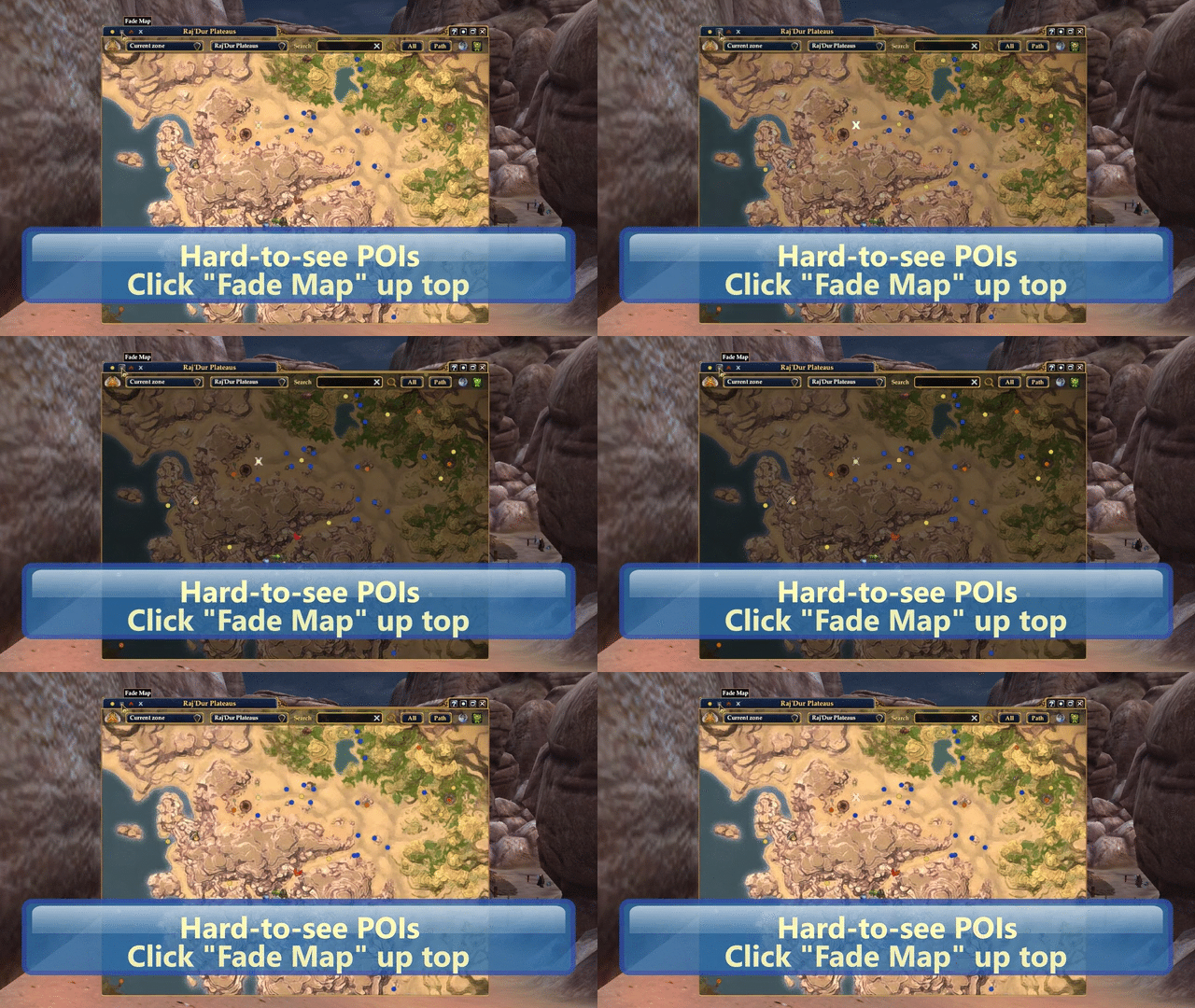
Four new visibility controls are available for standard maps and EQ2MAP that should make using the system a bit more comfortable. You can download the custom file in the usual way, although you'll need to make a choice from the gear icon, depending on whether you use EQ2MAP or the standard mapping system.

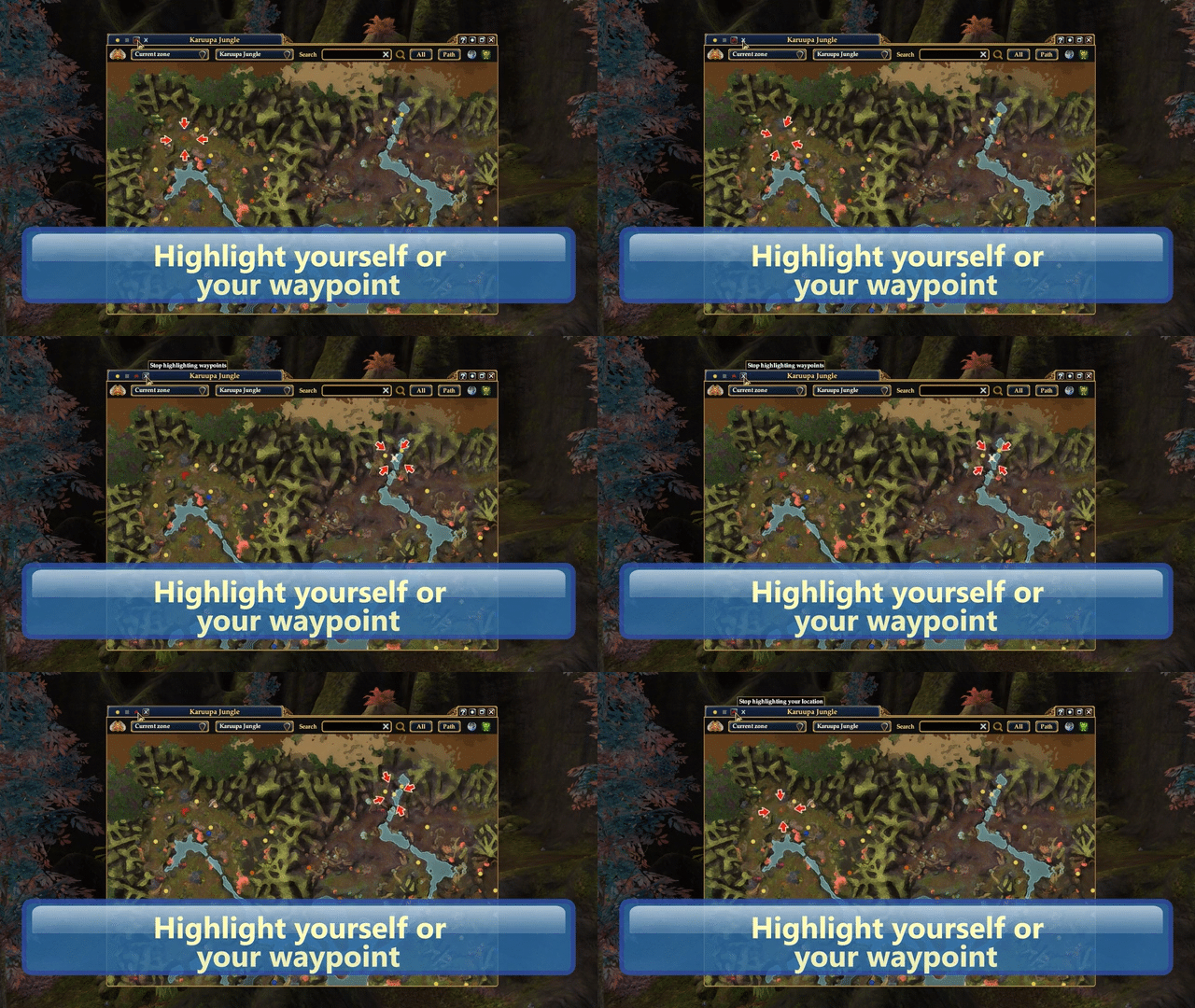
Using these new titlebar controls you can show or hide all POIs with a click, leaving just yourself and any waypoint you have set. Or you can darken the map background in lighter-colored zones. You can also highlight your own position on the map, or the location of your current waypoint. It's amazing how much better the various POIs and other icons stand out with these simple changes.
The mini-map has a similar set of controls:

And one last tweak: If, like Darq Side member Derrik you frequently switch between windowed and fullscreen modes with the map open, you may find that the window will sometimes jump partially off the top edge of the screen when you return from windowed mode. Since the titlebar is unreachable at these times, it takes some additional fiddling to get the map moved back down into the middle of the screen.
If you find the map in this state again, just press your keyboard shortcut key twice to hide and show the Map window again. When the map reappears, the titlebar will be within the game window's boundaries. Just a little trick I learned from a wise old Hizite. Thanks to Derrik for his help testing the feature.