Text chat is a key aspect of MMOs, and EverQuest II is no exception. Here are two nice improvements to the premium DarqUI Chat window.
Bigger Is Better
You may have watched the Darq Side daily video that talks about setting a global chat font size in Options up to a limit of 20 pixels. It also gives pointers for setting larger font sizes on individual tabs. At first glance, chat text larger than 20 pixels may seem useful only for high resolutions. But even if you don't have a fancy 4K system, 20 pixels can start to feel a bit tight.
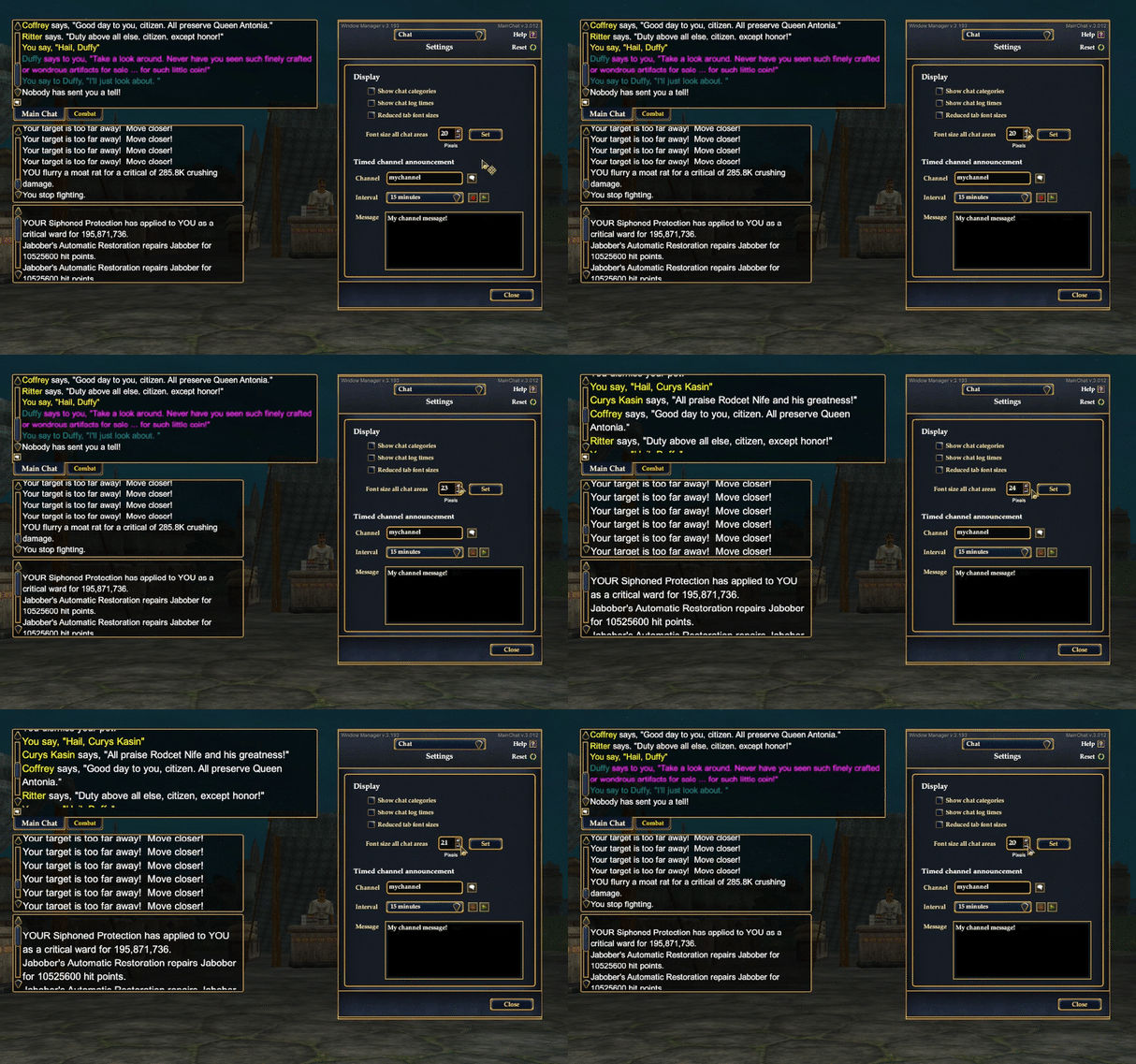
A new control on the Chat setup page will reset the font size on all of your Chat windows at once, from a barely legible 10 pixels to a downright gargantuan 72 pixels. This is a big improvement over setting each tab individually in Chat Options, especially if you have a whole slew of tabs. Give it a try!
Can You Repeat That, Please?
A timed channel announcement feature was introduced recently. It's a convenient, hands-free way to periodically broadcast a guild recruitment message, advertise a published house or an item in the auction channel, or any other repeatable message. If you've put this feature to work, you probably noticed the only way to check the status of the timer is to keep opening the window manager. Yes, annoying.
Now when you start a timed announcement you'll get a new chat bubble icon in the upper right-hand corner of your primary Chat window. Mousing over the icon reports how many minutes remain before the next announcement. When the time remaining drops below two minutes, the chat bubble reminder turns bright red, and clicking it opens the window manager to the Chat setup page.

We also found and squashed a tricky bug in the announcement code that was crawling around on certain component sizes on certain tab configurations. Now when you change the channel name or message text in the window manager, your next announcement cycle will use them immediately whether you have saved them to disk or not.